Skip to Content

Apple Seeds Eighth Beta of watchOS 8 to Developers [Public Beta Available]

Apple today seeded the eighth beta of the upcoming watchOS 8 update to developers for testing purposes, with the update coming one week after Apple released the seventh watchOS 8 beta.
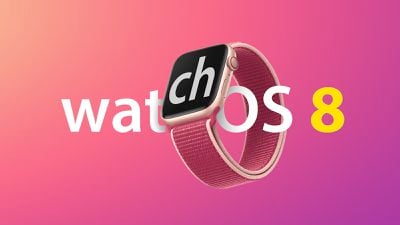
watchOS 8 on Apple Watch feature
To install ‌watchOS 8‌, developers will need to download the configuration profile from the Apple Developer Center. Once installed, ‌watchOS 8‌ can be downloaded through the dedicated Apple Watch app on the iPhone by going to General > Software update.

To update to new software, an Apple Watch needs to have 50 percent battery life, it must be placed on the charger, and it needs to be in range of the ‌iPhone‌. It's not recommended to install ‌watchOS 8‌ on a main Apple Watch as the software may be unstable at this early date.

watchOS 8 has several new features that are extensions of new features introduced in iOS 15. There are improvements to Wallet that allow it to hold keys for unlocking hotel, car, and home doors, plus Apple will let U.S. users add their IDs to Wallet later this year.

Apple overhauled the Home app, and for the Workout app, there are new Tai Chi and Pilates workout types, and the Breathe app has been renamed to Mindfulness thanks to a new Reflect session that invites users to get into a positive state of mind. When sleeping, the Apple Watch now measures respiratory rate.

Focus mode from iOS 15 syncs to the watch so users can stay on task, and in the Messages app, Scribble, dictation, and emojis can be combined within the same message, making it easier to communicate. Dictated text can be edited, and GIFs can be sent right from the watch.

There's a new Portrait watch face, and the Photos app has been updated with support for Memories and Featured ‌Photos‌. A new Find My app lets items be located right on the wrist, and there are also new updates for Music, Weather, Timers, and more, along with a new Contacts app.


Related Roundup: watchOS 26
Related Forum: Apple Watch

Popular Stories

Apple Event Logo

Apple Released Seven New Products Today

Wednesday March 11, 2026 7:05 am PDT by
Starting today, the seven new Apple products that were announced last week are available at Apple Stores and beginning to arrive to customers. The colorful MacBook Neo and all of the other new products are on display at most Apple Store locations around the world starting today. Apple Stores have inventory of the new products for both walk-in customers and Apple Store pickup, but...
iOS 27 Mock Quick

10+ New Features Coming in iOS 27

Friday March 13, 2026 2:13 pm PDT by
We're only three months away from Apple's WWDC 2026 event, which will see the company unveil iOS 27. With the fully revamped version of Siri possibly delayed until September, iOS 27 is shaping up to be the update we wanted iOS 26 to be. There will be new Apple Intelligence features, updates for the iPhone Fold, and more, with the latest rumors summarized below. Foldable iPhone Features...
Apple 50 Years of Thinking Different

Apple Announces 50th Anniversary Plans

Thursday March 12, 2026 6:10 am PDT by
Apple today announced that it will celebrate the company's 50th anniversary over the coming weeks, but it has yet to reveal any specific plans. Apple was founded on April 1, 1976, so the company will turn 50 on April 1, 2026. "While Apple is known for looking forward, this milestone offers a special moment to reflect on the journey that has brought the company here, to celebrate the...

Top Rated Comments

BarrettF77 Avatar
59 months ago
Where is the public beta the title says it‘s out and it is not. Do they even read before they hit post?
Score: 5 Votes (Like | Disagree)
Johnny907 Avatar
59 months ago

If you're on a Series 4 (like me), this is shaping up to one he** of an upgrade: always on screen, blood oxygen monitor, larger screen, blood pressure monitor (?), double the storage, and significantly faster. I don't care about the redesign, but I'll take it.
Yeah as someone who went from the 4 to the 6 last year, Always On is some useless BS with more drawbacks than advantages.
1) The new screen is noticeably dimmer. I used to keep my watch at the middle brightness and didn't have any issues. The 6 is now at highest brightness yet still isn't as bright.

2) Always On is slower to refresh from static to active, and does so with this weird blurring effect I find annoying, than my Series 4 was from display off to on when triggered my lifting my wrist up to my eyes.

When I'm not looking at my watch face I don't really care what it is displaying, frankly. It may as well not exist as far as I am concerned, so Always On never really interested me in the first place. Because of this, and the above mentioned issues, I've kept it turned off since the second day of owning it. This has negated issue number 2 but not number 1, as whether I use the always on feature or not, because of the tech involved the screen will always be dimmer. Had I known this I would have stuck with my Series 4 one more year, frankly.
Score: 2 Votes (Like | Disagree)
59 months ago
Hopefully this update fixes the battery drain issue
Score: 2 Votes (Like | Disagree)
59 months ago

PB 7, not 8, just now appeared in BR.
Yep, PB7 = DB8. There was no public beta for DB5.
Score: 2 Votes (Like | Disagree)
59 months ago
If you're on a Series 4 (like me), this is shaping up to one he** of an upgrade: always on screen, blood oxygen monitor, larger screen, blood pressure monitor (?), double the storage, and significantly faster. I don't care about the redesign, but I'll take it.
Score: 1 Votes (Like | Disagree)
Johnny907 Avatar
59 months ago
Battery drain with the previous beta was ridiculous. I always charge my watch before bed and wake up with the battery around 95-96%. With the last beta I'd wake up to the battery hovering around 76-77%. That's a problem.
Score: 1 Votes (Like | Disagree)