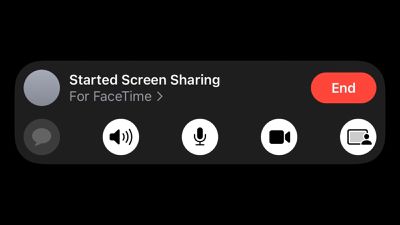
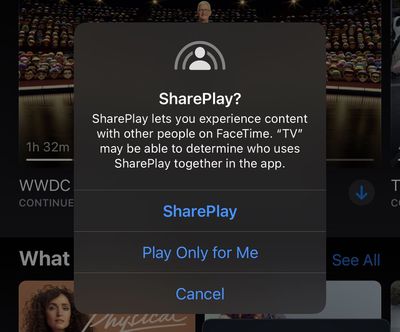
Apple today seeded the second betas of iOS 15 and iPadOS 15 to developers for testing, and one notable change is that SharePlay has now been enabled in FaceTime, allowing for two users on the latest beta to share their screens to view apps together and more.
SharePlay allows users to share experiences while connecting with friends and family on FaceTime, such as watching an Apple TV+ show in sync. SharePlay is functional in the Apple TV and Apple Music apps as of the second beta of iOS 15.
According to Jordi Bruin, the developer of a new Navi app that will bring subtitles and translation to FaceTime calls, Apple has also started accepting apps that use the GroupActivities framework through App Store Connect, meaning third-party apps offering SharePlay integration will likely be available in beta through TestFlight soon.
Navi TestFlight incoming. It seems that SharePlay apps can now be submitted. If you’re working on anything cool let me know! pic.twitter.com/j2gd6v4xcZ
— Jordi Bruin (@jordibruin) June 24, 2021
As a developer beta, iOS 15 is officially only available to those enrolled in the Apple Developer Program, which costs $99 per year. A free public beta will be available in July, and the software update will be released in the fall.
iOS 27 includes three enhancements for FaceTime, with the most notable one being a dual camera feature on some newer iPhone models.
On the iPhone 17, iPhone 17 Pro, iPhone 17 Pro Max, and iPhone Air, a Dual Capture feature allows you to record video of yourself and what is in front of you at the same time. Starting with iOS 27, this feature is now supported in the FaceTime app on these...
If you pay for certain iCloud+ storage plans beyond the 5GB that Apple offers for free, you will receive two more perks on iOS 27 at no additional cost.
A summary of the two new iCloud+ perks on iOS 27:Increased daily usage limits for some new Apple Intelligence features, including image generation in the revamped Image Playground app.
HomeKit Secure Video cameras receive generated video...
Apple's first product release of summer 2026 occurred this week, but do not get too excited, as it is merely the Beats Solo Buds in a new color.
Beats Solo Buds are now offered in orange through Best Buy in the U.S., with availability set to expand to 7-Eleven stores in Japan on July 4.
Apple already offered orange Solo Buds in India for free with the purchase of an iPhone 15 or iPhone 15 ...
Shareplay sounds awesome. I sometimes get questions from clients about how to do something in an app. I usually just do a screenshare from a desktop/laptop and run the app in the simulator and show them. Now, I can just have them share their screen and I can walk them through or show my screen and show them without having to get to a computer.
I hope there are some scaling options for when someone shares from iPad to iPhone.
Apple's first foldable iPhone, with a book-style design featuring a ~5.5-inch outer display and a ~7.8-inch inner display with a minimal crease down the middle.