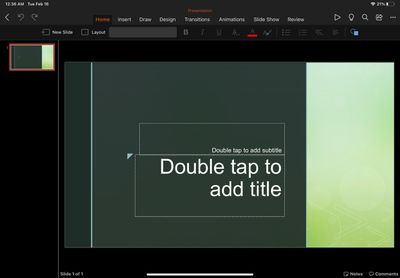
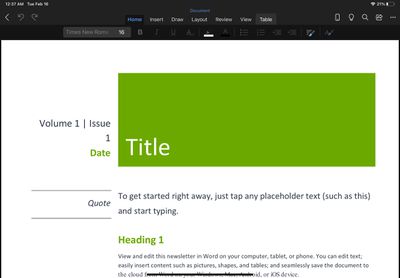
Microsoft's Office app for iOS has been updated today to version 2.46 with support for iPadOS, bringing the unified Office experience of Word, Excel, and PowerPoint to Apple's tablet platform.
Office is now available on iPad: We're combining the Word, Excel, and PowerPoint apps you know into a single, iPadOS-optimized app. Plus, you’ll see additional tools to keep you more productive than ever. For example, you’ll be able to quickly create and sign PDFs, and transform pictures into documents.
While individual Office apps have been available for the iPadsince 2014, the unified Office app launched in February 2020 has until now only been able to run on the iPad as a windowed iPhone app.
Office for iPad is free to use for iPad Air, iPad, and iPad mini users, but requires an Microsoft 365 subscription to make full use of all features. For iPad Pro users, a paid subscription is required to even edit or create documents.
Apple's long-rumored smart home hub will have an iMac G4-style design and a host of unique features, Bloomberg's Mark Gurman reports.
The smart home hub is said to feature a square 6-inch display, with variants that can be placed on a countertop or mounted on a wall. It features a single FaceTime camera on the front, with microphones and speakers in its connected base. Gurman described the...
Apple plans to introduce a series of new smart home products on Tuesday, October 13, according to Bloomberg's Mark Gurman.
Apple reportedly plans to debut its long-awaited smart home hub device, a new HomePod mini, and a new Apple TV on the date. The new HomePod mini and Apple TV are set to retain their existing designs, but tout faster chips to support Siri AI. The new HomePod mini will...
Friday October 2, 2026 12:59 pm PDT by Joe Rossignol
In a post on its developer news website today, Apple announced that it will be introducing "additional controls" for the "Full Disk Access" setting on macOS due to new risks posed by AI agents. This announcement comes amid the rise of always-on AI agents like Meta's Muse and OpenAI's Dots, which have prompted privacy concerns.
"Some developers are using Full Disk Access in ways that could...
I know these have been available for the iPhone. I'm frankly not sure what is the advantage versus just starting the Word or PowerPoint standalone apps.
For me, who has a device managed iPhone and iPad there’s one nice benefit of having it in one app. One of the rules imposed on the device is that on corporate managed apps (Which includes the office apps) copy-pasting more than 75 chars between apps isn’t allowed. So if you want to copy an excel table to a PowerPoint you can’t. With this it’ll be possible since it’s within the same app.
Microsoft once again try to enforce the subscription software model. I own my hardware and I wish to own my software too. If it's one time purchase app - I'll buy it, but I'll never pay for office 365 every year.
Microsoft once again try to enforce the subscription software model. I own my hardware and I wish to own my software too. If it's one time purchase app - I'll buy it, but I'll never pay for office 365 every year.
If you don't want to pay for it, then don't use it. Use many other alternatives, which many are free.
That sounds like a basic (and rather ridiculous) shortcoming on the part of the OS, though. There should be a way to allow that, even if it involves a second "are you sure" warning prompt.
This is not a limitation of the OS. This is a restriction imposed upon his device by the company who owns the device. Corporate profiles can have limiters, such as a limit to the number of characters that can be copied at a given time.
Also sharing the same sentiment as others in this thread. Why does the “pro” iPad need a subscription to edit a word document? Maybe I’m in the minority but editing a word document or sorting a table my boss sent me doesn’t qualify as “pro work”. Definitely doesn’t warrant a subscription. Anyone with facts know what extra features I would get on the iPad Pro version? I hope there are actually other features and it’s not just a blatant money grab.
Apple's first foldable iPhone, with a book-style design featuring a 5.4-inch outer display and a 7.6-inch inner display with a minimal crease down the middle.