Hands-On With All the New Features in watchOS 5 - MacRumors
Skip to Content

Hands-On With All the New Features in watchOS 5

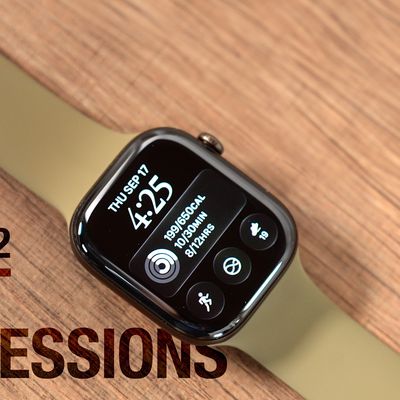
watchOS 5, the operating system that runs on the Apple Watch, was introduced last week alongside iOS 12 and macOS Mojave. The update doesn't include design changes or new watch faces, but it does introduce some fun new features that make the Apple Watch more useful than ever, like Walkie-Talkie.

We went hands-on with the new watchOS 5 update in our latest YouTube video to give MacRumors readers an idea of what to expect from the software when it launches this fall.


Walkie-Talkie, the coolest new feature in watchOS 5, will let you use the Apple Watch like, well, a Walkie-Talkie, with opt-in push-to-talk communication. In the first beta of watchOS 5, which is available to developers, the Walkie-Talkie app is unfortunately not functional, listing a "Coming Soon" message when you open it up. We'll have a separate video when it launches, so make sure to stay tuned for that.

There are other great new features in watchOS 5, though, like a new Podcasts app that lets you listen to podcasts right on your wrist without needing to open up your iPhone.

For those of you who like competition, Apple's added a new Workout option that lets you challenge your friends to a 7-day fitness competition to see who can earn the most activity points, which is great for motivation.

Yoga and Hiking, two new Workout types, have been added, while runners will be pleased to see rolling mile pace, custom pace alerts, and cadence for better than ever tracking. Automatic Workout detection means your watch will never fail to start or stop recording your workouts, even if you forgot to manually use the Workout app.

The Siri Watch face now supports sports, maps, heart rate, and third-party apps, so you'll see more useful suggestions, plus notifications are now actionable so you can do more right from your wrist. watchOS 5 also introduces limited support for WebKit, so you can view website menus, see full Mail messages, and click links in the Messages app without needing to pick up your iPhone.

It's worth noting that watchOS 5 is going to be limited to Series 1, Series 2, and Series 3 Apple Watch models. That means that it won't run on the original Apple Watch.

What are you most excited for in watchOS 5? Let us know in the comments and make sure to check out our watchOS 5 roundup for more details on the new operating system.


Related Roundup: Apple Watch 11
Buyer's Guide: Apple Watch (Neutral)

Popular Stories

watchos 26 gradient light

watchOS 26.4 Now Available With Workout Update and New Emoji

Tuesday March 24, 2026 10:02 am PDT by
Apple today released watchOS 26.4, the fourth major update to the watchOS 26 operating system that came out in September. watchOS 26.4 comes a month and a half after Apple released watchOS 26.3. watchOS 26.4 can be downloaded for free on an iPhone running iOS 26.4 by opening up the Apple Watch app and going to General > Software Update, or initiating an update in the Settings app on the...

Apple Watch Series 10 Jet Black

No Major Apple Watch Redesign Expected This Year

Thursday March 26, 2026 11:12 am PDT by
In addition to indicating that a new full-sized HomePod is in the works, and that the foldable iPhone will likely ship later than the iPhone 18 Pro models this year, Bloomberg's Mark Gurman today said he does not expect any major design changes for the next-generation Apple Watch models coming later this year. Gurman revealed all of this information in a live Q&A call today on the Bloomberg...
earth day 2025 apple watch

Apple Watch Earth Day and International Dance Day Activity Challenges Launching Later This Month

Tuesday April 14, 2026 12:00 pm PDT by
Apple has two new Apple Watch activity challenges coming up, celebrating Earth Day and International Dance Day. The Earth Day activity challenge will launch on Wednesday, April 22, while the Dance Day challenge will take place a week later on Wednesday, April 29. To complete the Earth Day challenge, Apple Watch owners will need to complete a workout that lasts for 30 minutes or longer. This ...

Top Rated Comments

BuddyTronic Avatar
102 months ago
Watching these videos makes me nervous. Fiddling with this tiny scree, I can’t see the appeal. Still on the fence if I’ll ever buy one.
Oh, you don't need to spend time looking at the screen really.

I like it for taking calls

Finding where I put my iPhone

HeartRate measurement - while I am swimming

Lap counting and stroke count - again for swimming

Following my AAPL stock

Sunrise and Sunset time

Weather.

Ummmm Time :)

Messages.

And unsuspectingly cool was for navigation while driving! If you have CarPlay running with your iPhone on a late model car, your wrist will vibrate when you need to make a turn along with the Siri navigation voice and GPS map on the car screen. VERY cool and nice.

OH - don't forget Apple Pay!

There are probably many more things!

Oh! - it can bluetooth music to my AirPods, and it can even live stream if you have a cellular account hooked up on the Apple Watch - I don't because I am in Canada and it's stupid here.

It's not like I have ever "played a game" on the Apple Watch. Most of the stuff it does is automatic.

The only time I look at the screen might be to look at my latest swim workout data while I am in the Jacuzzi after swimming.
Score: 11 Votes (Like | Disagree)
jonnysods Avatar
102 months ago
Are they going to optimize this for older models like iOS did?

My AW2 is struggling...
[doublepost=1529008951][/doublepost]
Watching these videos makes me nervous. Fiddling with this tiny scree, I can’t see the appeal. Still on the fence if I’ll ever buy one.
Its an awesome device. Didn't realize how awesome until I bought one!
Score: 6 Votes (Like | Disagree)
The Game 161 Avatar
102 months ago
Needs to run iOS and all my apps. Needs a browser. Needs to be an iPhone on my wrist. I had high hopes for my series 3. I was sorely disappointed.

I don't wear it any more.
[doublepost=1529034136][/doublepost]


Edit: also LTE is essentially useless. Almost no developers added standalone capability to their watch apps. Without iPhone nearby it's garbage.
No that is false

All the main sport apps work fine on LTE and in watchOS5 it will allow for podcasts to be downloaded for LTE.

LTE was never meant to be a full on replacement for your phone. It was designed for general tasks when you head out or go for a run/bike rides etc so no it’s not garbage at all. It works Damn well while getting all your notifications.
Score: 5 Votes (Like | Disagree)
102 months ago
It's totally unacceptable to have a watch outdated so quickly! I'm one of the "stupid" people who originally spent $1000 for the Stainless model less than 3 years ago and now they are telling me it's out of date and unsupported for future software releases??? Forget about the people that forked out $15k. If that is how Apple treats people who invested for future models - count me out. 3 years later and the prices/support are even worse than how cell phones depreciates

Although a REAL watch like a Rolex or Patek doesn't do all of the tricks of the Apple Watches, at least they are well protected as the older they get, the more prestige, support and investment quality they become.
Score: 4 Votes (Like | Disagree)
EdT Avatar
102 months ago


Does the ‘2-way’ text appear in mid air whenever you use the walkie-talkie feature?
Score: 4 Votes (Like | Disagree)
102 months ago
Needs to run iOS and all my apps. Needs a browser. Needs to be an iPhone on my wrist. I had high hopes for my series 3. I was sorely disappointed.

I don't wear it any more.
[doublepost=1529034136][/doublepost]


Edit: also LTE is essentially useless. Almost no developers added standalone capability to their watch apps. Without iPhone nearby it's garbage.
You must not workout...like ever. I purchased mine exclusively for listening to music while I workout and now I wear it all the time. Love the subtle addictive features it has like following friends' workouts, vibrating before GPS turns, easily customizable bands, etc.
[doublepost=1529096883][/doublepost]
Watching these videos makes me nervous. Fiddling with this tiny screen, I can’t see the appeal. Still on the fence if I’ll ever buy one.
You should try one before becoming nervous about something you've never used.
Score: 1 Votes (Like | Disagree)