

Apple Seeds Third Beta of macOS Sierra to Developers - MacRumors
Skip to Content

Apple Seeds Third Beta of macOS Sierra to Developers

Apple today seeded the third beta of macOS Sierra, the newest operating system designed for the Mac, to developers. macOS Sierra beta 3 comes two weeks after the release of the second beta and more than a month after the software was first unveiled at Apple's 2016 Worldwide Developers Conference.

The update can be downloaded through the software update mechanism in the Mac App Store or through the Apple Developer Center.
macossierraroundup
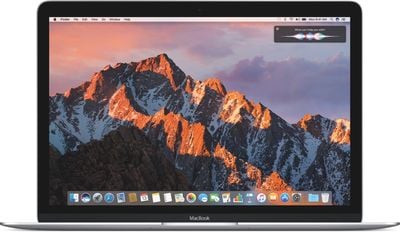
macOS Sierra is a major update that brings Siri to the Mac for the first time, allowing users to conduct voice searches to quickly find files, look up information, and more. New Continuity features offer an "Auto Unlock" option for unlocking a Mac with an Apple Watch, which became available in beta 2, and a Universal Clipboard for copying something on one Apple device and pasting it on another.

Deeper iCloud integration makes files stored on the desktop or the Documents folder of a Mac available on all of a user's devices, and Photos features new deep learning algorithms for facial, object, and scene recognition. There's a new Memories feature for displaying photo collections, and Messages has features like rich links, bigger emoji, and "Tapback" response options.

Apple Pay is coming to the web in macOS Sierra, with payments authenticated through an iPhone or Apple Watch, and new features like multiple tabs, Picture in Picture multitasking, and optimized storage are available.


During the beta testing period, Apple will tweak and refine the features introduced in macOS Sierra. Any changes found in the third beta release will be listed below.

macOS Sierra is currently available to developers and public beta testers, and it will see a wider public release this fall. For full details on all of the new features included in macOS Sierra, make sure to check out our macOS Sierra roundup.


Related Forum: macOS Sierra

Popular Stories

iOS 26

iOS 26.4 Adds Two New Features to CarPlay

Tuesday March 24, 2026 1:55 pm PDT by
iOS 26.4 was released today, and it includes a couple of new features for CarPlay: an Ambient Music widget and support for voice-based chatbot apps. To update your iPhone 11 or newer to iOS 26.4, open the Settings app and tap on General → Software Update. CarPlay will automatically offer the new features so long as the iPhone connected to your vehicle is running iOS 26.4 or later....
Apple Business hero

Apple Unveils 'Apple Business' All-in-One Platform

Tuesday March 24, 2026 8:53 am PDT by
Apple today announced Apple Business, a new all-in-one platform that unifies device management, productivity tools, and customer outreach features. The service is designed to be a consolidated replacement for several of Apple's existing business-focused offerings, including Apple Business Essentials, Apple Business Manager, and Apple Business Connect. It provides organizations with a single...
AirPods Pro Firmware Feature

Apple Releases New Firmware for AirPods Pro 3, AirPods Pro 2 and AirPods 4

Tuesday March 24, 2026 12:31 pm PDT by
Apple today released new firmware for the AirPods Pro 2, AirPods Pro 3, and the AirPods 4. The firmware has a version number of 8B39, up from 8B34 on the AirPods Pro 3, 8B28 on the AirPods Pro 2, and 8B21 on the AirPods 4. There is no word on what's included in the firmware, but Apple has a support document with limited notes. Most updates are limited to bug fixes and performance...

Top Rated Comments

n8cousins Avatar
127 months ago
YET STILL NO FIX FOR MACBOOK PRO BECOMING UNRESPONSIVE FOR ABOUT 2 MINUTES AFTER IT BOOTS UP AND SHOWS THE DESKTOP
Say it, don't spray it buddy.
Score: 11 Votes (Like | Disagree)
WildCowboy Avatar
127 months ago
For real this time...we promise. ;)
Score: 7 Votes (Like | Disagree)
vatter69 Avatar
126 months ago
Seems caps lock is broken as well.

YET STILL NO FIX FOR MACBOOK PRO BECOMING UNRESPONSIVE FOR ABOUT 2 MINUTES AFTER IT BOOTS UP AND SHOWS THE DESKTOP
Score: 4 Votes (Like | Disagree)
blacktape242 Avatar
127 months ago
Pokemon GO desktop version in this one??? I CANT WAIT !!!!
Score: 4 Votes (Like | Disagree)
126 months ago
Just why would you name your startup disks a bunch of heart emoji variations..?
Because I like hearts and it's unique. :D

I never had any problem with it. Only in some cases it's shown as question marks or grey hearts. I think in the boot menu when you hold option/alt on startup they are just grey. Even the Terminal is able to display them correctly:


Attachment Image
Score: 3 Votes (Like | Disagree)
SoyCapitanSoyCapitan Avatar
127 months ago
Still have to force quit Chrome to quit the app.
Score: 2 Votes (Like | Disagree)















