Apple Seeds Second Beta of iOS 9.3.3 to Developers
Apple today seeded the second beta of an upcoming iOS 9.3.3 update to developers for testing purposes, two weeks after seeding the first beta of iOS 9.3.3 and three weeks after the public release of iOS 9.3.2, a minor bug fix update.
The second iOS 9.3.3 beta can be downloaded from the Apple Developer Center or over-the-air with the proper configuration profile installed.
As a minor 9.x.x update, iOS 9.3.3 appears to focus on under-the-hood bug fixes and performance improvements to address issues discovered since the release of iOS 9.3.2. No outward-facing changes or obvious bug fixes were found in the first beta of iOS 9.3.3.
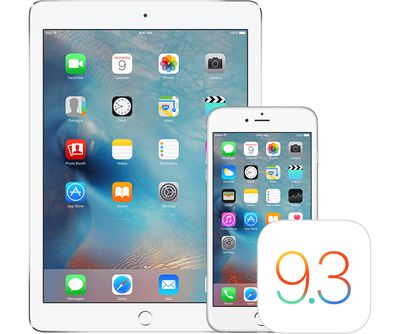
There was originally no iOS 9.3.3 update released for the 9.7-inch iPad Pro because Apple needed to fix an iOS 9.3.2 bug that bricked some devices, but it was addressed in a new iOS 9.3.2 update last week. iOS 9.3.3 is now available for the 9.7-inch iPad Pro.
We'll update this post with any changes that are found in the second iOS 9.3.3 beta.
Popular Stories
Apple is releasing five new products this Friday, November 6, following pre-orders that opened last week, including its first touchscreen MacBook Pro models.
The following new products will be available from Friday:
iPad mini with OLED display and A20 Pro chip
iMac with M6 chip
14-inch MacBook Pro with M6 chip
14-inch MacBook Pro with OLED touchscreen
16-inch MacBook Pro with OLED...
In a memo shared with Apple Stores and Apple Authorized Service Providers this week, and later obtained by MacRumors, Apple provided technicians with guidance on how to diagnose and address the iPhone Duo's inner display cracking issue.
If a customer reports the issue, Apple advised technicians to inspect the iPhone Duo and repair or replace it in accordance with their standard procedures....
Apple's busiest season isn't over yet. Far from it. With two hardware launch dates still to come in November, plus software updates and new smart home accessories running into December, there's more on the way from Apple before the end of 2026, so be sure to stick around.
Below, we've rounded up what's still coming, along with one date in particular that's worth watching if you're a holiday...






/https://forums.macrumors.com/proxy.php%3Fimage=http://images.macrumors.com/article-new/2016/04/appleios93.jpg&hash=ae14b3cd818d8f084fb5abc26850f484)