How to Enhance Dialogue in Videos on Apple TV and HomePod - MacRumors
Skip to Content

How to Enhance Dialogue in Videos on Apple TV and HomePod

by

In tvOS 17, Apple introduced a New Enhance Dialogue feature for second-generation HomePods that lets users more clearly hear what is being said over effects, action, and music in a movie or a TV show. In iOS 17.1 and HomePod software 17.1, Apple has extended the feature to any ‌HomePod‌ (or set of HomePods) paired to an Apple TV 4K.
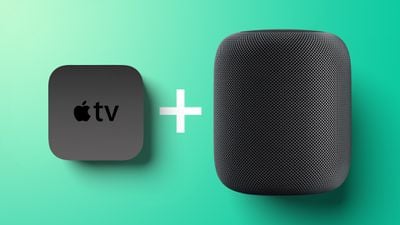
AppleTV and HomePod Feature
When you connect one or two ‌HomePod‌ speakers to ‌Apple TV‌ 4K for a home cinema sound experience, you can turn on Enhance Dialogue to make speech more prominent in audio mixes so that dialogue is easier to hear and understand.

Note that the Enhance Dialogue setting only appears for all ‌HomePod‌ models if you have an ‌Apple TV‌ 4K and HomePods running the latest 17.1 software. (Make sure the HomePods are selected as Audio ➝ Default Audio Output in ‌Apple TV‌'s Settings app.)

To enhance dialogue in the currently playing video, show the playback controls by pressing up on the Siri Remote's clickpad ring, or rest your finger on the clickpad, then select the Audio Options button (the waveform in a circle) and choose Enhance Dialogue from the pop-up menu.

Alternatively, if you want to enhance dialogue for all videos that you play on ‌Apple TV‌, open Settings ➝ Video and Audio, and turn on Enhance Dialogue.

Related Roundups: Apple TV, HomePod

Popular Stories

iOS 26

iOS 26.4 Adds Two New Features to CarPlay

Tuesday March 24, 2026 1:55 pm PDT by
iOS 26.4 was released today, and it includes a couple of new features for CarPlay: an Ambient Music widget and support for voice-based chatbot apps. To update your iPhone 11 or newer to iOS 26.4, open the Settings app and tap on General → Software Update. CarPlay will automatically offer the new features so long as the iPhone connected to your vehicle is running iOS 26.4 or later....
AirPods Pro Firmware Feature

Apple Releases New Firmware for AirPods Pro 3, AirPods Pro 2 and AirPods 4

Tuesday March 24, 2026 12:31 pm PDT by
Apple today released new firmware for the AirPods Pro 2, AirPods Pro 3, and the AirPods 4. The firmware has a version number of 8B39, up from 8B34 on the AirPods Pro 3, 8B28 on the AirPods Pro 2, and 8B21 on the AirPods 4. There is no word on what's included in the firmware, but Apple has a support document with limited notes. Most updates are limited to bug fixes and performance...
apple tv 4k new orange

tvOS 26.4 Adds These New Features to Your Apple TV

Wednesday March 25, 2026 3:33 pm PDT by
Apple this week released tvOS 26.4, and the software update includes a handful of new features and changes for the Apple TV. tvOS 26.4 is compatible with all Apple TV 4K and Apple TV HD models released since 2015. To update your Apple TV, open the Settings app on the device, navigate to System → Software Updates, and select Update Software. Below, we have recapped what is new in tvOS...