


iPhone Duo: Let Someone Join FaceTime on the Outer Display
On iPhone Duo, if someone next to you wants to join your FaceTime call, you don't have to squeeze them into the same camera frame or keep passing the phone between each other. Apple's Duo FaceTime feature allows the other person to use the outer display while you remain on the inner display.
The feature uses the Center Stage front camera and the under-display FaceTime camera together, which...
Read Full Article
iPhone Duo: Enable Reachability for Easier One-Handed Use
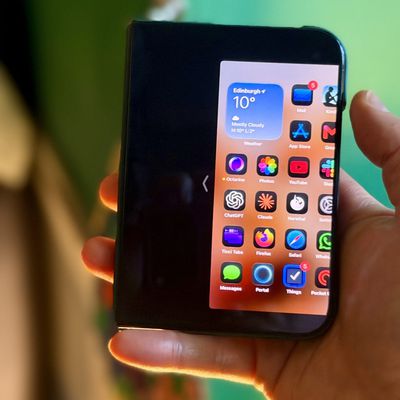
On traditional "slab" iPhones, Reachability is an optional feature that lowers the top half of the screen so it's within easy reach of your thumb, which is great for one-handed use. With the release of iOS 27.3, currently in beta, Apple has brought Reachability to the iPhone Duo, but it works differently because of the device's extra-wide outer display.
The iPhone Duo's passport-sized outer...
Apple Watch Automatically Identifies Songs Playing Around You
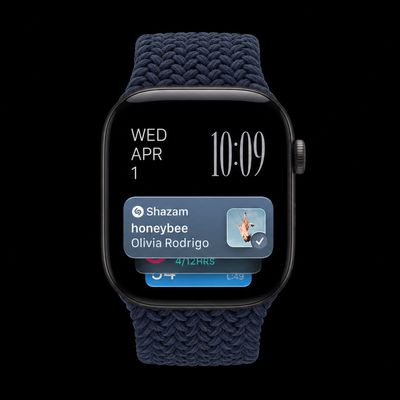
Ever been in a situation where you hear a song in a cafe, a shop, or a car, and wonder what it is? On the latest Apple Watch models, your watch can work it out for you, and you don't even need to ask. The music doesn't have to be playing on the watch. It just needs to be audible around you. Apple Watch does the rest.
It's all thanks to a new automatic feature in iOS 27 called Music...
iPhone Duo: Turn the Hinge Into an App Launcher
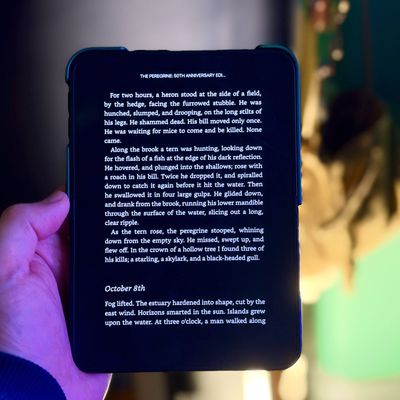
If you're eager to change your screen time habits – like staying off Instagram or reading more books – the iPhone Duo may offer a solution. It's the first iPhone with two screens, and there's a trick that you can use to make it consistently open a specific app whenever you unfold it and look at the bigger display.
In the Shortcuts app, there's a new iPhone Duo trigger called "Opened or ...
iPhone Duo: Use Smart Take for Hands-Free Group Photos
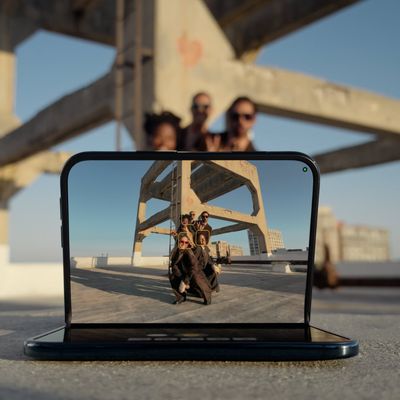
When taking a group photo, it usually means one person remains stuck behind the camera or everyone has to rush to pose before a timer ends. Smart Take on iPhone Duo means you don't have to do either. All you do is prop the phone up and get in the frame yourself, and the feature captures photos automatically when you strike a pose or hold still.
iPhone Duo takes up to 20 photos over a couple...
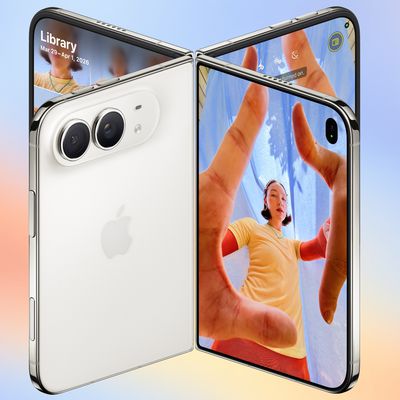
iPhone Duo: Take Selfies With Rear Cameras for Higher Quality Shots
One of the advantages of the iPhone Duo's folding design is that you aren't limited to using the front camera when taking self-portraits. It may sound counterintuitive, but by unfolding the device, you can flip it around and take selfies with the higher-quality 48MP rear Fusion cameras instead.
The Duo's outer display is what makes this use case practical, since once the rear cameras are...

iPhone Duo: Activate StandBy Mode When Not Charging
Unlike other iPhones, iPhone Duo can enter StandBy mode without a charger. You only need to fold the Duo in half or in a tent orientation and you'll see widgets, music, calendar, weather, and more – even when you're away from a power source.
Here's how to set up iPhone Duo StandBy mode without a charger:
Open Settings, tap StandBy, and make sure StandBy is turned on.
On the same screen,...
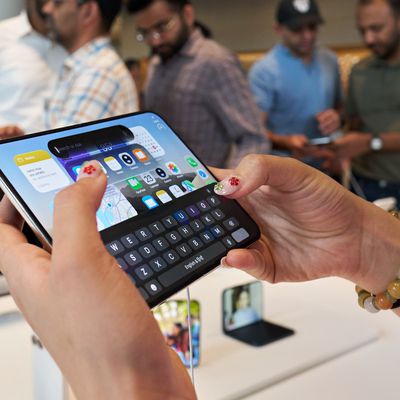
iPhone Duo: Split the Keyboard in Landscape Orientation
When you're using iPhone Duo unfolded in landscape orientation, you can split the onscreen keyboard into two halves in order to bring the keys closer to your thumbs. It's a longtime iPad option that has now come over to the Duo as an exclusive feature among iPhones.
How to Split the Keyboard on iPhone Duo
It's easy when you know how. Just follow these steps in landscape:
Open an app that...
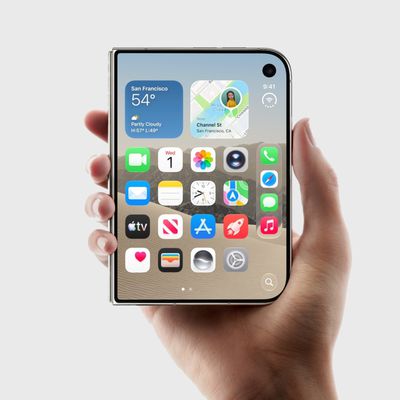
iPhone Duo: Access Control Center With a Tap Not a Swipe
Opening Control Center on iPhone normally means swiping down from the top-right corner of the screen, but the iPhone Duo features a second, easier way to invoke the controls. Keep reading to learn how it's done.
Tap to Open Control Center on iPhone Duo
With your iPhone Duo unlocked, tap the circular status bar below the clock (the combined Wi-Fi, cellular and battery indicator).
When...
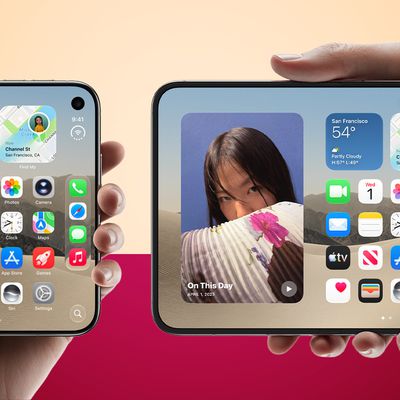
iPhone Duo: Lock Screen Rotation for One or Both Displays
On iPhone Duo, you can lock the screen orientation of its two displays independently. In other words, the outer display can stay locked in portrait, while the inner display remains free to rotate as you open and reposition the phone.
For example, you could keep the outer display locked in portrait for reading while reclining on the sofa, but leave the inner display free to rotate into...

iPhone Duo: Use Edge Light for Brighter Video Calls
With the release of iOS 27.2, the Mac's Edge Light feature comes to an iPhone for the first time. Exclusive to the iPhone Duo, Edge Light illuminates the borders of the screen to evenly light your face during video calls in low-light conditions.
Edge Light works like a virtual ring light, with no external lighting required. You can enable it in FaceTime and third-party video-calling apps...
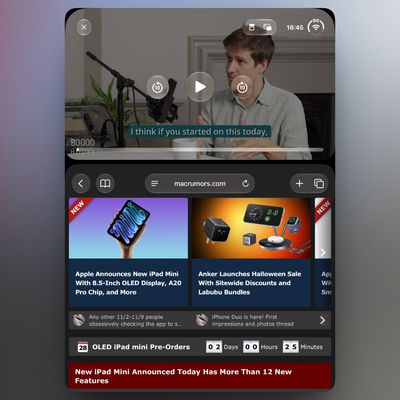
iPhone Duo: Watch Video Above an App in Portrait Mode
The iPhone Duo's two-app multitasking feature works side by side in landscape, but rotating the inner display to portrait usually drops you back to a single app. However, there is a workaround to keep a video playing above an open app in portrait, and it involves Picture in Picture.
Both the inner and outer displays on the iPhone Duo share the same 1:1.4 aspect ratio, and each half of the...
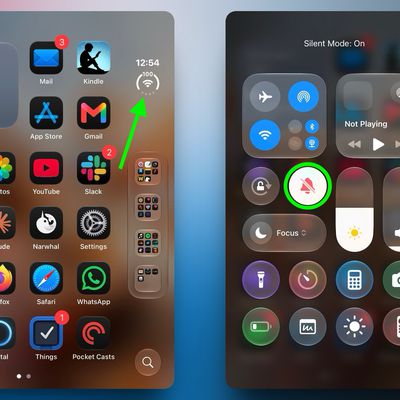
Quickly Silence iPhone Duo Without a Ring/Mute Switch
The new iPhone Duo drops both the classic Ring/Silent switch as well as the newer Action button, so there is no physical mute control on the device, and no way to assign the Silent Mode control to another button. That said, you can still silence the device pretty quickly – you just do it on-screen instead using a new way to invoke Control Center.
With your device unlocked, open Control...

iPhone Duo: Give Your Camera Subject a Picture Preview
Getting someone to relax in front of a camera is a lot easier when they can see how they look. Apple acknowledges this on its new foldable iPhone Duo with a feature called Duo Preview, which shows a live preview on the outer display.
This way, whoever you're photographing can adjust their pose, fix their hair, or straighten their costume before you take the shot. It works for both photos...
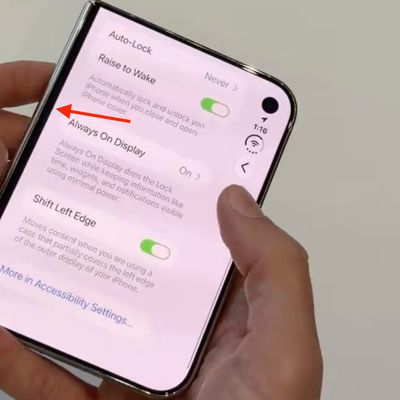
Adjust iPhone Duo's Outer Display to Accommodate Your Case
On iPhone Duo, Apple includes a display setting for cases or frames that partially cover the left edge of the outer display. It's called Shift Left Edge, and it insets the display edge so that on-screen content isn't hidden beneath the case.
We first covered the setting in September, and Apple has since documented it, revealing that when you fit Apple's official iPhone Duo Case, a prompt...

iPhone Duo: Get Kids and Pets to Look at the Camera
Trying to get a child or pet to look toward the lens when you're taking their picture can be a challenging experience. That's why on iPhone Duo, Apple includes a Kid Cue feature that plays a fun animation on the outer display. The idea is that your subject's attention is drawn to the camera. Meanwhile, you have a chance to frame the shot using the inner display.
Kid Cue is exclusive to...
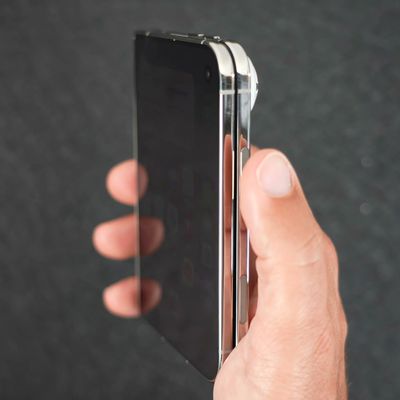
Skip the Touch ID Scan: Unlock iPhone Duo With Apple Watch
iPhone Duo uses a Touch ID sensor built into the side button for authentication. Some may feel this is a step backwards after almost a decade of Face ID on iPhones, but if you wear an Apple Watch, you can use it to unlock your iPhone Duo instead. This way, you don't need to touch the side button at all. It's the closest thing we have to a seamless Face ID experience on iPhone Duo (at least for now...

Hard Reset or Force Restart Your iPhone Duo
If your iPhone Duo bugs out or stops responding and you can't turn it off and back on again, you can try something called a force restart. The process involves pressing the two volume buttons in sequence, then holding the side button until the Apple logo appears.
The iPhone Duo's volume buttons can change function depending on how you hold the device, so to make it easier for you, in the...
Make iPhone Duo Volume Buttons Follow Screen Rotation
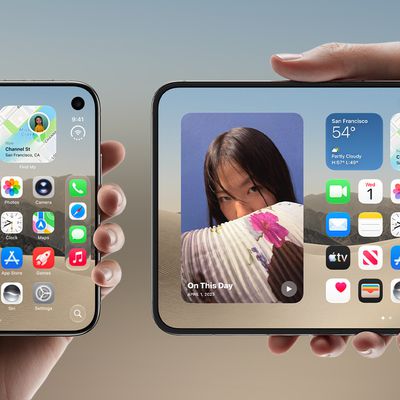
Because of the iPhone Duo's foldable design, you tend to switch the orientation of the device more often than you would a regular iPhone. This makes the volume buttons shift positions a lot relative to your fingers, which can cause you to press volume up when you meant to press down, or vice versa.
To prevent this, the iPhone Duo has an option in Settings which can dynamically remap the...
iPhone Duo: Open Two Apps Side by Side and Lock Them As an App Pair
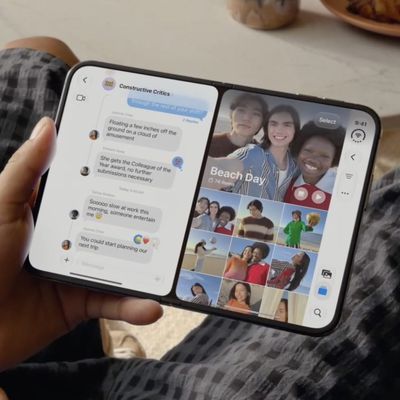
iPhone Duo is the first iPhone that can run two apps on the screen at the same time. Unfold the phone in landscape orientation, and Split View puts two apps side by side on the 7.6-inch inner display. It's especially handy for things like keeping Messages open next to Maps, or Safari next to Notes. Indeed, if there's an app combination that you use often, you can lock two together as an app pair, ...














