M3 iPad Air vs. M5 iPad Pro Buyer's Guide: All Differences Compared

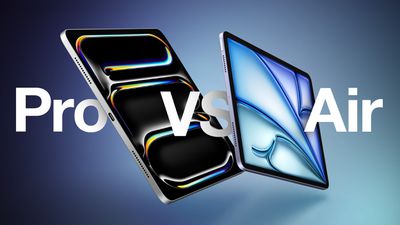
Apple recently updated the iPad Pro, widening the gap with the iPad Air, but how different are the two product lines and which should you buy?
iPad Pro 2024 vs Air 2024 Feature
Earlier this year, Apple refreshed the ‌iPad Air‌ with the M3 chip—a minor update over the previous model from 2024 which added the M2 chip and Apple Pencil hover. The latest ‌iPad Pro‌ models introduced the M5 chip alongside a small number of changes after last year's major redesign, which saw the debut of a thinner design with OLED displays.

Should you consider purchasing the ‌iPad Air‌ to save money, or do you need the high-end features of the ‌iPad Pro‌? Our guide answers the question of how to decide which of these two iPads is best for you.

‌iPad Air‌ (M3, 2025) ‌iPad Pro‌ (M5, 2025)
Liquid Retina display (LED backlit display with IPS technology) Ultra Retina XDR display (Tandem OLED)
ProMotion technology for refresh rates up to 120Hz
11-inch model SDR brightness: 500 nits max
13-inch model SDR brightness: 600 nits max
SDR brightness: 1,000 nits max
XDR brightness: 1,000 nits max full screen, 1,600 nits peak (HDR content only)
Nano-texture display glass option on 1TB and 2TB models
Drive external displays at 60Hz Drive external displays at up to 120Hz
Adaptive Sync support
‌M3‌ chip M5 chip
Made using TSMC's first-generation 3nm technology (N3) Made using TSMC's third-generation ‌3nm‌ process (N3P)
Based on A17 Pro chip from iPhone 15 Pro (2023) Based on A19 Pro chip from iPhone 17 Pro (2025)
8-core CPU (4 performance + 4 efficiency cores) Up to 10 CPU cores (4 performance + 6 efficiency cores)
9-core GPU 10-core GPU
Integrated Neural Accelerator in every GPU core
Metal 4 developer APIs Metal 4 developer APIs with Tensor APIs to program GPU Neural Accelerators
LPDDR5 memory LPDDR5X memory
8GB of memory 256GB and 512GB models: 12GB memory
1TB and 2TB models: 16GB memory
100 GB/s memory bandwidth 153 GB/s unified memory bandwidth
Dedicated display engine
First-generation ray tracing engine Third-generation ray tracing engine
First-generation dynamic caching Second-generation dynamic caching
Shader cores Enhanced shader cores
GPU with standard power efficiency More power-efficient GPU: Maintains performance with significantly less power
Improved thermal design with graphite sheets and copper
Broadcom Wi-Fi and Bluetooth chip N1 chip
Bluetooth 5.3 Bluetooth 6
Wi-Fi 6E connectivity Wi-Fi 7 connectivity
Qualcomm Snapdragon 5G modem (cellular models only) C1X chip (cellular models only)
Touch ID in top button TrueDepth camera system for Face ID
Portrait mode with advanced bokeh and Depth Control
Portrait Lighting with six effects (Natural, Studio, Contour, Stage, Stage Mono, High-Key Mono)
Animoji and Memoji
LiDAR scanner
Adaptive True Tone flash
Rear ambient light sensor
ProRes video recording up to 4K at 30 fps (1080p at 30 fps for 256GB capacity)
ProRes video recording up to 4K at 60 fps with external recording
Two microphones Four studio-quality microphones
Audio zoom
Stereo recording
Landscape stereo speakers Four speaker audio
Weight: 462 grams or 617 grams Weight 444 grams or 579 grams
Depth: 6.1 mm Depth: 5.3 mm or 5.1 mm
Fast-charge capable (Up to 50% charge using a 60W adapter or higher in 30 minutes with the 11-inch model or 35 minutes with the 13-inch model)
USB‑C connector USB‑C connector with support for Thunderbolt/USB 4
Supports Magic Keyboard for ‌iPad Air‌ Supports Magic Keyboard for ‌iPad Pro‌
128GB, 256GB, 512GB, or 1TB storage 256GB, 512GB, 1TB, or 2TB storage
Up to 2× faster SSD read and write speeds
Available in Space Gray, Starlight, Purple, and Blue Available in Space Black and Silver
Price starting at $599 Price starting at $999

Overall, the ‌iPad Air‌ is the better option for the majority of users, simply on the basis of value for money. For most people, the additional $400+ needed to buy the ‌iPad Pro‌ is not justified to get the likes of ‌Face ID‌, a thinner design, four-speaker audio, and a ProMotion OLED display with refresh rates up to 120Hz.

Some ‌iPad Pro‌ features, such as LiDAR, up to 16GB of memory, and Thunderbolt connectivity are only practically useful to a small niche of users and most will never use some of these high-end capabilities. Many features, such as Adaptive Sync and Audio zoom, will not be meaningfully utilized by many users.

Professionals who have a clear use case for needing larger amounts of RAM and storage, a matte display, Thunderbolt connectivity, and OLED for HDR content will clearly benefit from buying the ‌iPad Pro‌. That being said, "prosumer"-style customers who simply want the best iPad will enjoy features such as 120Hz ProMotion for smoother scrolling and gaming, a thinner design, deeper blacks and more vivid colors with the OLED display, and the Adaptive True Tone flash for document scanning, even if they are not necessary.

Beyond these individual circumstances, the ‌iPad Air‌ is the best value for money and will be more than ample for most users' needs. With the ‌iPad Air‌, users can get a modern all-screen design, the M3 chip, practical features like USB-C and 5G connectivity, and compatibility with the core Apple accessories for a price well below that of the ‌iPad Pro‌.

A new ‌iPad Air‌ with the M4 chip is in development and will likely launch in the first half of 2026, which may be worth bearing in mind if you aren't in a hurry to make a purchase. The new chip is expected to be the main upgrade, with few other new features or enhancements expected.

Related Roundups: iPad Air , iPad Pro
Related Forum: iPad

Popular Stories

iOS 26

iOS 26.2 Coming Soon With These 8 New Features on Your iPhone

Thursday December 11, 2025 8:49 am PST by
Apple seeded the second iOS 26.2 Release Candidate to developers earlier this week, meaning the update will be released to the general public very soon. Apple confirmed iOS 26.2 would be released in December, but it did not provide a specific date. We expect the update to be released by early next week. iOS 26.2 includes a handful of new features and changes on the iPhone, such as a new...
iOS 26

iOS 26.4 and iOS 27 Features Revealed in New Leak

Friday December 12, 2025 10:56 am PST by
Macworld's Filipe Espósito today revealed a handful of features that Apple is allegedly planning for iOS 26.4, iOS 27, and even iOS 28. The report said the features are referenced within the code for a leaked internal build of iOS 26 that is not meant to be seen by the public. However, it appears that Espósito and/or his sources managed to gain access to it, providing us with a sneak peek...
AirPods Pro Firmware Feature

Apple Releases New Firmware for AirPods Pro 2 and AirPods Pro 3

Thursday December 11, 2025 11:28 am PST by
Apple today released new firmware designed for the AirPods Pro 3 and the prior-generation AirPods Pro 2. The AirPods Pro 3 firmware is 8B30, up from 8B25, while the AirPods Pro 2 firmware is 8B28, up from 8B21. There's no word on what's include in the updated firmware, but the AirPods Pro 2 and AirPods Pro 3 are getting expanded support for Live Translation in the European Union in iOS...
iOS 26

Apple Releases iOS 26.2 With Alarms for Reminders, Lock Screen Changes, Enhanced Safety Alerts and More

Friday December 12, 2025 10:10 am PST by
Apple today released iOS 26.2, the second major update to the iOS 26 operating system that came out in September, iOS 26.2 comes a little over a month after iOS 26.1 launched. ‌iOS 26‌.2 is compatible with the ‌iPhone‌ 11 series and later, as well as the second-generation ‌iPhone‌ SE. The new software can be downloaded on eligible iPhones over-the-air by going to Settings >...

Google maps feaure

Google Maps Quietly Added This Long-Overdue Feature for Drivers

Wednesday December 10, 2025 2:52 am PST by
Google Maps on iOS quietly gained a new feature recently that automatically recognizes where you've parked your vehicle and saves the location for you. Announced on LinkedIn by Rio Akasaka, Google Maps' senior product manager, the new feature auto-detects your parked location even if you don't use the parking pin function, saves it for up to 48 hours, and then automatically removes it once...
AirTag 2 Mock Feature

Apple AirTag 2: Four New Features Found in iOS 26 Code

Thursday December 11, 2025 10:31 am PST by
The AirTag 2 will include a handful of new features that will improve tracking capabilities, according to a new report from Macworld. The site says that it was able to access an internal build of iOS 26, which includes references to multiple unreleased products. Here's what's supposedly coming: An improved pairing process, though no details were provided. AirTag pairing is already...


macOS Tahoe 26 Thumb

Apple Releases macOS Tahoe 26.2 With Edge Light

Friday December 12, 2025 10:08 am PST by
Apple today released macOS Tahoe 26.2, the second major update to the macOS Tahoe operating system that came out in September. macOS Tahoe 26.2 comes five weeks after Apple released macOS Tahoe 26.1. Mac users can download the macOS Tahoe update by using the Software Update section of System Settings. macOS Tahoe 26.2 includes Edge Light, a feature that illuminates your face with soft...
iOS 26

15 New Things Your iPhone Can Do in iOS 26.2

Friday December 5, 2025 9:40 am PST by
Apple is about to release iOS 26.2, the second major point update for iPhones since iOS 26 was rolled out in September, and there are at least 15 notable changes and improvements worth checking out. We've rounded them up below. Apple is expected to roll out iOS 26.2 to compatible devices sometime between December 8 and December 16. When the update drops, you can check Apple's servers for the ...

Top Rated Comments

DCstewieG Avatar
5 weeks ago
Now that the base iPhone has ProMotion I'm holding out hope the Air will follow soon but I'm also prepared for disappointment.
Score: 7 Votes (Like | Disagree)
840quadra Avatar
5 weeks ago
I like this table and comparison. It would be neat to see the comparison include older iPad Pro models as a comparison point. The value of the Air is no joke, with my personal iPad Pro being the 1st gen 11" that is still supported, and still liking it, in a vacuum I would say an upgrade to the current Air to be a great upgrade. But after having an M4 pro for my job for over a year, it is hard ignore the OLED of the M4 and current Pro.

Random,

I am curious the use case, and how often people use the LiDAR and cameras on iPads to this day. I do wish the ultra wide was included on the iPad more than the standard zoom camera. I am often walking construction sites and need to use super wide angles for capturing room images to put into Freeform. I often have to airdrop photos from my iPhone which seems like a miss.

LiDAR and the ultra wide would be awesome for tools such as Matterport which use both on the iPhone.
Score: 5 Votes (Like | Disagree)
StevesBobs Avatar
5 weeks ago
M4 iPad pro is still worth getting over the M3 iPad Air.
Score: 4 Votes (Like | Disagree)
alexe Avatar
5 weeks ago
It's funny that the iPad Air is heavier and thicker than the Pro.

I guess at this point the Air doesn't live up to its name anymore, it's just cheaper.
Score: 4 Votes (Like | Disagree)
AppleTO Avatar
5 weeks ago
I got a great deal earlier this year on a new overstock 11” M2 air. I think I paid $399 CAD. The 11” iPad Pro is $1399 CAD … so yeah.
Score: 3 Votes (Like | Disagree)
Unami Avatar
5 weeks ago
I was agonizing about this for weeks and finally got the 11" M5, because i'm greedy. Upgraded from an Air 3 (not M3). Is the display great? Yes. Is it worth it over the Air? Probably not.

I do edit photos and the occasional Video with it (only when there's no "real" computer in sight). It's faster than my old Air and got noticeable 4 times the RAM, but e.g. apart from exporting, Lightroom feels about the same. So do Luma Fusion and Davinci (although it seems to crash less due to the RAM).

iPadOS and lack of pro-level apps are still the main thing holding it back, although it got much better with 26. Looking forward to the release of Blender.

Rendering AI images in Draw Things and playing Resident Evil is where the Pro shines (but I'd rather get RE for half the price on another platform). Sure, the display is better, but the old IPS displays were color accurate enough for my professional needs as a video editor - not doing professional color grading for Hollywood here. The OLED of the Pro is noticeable warmer than the IPS of my old Air.


A few other things I noticed on the Pro M5:
- Battery life does not feel great compared to other iPads I had (OG iPad, Air 2, Air 3). Fast charging mitigates this a bit.
- When comparing them in store, the M3 speakers actually felt louder. The M5 ones got more bass at medium volume - but either way, the sound of both is dictated by physics and while they make the best of it, it's still tinny.
- My old Air 3 actually feels slimmer, due to it's chamfered edges and no camera hump (which, in absolute numbers, makes the Pro thicker), and lighter. It's actually slightly heavier, but I use both with the folio cover and as the one of the pro is double sided, it then makes the Pro heavier. I wished Apple did just a front cover and still made a leather version.
- The magic keyboard makes the iPad feel about as heavy as a (bigger) Macbook Air
- I wished it had a second USB-C port and a headphone port.
- I don't care about the 120hz. It has gotten better with 26.1, but this device has the most visual glitches and bugs I've ever experienced in an Apple product. By far. It's not half as bad as the Air 3 (but that's pretty slow on 26). E.g. It might have 120hz, but the OS doesn't feel like it runs smoothly at 120fps (or 60fps for that matter), so I don't see the point of that.
- played around with the LIDAR, but the results in polycam weren't really better than photogrammetry with my non-lidar iphone 16. Accuracy seems about 1cm, which could be better after a few generations, imho. AR Objects like the measure in the measuring app still wander around a little.

Having said all that, I'm pretty happy with it, but it's no revelation. I might be kind of a power user, but given the choice again, I'd probably get the M3 Air.
Score: 3 Votes (Like | Disagree)