Apple today updated Pixelmator Pro, the popular image editing app that it purchased in 2024. Pixelmator Pro includes RAW image support for more cameras, new templates, improved support for SVG file exports, new keyboard shortcuts, and more. Some of the features like the keyboard shortcuts are limited to the Creator Studio version of Pixelmator Pro.
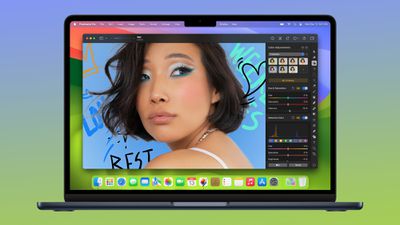
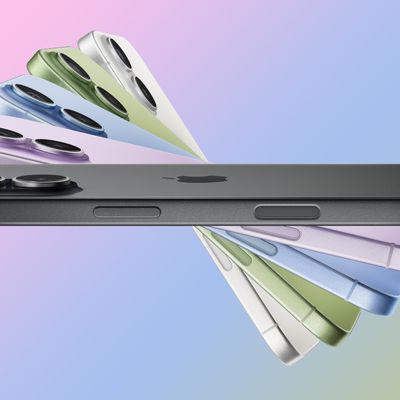
Pixelmator Pro has a template and mockup section, which includes new app screenshot options and devices to use for app mockups on Apple devices. Apple has added support for the latest iPhone 17 models.
SVG files exported from Pixelmator Pro will have fewer issues when opened in Adobe Illustrator, and there is an option to touch and hold an image on the canvas to see before and after edits from Color Adjustments and Effects tools.
The sidebar is customizable using the toolbar setting options, and there are keyboard shortcuts for changing layer opacity, selecting layers when using Select Subject, cycling through blend modes, and swapping between layers. Apple's release notes for the Creator Studio version of Pixelmator Pro are below.
- Enjoy full support for compressed RAW images from Sony Alpha ILCE-7M5, FUJIFILM GFX 100S II, and FUJIFILM GFX 100RF cameras
- Work with High Efficiency (HE) and High Efficiency Star (HE*) RAW images from Nikon Z5II and Nikon Z50II cameras
- Open and edit RAW images from Panasonic LUMIX DC-S1RM2 cameras captured in High Resolution mode
- Discover the updated template and mockup categories, including App Screenshot, Bento Grid, and Devices, now featuring new iPhone 17 mockups
- Open SVG files exported from Pixelmator Pro in Adobe Illustrator with improved compatibility
- Touch and hold an image on the canvas to instantly compare before and after edits from Color Adjustments and Effects tools
- You can now customize the Pixelmator Pro Tools sidebar from the menu bar by choosing View > Customize Tools
The iPad app was also updated with some of the keyboard shortcuts that were previously available in the Mac version of the app.
New Keyboard Shortcuts
- Press and hold the Option key when choosing Select Subject to base the selection on all layers in a document
- Easily change layer opacity using number keys 1 through 9 in all supported tools
- Cycle through layer blend modes using the Shift-Plus and Shift-Minus keyboard shortcuts in all supported tools
- Use the Command-J keyboard shortcut to duplicate and Command-Shift-J to cut and paste the selected area
- Use the Option-Comma and Option-Period keyboard shortcuts to quickly switch between selecting topmost and bottommost layers in a document
- Use the Space bar to play or pause video playback in documents containing video layers
The non-Creator Studio version of the app includes the same RAW image support and the new templates, but it lacks the other options that Apple added.
Photomator, a photo editing sister app to Pixelmator Pro, was updated with the new RAW image support.
Apple introduced Creator Studio earlier this year, and it incorporates apps like Final Cut Pro, Logic Pro, Pixelmator Pro, Keynote, Pages, and Numbers. Because many of these apps existed before Creator Studio was developed, Apple offers a Creator Studio version and a standard version, which can be confusing. Unlocking Creator Studio features requires a Creator Studio subscription, priced at $12.99 per month or $129 per year.
For Pixelmator Pro, Creator Studio-exclusive features include a warp tool, apparel mockups, and a dedicated iPad app.