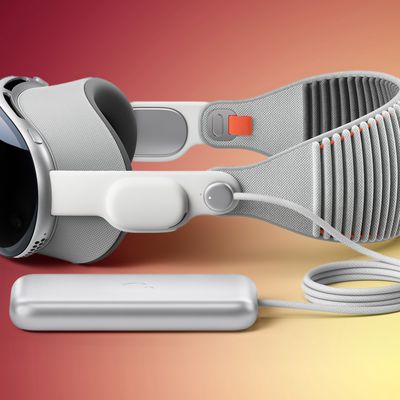
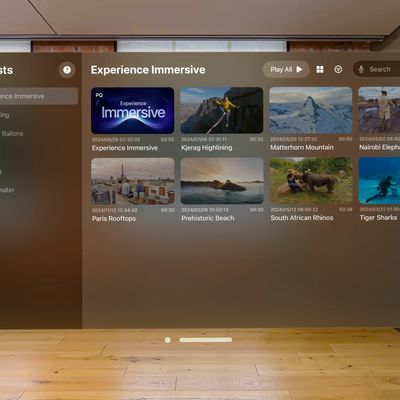
Apple today released visionOS 26, the newest version of the visionOS operating system that runs on the Apple Vision Pro.
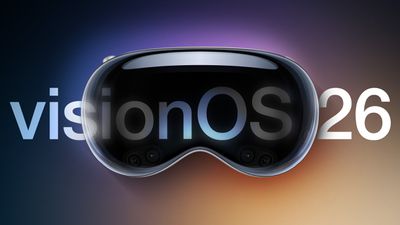
visionOS 26 can be downloaded on all Vision Pro headsets by navigating to the Settings app, selecting the General section, and choosing the Software Update option. To install an update, the Vision Pro headset needs to be removed, and there is a software progress bar available on the front EyeSight display.
With visionOS 26, Apple is introducing a new class of widgets that can be integrated into the space around you. They'll stay put even when you move around or restart your Vision Pro. Personas have been upgraded with more lifelike hair and movement, Spatial Scenes add depth to 2D images, and Safari features spatial browsing that hides distractions and lets you interact with 3D models. There's also a new Jupiter Environment.
You can now share visionOS experiences with someone else wearing a Vision Pro in the same room, and a Live Recognition accessibility feature can describe objects that are in the room. Apple's release notes for visionOS 26 are below:
Widgets and persistence
- Widgets seamlessly integrate into your space, allowing customization of frame thickness, color, and depth
- Persistence lets widgets and windowed apps stay where you placed them, even if you restart your Apple Vision Pro
- The new Widgets app lets you easily discover and access widgets available on your Apple Vision Pro
- WidgetKit allows developers to create widgets with depth and dimension for their appsSpatial scenes
- Spatial scenes let you view your 2D photos with lifelike depth in Photos, Safari, and Spatial Gallery
- The Spatial Scene API lets developers add spatial scenes into their apps for a more immersive experienceSafari
- Spatial browsing hides distractions, reveals spatial scenes as you scroll, and automatically summarizes articles on compatible webpages
- 3D models can be embedded directly in a webpage so they can be viewed and interacted with inline
- Apple Immersive Video and wide field-of-view video can be played directly from webpagesAll-new Persona
- All-new Persona feel more natural and familiar, with enhanced hair, eyelashes, complexion and movement
- Persona capture process has been updated to include new glasses styles and materials, and allow you to preview your spatial Persona before savingShared experiences
- Share Apple Vision Pro experiences with people in the same room, like watching the latest movie or collaborating with colleagues on a digital whiteboardApple Intelligence
- More styles with ChatGPT let you explore additional styles like Oil Painting and Anime, or you can tap Any Style to describe the image and style you want in Image Playground
- Choose expressions for images of people in Image Playground, making them look happy, shocked, and more
- Personal attributes like hairstyle and facial hair can be modified for Image Playground and Genmoji that are inspired by people from your Photos library
- Language support expands to English (Australia, Canada, India, Singapore, UK, U.S.), French (Canada, France), German, Italian, Japanese, and Spanish (Mexico, Spain) for Image Playground app
- Apple Intelligence language support expands to English (Australia, Canada, India, Singapore, UK, U.S.), French (Canada, France), German, Italian, Japanese, Korean, and Spanish (Mexico, Spain) for Writing Tools, Priority Notifications, Priority messages in Mail, Smart Reply, Summary, Genmoji, Image Wand, Memory movie and search photos and videosWide field-of-view video support
- Wide field-of-view, 180° and 360° video from action cameras like Insta360, GoPro and Canon can be played back natively on Apple Vision Pro using the new Apple Projected Media ProfileEnterprise
- Team device sharing gives you the ability to easily and securely share devices between team members of their organization
- Securely save hand and eye data, vision prescription, and accessibility settings on your iPhone so you can quickly start using a different Apple Vision Pro
- New Enterprise APIs like Protected Content, Stereoscopic Main Camera, and Window Follow Mode grant enhanced sensor access and increased control, so businesses can create more powerful spatial experiencesAccessibility
- Live Recognition in VoiceOver uses on-device machine learning to describe surroundings, find objects, read documents, and more
- Zoom into your surroundings lets you easily see what is in your view like zoom into physical books, people in the room
- Typing using Dwell and Switch Control is easier and more accurate using QuickPath, which lets you draw a path along the keyboard, and it will predict the word that you're typing
- Live Captions shows real-time transcripts of spoken dialogue in more languages, so you can follow along with conversations, FaceTime calls and content with audio narrative
- Braille Access helps you take notes, read documents, access Live Captions, launch apps, and perform various other tasks effortlessly with your connected braille display
- Accessibility Reader makes text in any app easier to read by giving you new ways to customize text with extensive options for font, color, and spacing, as well as support for Spoken Content
- Accessibility Nutrition Labels in App Store product pages tell you if accessibility features like VoiceOver, Voice Control, and Captions are available within apps and games before you download themOther
- Freeform adds the ability to see 3D objects inside a portal on the board for more seamless viewing
- Screening for unknown senders helps you to stay in control of who can reach you, and puts screened messages in a new area of your conversation list so they're out of your way
- Backgrounds can be added to conversations to make them more personal, with the option to use built-in backgrounds, your own photos, or images made with Image Playground
- Polls can help you find out everyone's availability for an upcoming dinner plan or decide on a group gift
- Typing indicators in groups make it easy to know exactly who is about to chime in
- Folders can now be created, named, and used to group apps on the Home View
- Control Center has been redesigned to give you more convenient access to essential controls like Guest User, Travel Mode, and more
- The new Jupiter Environment lets you view Jupiter from one of its moons and speed up its rotation for more spectacular views of its enormous, swirling storms
- Look to scroll allows you to scroll horizontally or vertically through Safari and other apps just by using your eyes
- Relay cellular calls from your iPhone to Apple Vision Pro
- Record live phone calls or FaceTime audio calls to help recall important details. When you start a recording, Vision Pro automatically announces that the call is being recorded, so no one is surprised
- Unlock and view your iPhone while wearing Apple Vision Pro, even during an immersive experience
- 90Hz hand tracking makes spatial games feel more fluid and responsive
- Spatial accessory support for PlayStation VR2 Sense controller and Logitech Muse unlock new ways to create, collaborate, and play
- Game controllers remain visible even when you are in an Environment, making it easier to stay immersed while playing
- Digital Prism Correction Feature provides digital image adjustments in Apple Vision Pro in accordance with your prism prescription
More information on the Vision Pro can be found in our roundup, and we also have a dedicated Vision Pro forum for those who want to discuss the update.