Apple Seeds Fourth visionOS 2.1 Update to Developers
Apple today seeded the fourth beta of an upcoming visionOS 2.1 update to developers for testing purposes, with the new software coming a week after Apple seeded the third visionOS 2.1 beta.
Registered developers are able to opt into the betas by opening up the Settings app on their device, going to the Software Update Section, tapping on the "Beta Updates" option, and toggling on the Developer Beta. Note that an Apple ID associated with a developer account is required to download and install the beta.
There's no word yet on what's included in visionOS 2.1, but there are visionOS 2 features that Apple has not yet released, such as the option to use a larger ultrawide screen for the Mac Virtual Display and support for Multiview for MLS and MLB games.
Popular Stories
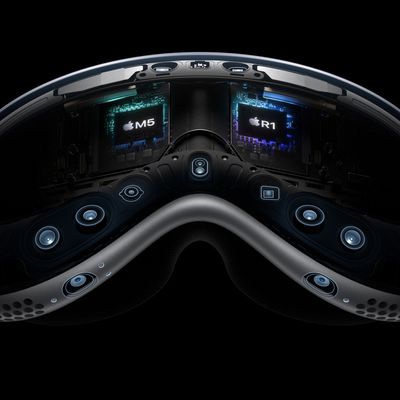
Apple is working on a "completely revamped" Vision Pro headset that could go in any of four directions and likely won't arrive before late 2028 or early 2029, according to Bloomberg's Mark Gurman.
Writing in his latest Power On newsletter, Gurman said Apple's Vision team is exploring four concepts for the device, codenamed N224, including designs that offload internal components in a similar ...
Wednesday September 9, 2026 12:06 pm PDT by
Juli CloverApple today seeded the release candidate versions of watchOS 27, visionOS 27, and tvOS 27 to developers and public beta testers. The release candidates are the final versions of the updates that will be seeded to the public as long as no final bugs are found during this last round of testing.
The updates can be installed through the Software Update section in the Settings app on each...
Wednesday September 16, 2026 10:12 am PDT by
Juli CloverAlongside new betas of iOS 27.2, iPadOS 27.2, and macOS Golden Gate 27.2, Apple has released the first betas of watchOS 27.2, tvOS 27.2, and visionOS 27.2. The betas come two days after the 27.0 software updates were released.
Registered developers can download the betas through the Settings app on each device.
Two new Apple Intelligence features are coming to the Apple Watch Series 12...