

Apple Releases New AirPods Pro 2 Firmware With Support for iOS 18 Features

Apple today released a new firmware update for the AirPods Pro 2, including both the Lightning and USB-C versions. The firmware has a build number of 7A294, up from 6F8, and it is available for all AirPods Pro 2 users. Apple has been beta testing this update, but it is launching ahead of when iOS 18 becomes available next Monday.
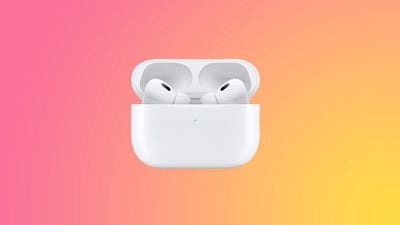
airpods pro 2 pink
There are multiple features that Apple is adding to the AirPods Pro 2 as part of iOS 18, and these features are included in the firmware update.

With head gestures, users can control Siri on the AirPods Pro with a shake or a nod of the head. If you get a phone call, for example, you can shake your head no if you don't want to answer it, or nod to accept the call. ‌Siri‌ interactions can be used for responding to incoming messages, calls, and notifications.

Apple is adding Voice Isolation to the AirPods Pro to cut down on loud background sounds to make you easier to hear, and there is a new Personalized Spatial Audio feature specific to gaming. Game developers will be able to incorporate spatial audio into their games for a more immersive audio experience.

Apple doesn't have a way to manually upgrade AirPods software, but firmware is generally installed over-the-air when the AirPods are in a charging case and connected to an iOS device or Mac.


Related Roundup: AirPods Pro 3
Buyer's Guide: AirPods Pro (Buy Now)
Related Forum: AirPods

Popular Stories

maxresdefault

Apple Shows Off a Key Reason to Upgrade to the iPhone 17

Saturday February 7, 2026 9:26 am PST by
Apple today shared an ad that shows how the upgraded Center Stage front camera on the latest iPhones improves the process of taking a group selfie. "Watch how the new front facing camera on iPhone 17 Pro takes group selfies that automatically expand and rotate as more people come into frame," says Apple. While the ad is focused on the iPhone 17 Pro and iPhone 17 Pro Max, the regular iPhone...
apple wallet drivers license feature iPhone 15 pro

Apple Says These 7 U.S. States Plan to Offer iPhone Driver's Licenses

Monday February 9, 2026 6:24 am PST by
In select U.S. states, residents can add their driver's license or state ID to the Apple Wallet app on the iPhone and Apple Watch, and then use it to display proof of identity or age at select airports and businesses, and in select apps. The feature is currently available in 13 U.S. states and Puerto Rico, and it is expected to launch in at least seven more in the future. To set up the...
m5 macbook pro deal

Why You Shouldn't Buy the Next MacBook Pro

Tuesday February 10, 2026 4:27 pm PST by
Apple is planning to launch new MacBook Pro models as soon as early March, but if you can, this is one generation you should skip because there's something much better in the works. We're waiting on 14-inch and 16-inch MacBook Pro models with M5 Pro and M5 Max chips, with few changes other than the processor upgrade. There won't be any tweaks to the design or the display, but later this...
Apple Logo Zoomed

Apple Expected to Launch These 10+ Products Over the Coming Months

Tuesday February 10, 2026 6:33 am PST by
It has been a slow start to 2026 for Apple product launches, with only a new AirTag and a special Apple Watch band released so far. We are still waiting for MacBook Pro models with M5 Pro and M5 Max chips, the iPhone 17e, a lower-cost MacBook with an iPhone chip, long-rumored updates to the Apple TV and HomePod mini, and much more. Apple is expected to release/update the following products...
iOS 26

Apple Releases iOS 26.3 and iPadOS 26.3

Wednesday February 11, 2026 10:07 am PST by
Apple today released iOS 26.3 and iPadOS 26.3, the latest updates to the iOS 26 and iPadOS 26 operating systems that came out in September. The new software comes almost two months after Apple released iOS 26.2 and iPadOS 26.2. The new software can be downloaded on eligible iPhones and iPads over-the-air by going to Settings > General > Software Update. According to Apple's release notes, ...

Top Rated Comments

Jdizzle188 Avatar
19 months ago
Let the updating rituals begin!

Balance on one leg.
Thank Tim for releasing this update.
Shake your magic 8 ball.
Refrain from expressing your disappointment at yesterday's AirPods Max refresh.

Who knows....
Score: 14 Votes (Like | Disagree)
-Gonzo- Avatar
19 months ago

I think my lightning case got updated to 65.3.0 from 54.xx I believe. But my Airpods are still stuck on 6F8. Anyone elses case get updated?

My case also shows 65.3.0 but stuck on 6F8
My lightning case is 70.88.0


Attachment Image
Score: 6 Votes (Like | Disagree)
Jashar7 Avatar
19 months ago

So how do you have the AirPods in its charging case and connected at the same time? I can’t get it to connect while in a case?
Just use them as you normally use listen to music for like 30 seconds and just put them back into charge, plug the charger and let them sit alongside iPhone they should update or if you have a Mac it’s even easier you just plug them straight into the cable and they update.
Score: 6 Votes (Like | Disagree)
NightFox Avatar
19 months ago

Does this actually work? I remember this was a way to update the firmware of a MagSafe puck....attach it to an iPad or Mac USB-C port. Does it work for AirPods?
Wait, what? MagSafe chargers have firmware updates? What a time to be alive!
Score: 4 Votes (Like | Disagree)
jarman92 Avatar
19 months ago

Sorry. In all the years I’ve been on here that has never been suggested.
Because it doesn't work ?
Score: 4 Votes (Like | Disagree)
Stiille Avatar
19 months ago

I still wonder what's the difference between the previous Voice Isolation (which has been available for quite a while now) and the "new" Voice Isolation that's coming with this new firmware.

If you noticed, that article you linked was published in March and I already had voice isolation before. It was just working very badly. Maybe it's just improved?
It’s now implemented into the AirPods Pro directly, not on the phone, that’s the difference
Score: 4 Votes (Like | Disagree)















