

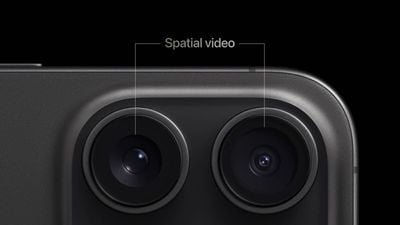
iPhone 15 Pro and iPhone 15 Pro Max models running iOS 17.2 or later can record spatial video with 3D depth for playback on Apple's Vision Pro headset. While spatial video recording has been limited to Apple's built-in Camera app until this point, third-party camera apps on the App Store can also offer this functionality starting on iOS 18.
In a WWDC 2024 coding session last week, Apple revealed that it has released an API that allows developers to offer spatial video recording in any app. Apple said the API is built into existing camera-related frameworks, making it easy to implement.
When held in landscape orientation, the iPhone 15 Pro's main and ultra wide cameras combine to record spatial video. In addition to the iPhone 16 Pro models, it is likely that spatial video recording will be expanded to the regular iPhone 16 and iPhone 16 Plus, as the rear cameras on those devices are rumored to be vertically aligned.
You will need a Vision Pro to see the added depth in spatial videos, as they appear in a normal 2D format when played on an iPhone.
iOS 18 is currently in beta, and it should be released in September.















Top Rated Comments
With a quick conversion I've been able to view spatial videos on my Quest 2 with ease.
I use this app to capture and manipulate spatial videos and PHOTOS to be viewed on an old 3D display ;)
https://www.meta.com/help/quest/articles/in-vr-experiences/oculus-apps/spatial-video/