iOS 18 and macOS Sequoia Let Websites and Apps Automatically Update Existing Logins to Passkeys
With the new Passwords app in iOS 18, iPadOS 18, and macOS Sequoia, there's a feature that is designed to allow websites and apps to upgrade existing accounts to passkeys automatically.
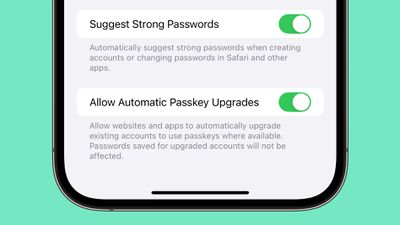
Enabled by default, the feature will speed up the adoption of passkeys, which are more secure than a traditional login and password. Passkeys log you in with Face ID or Touch ID rather than a password, and because on-device authentication is required, passkeys put a stop to online attacks like phishing. There's no password to steal or authentication code that can be intercepted.
Several popular websites and services have implemented Passkey support since Apple started using passkeys in 2022, including Twitter, Google, WhatsApp, TikTok, PayPal, Best Buy, Microsoft, PlayStation, and eBay.
Passkeys are supported in the new Passwords app that's available in iOS 18, iPadOS 18, macOS Sequoia, and Windows PCs through iCloud for Windows.
Popular Stories
In iOS 27, available now, CarPlay gets its biggest update in years, but some features depend on what type of car you have rather than your iPhone model. Some of the biggest additions won't do anything in the vast majority of vehicles on the road today. Here's how the new features pan out.
Works in Any CarPlay Vehicle
Custom widgets: In iOS 27, CarPlay is no longer limited to Apple's handful ...
The new Apple Watch Series 12 and Apple Watch Ultra 4 have hardware changes that allow for faster charging, but you will need to use the new version of the Apple Watch Magnetic Fast Charger included in the box in order to achieve this boost. If you need extra ones for your own charging stands or travel or so forth, Apple released the new version of the charger on its online store last week, with...
Wednesday September 16, 2026 1:32 pm PDT by
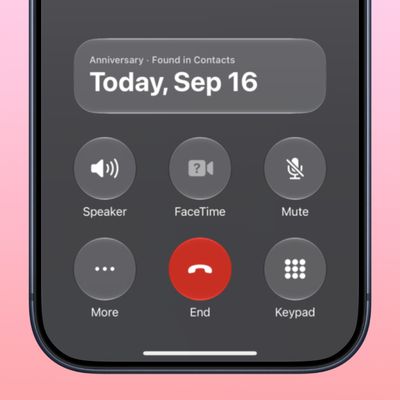
Juli CloverThe iOS 27.2 beta that Apple released today adds a feature that reminds you it's your anniversary when you call someone, as long as you've added the date in the Contacts app.
On the date of your anniversary, when you go to call the person, you'll see a reminder that it's an important day so you don't forget to say something. The anniversary alert uses Call Context, a feature Apple added in...