Apple's Back to School Offer Live in Australia and Some Other Countries
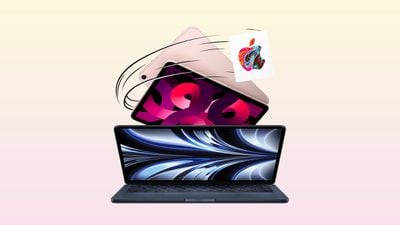
Apple's annual Back to School/Back to Uni promotion is ongoing in Australia, New Zealand, Brazil, and South Korea. From January 4 through March 13, qualifying higher-education students in these countries can receive a free item with the purchase of an eligible Mac or iPad on Apple's online store, in the Apple Store app, at at Apple Store locations.
The free item is as follows:
- Australia: Up to a $240 Apple gift card
- New Zealand: A free Apple Pencil with an iPad, and free AirPods with a Mac
- Brazil: A free Apple Pencil with an iPad, and free AirPods with a Mac
- South Korea: A free Apple Pencil with an iPad, and free AirPods with a Mac
The free Apple Pencil and AirPods models provided vary based on the iPad or Mac model purchased, with complete details about eligibility and more outlined in the full terms and conditions for each country, linked above.
Apple's Back to School promotion typically launches in the U.S. around June or July each year.
Popular Stories
iOS 26.4 was released today, and it includes a couple of new features for CarPlay: an Ambient Music widget and support for voice-based chatbot apps.
To update your iPhone 11 or newer to iOS 26.4, open the Settings app and tap on General → Software Update. CarPlay will automatically offer the new features so long as the iPhone connected to your vehicle is running iOS 26.4 or later....
Apple today released new firmware for the AirPods Pro 2, AirPods Pro 3, and the AirPods 4. The firmware has a version number of 8B39, up from 8B34 on the AirPods Pro 3, 8B28 on the AirPods Pro 2, and 8B21 on the AirPods 4.
There is no word on what's included in the firmware, but Apple has a support document with limited notes. Most updates are limited to bug fixes and performance...
Apple this week released tvOS 26.4, and the software update includes a handful of new features and changes for the Apple TV.
tvOS 26.4 is compatible with all Apple TV 4K and Apple TV HD models released since 2015. To update your Apple TV, open the Settings app on the device, navigate to System → Software Updates, and select Update Software.
Below, we have recapped what is new in tvOS...