PSA: macOS 14 Sonoma Beta 4 Not Installing Properly for Some Users

Apple today released the fourth beta of macOS 14 Sonoma, but it might be wise to hold off on installing the new software right now due to issues that some Mac users have reported.
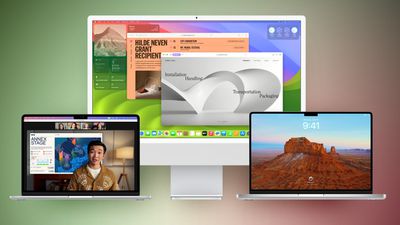
macos sonoma feature green brown
A handful of people have downloaded and installed the beta only to be greeted with an entirely black screen and a non-functional device. The mouse pointer is visible, but nothing shows up on the display. Affected Macs include an M2 14-inch MacBook Pro, an M1 MacBook Air, and an M1 Max ‌MacBook Pro‌, but not all users are having installation troubles.

There are multiple reports from people who have had no issues installing the beta, so it is not clear where the problem lies. On Reddit, one user was able to fix the issue by going into recovery mode and reinstalling the beta, and another had luck with multiple reboots, but that does not seem to solve the problem for everyone.

On the MacRumors forums, there are also reports of issues with widgets not showing up properly and the Music app not opening, which were fixed by restarting. Given the number of problems with the software, those who are using macOS Sonoma on a main machine might want to wait to upgrade to the fourth beta.

Related Forum: macOS Sonoma

Popular Stories

imac video apple feature

Apple Unveils First New Products of 2026

Monday January 26, 2026 1:55 pm PST by
Apple today introduced its first two physical products of 2026: a second-generation AirTag and the Black Unity Connection Braided Solo Loop for the Apple Watch. Read our coverage of each announcement to learn more:Apple Unveils New AirTag With Longer Range, Louder Speaker, and More Apple Introduces New Black Unity Apple Watch BandBoth the new AirTag and the Black Unity Connection Braided...
Second Generation AirTag Feature

Apple Unveils New AirTag With Longer Range, Louder Speaker, and More

Monday January 26, 2026 6:07 am PST by
Apple today introduced the second-generation AirTag, with key features including longer range for tracking items and a louder speaker. For those who are not familiar, the AirTag is a small accessory that you can attach to your backpack, keys, or other items. Then, you can track the location of those items in the Find My app on the iPhone, iPad, Mac, Apple Watch, and iCloud.com. The new...
iPhone 5s

iPhone 5s Gets New Software Update 13 Years After Launch

Monday January 26, 2026 3:56 pm PST by
Alongside iOS 26.2.1, Apple today released an updated version of iOS 12 for devices that are still running that operating system update, eight years after the software was first released. iOS 12.5.8 is available for the iPhone 5s and the iPhone 6, meaning Apple is continuing to support these devices for 13 and 12 years after launch, respectively. The iPhone 5s came out in September 2013,...
Apple Logo Spotlight

Apple to Launch These 20+ Products This Year

Sunday January 25, 2026 6:02 pm PST by
2026 promises to be yet another busy year for Apple, with the company rumored to be planning more than 20 product announcements over the coming months. Beyond the usual updates to iPhones, iPads, Macs, and Apple Watches, Apple is expected to release its all-new smart home hub, which was reportedly delayed until the more personalized version of Siri is ready. Other unique products rumored for ...
M5 MacBook Pro

Apple Reportedly Aiming to Upgrade the MacBook Pro Twice This Year

Sunday January 25, 2026 11:46 am PST by
Apple plans to release new MacBook Pro, MacBook Air, Mac Studio, and Studio Display models in the first half of this year, according to Bloomberg's Mark Gurman. In his Power On newsletter today, Gurman added that redesigned MacBook Pro models with an OLED touch screen "should be hitting toward the end of 2026," meaning that the MacBook Pro line would be upgraded twice this year. First up...

Top Rated Comments

posguy99 Avatar
33 months ago
Zero sympathy. You don't install beta software on production devices.
Score: 10 Votes (Like | Disagree)
jdclifford Avatar
33 months ago
All good here. M1 MBA, M1 iMac, M2 MBA and M1 14"MBP ?
Score: 8 Votes (Like | Disagree)
nutmac Avatar
33 months ago

Jason Snell, I don't think this aged well:
[HEADING=2]WHY YOU SHOULD INSTALL APPLE’S PUBLIC BETAS ('https://www.macworld.com/article/2000748/')[/HEADING]
To be fair, Jason was talking about the public betas, which tend to be released a day or two after developer beta. While public betas are far from very stable, they tend to at least not cause the device to brick nor have major issues.
Score: 7 Votes (Like | Disagree)
dantracht Avatar
33 months ago
Thus, beta.
Score: 7 Votes (Like | Disagree)
Mr. Dee Avatar
33 months ago

I'm not sure I understand your point here. As the other commenter said, the public betas "tend to be released a day or two after developer beta" so that the public beta users aren't exposed to issues like today's.

I mean, this article is about the dev beta release, right? Not the public beta release which will be "based on" today's dev beta release once this issue is understood and resolved.

There is no public seed of DB4 yet, so that should not be at issue.
The point is, its still a beta and it should not be installed on a production computer, especially one that would be mission critical. Jason gives the impression that Apple betas have become harmless these days that anyone can install them because they are not like the rough and tumble days of Rhapsody and OS X betas. Sure, if you have a spare Mac, have it, but this is a reminder, don't rush to install, dev or public betas on your one and only machine.
Score: 6 Votes (Like | Disagree)
rettro Avatar
33 months ago

Zero sympathy. You don't install beta software on production devices.
Didn't see anyone looking for sympathy. Just people discussing issues.
Score: 6 Votes (Like | Disagree)













































