Apple Updates Beats Studio Buds Firmware
Apple today released a new 10M359 firmware update for the Beats Studio Buds that came out back in June. Prior to today's firmware update, the Beats Studio Buds had 9M6599 software installed. Note that this is Apple's internal numbering, and the firmware version seen in the Settings app can be different and will likely show up as 1B56 after updating.
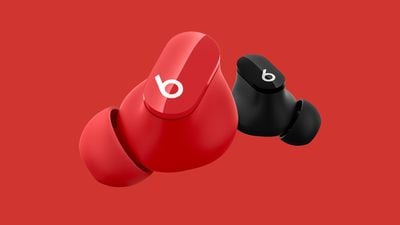
There's no standard way to upgrade the Beats software, but firmware is generally installed over-the-air while the earbuds are connected to an iOS device. Putting the Beats Studio Buds in the case, connecting them to a power source, and then pairing them to an iPhone or an iPad should force the update after a short period of time.
Beats Studio Buds were the first Beats-branded earbuds to compete with the AirPods with a wire-free design and no earhook. Beats Studio Buds are similar in design to the AirPods Pro and feature Active Noise Cancellation, but the earbuds have a stemless design that we could see in future Apple products.
If we find notable changes after the firmware updates are installed, we'll share details, but the software likely includes performance improvements and bug fixes.
Popular Stories
Last year, Apple launched CarPlay Ultra, the long-awaited next-generation version of its CarPlay software system for vehicles. Nearly a year later, CarPlay Ultra is still limited to Aston Martin's latest luxury vehicles, but that should change fairly soon.
In May 2025, Apple said many other vehicle brands planned to offer CarPlay Ultra, including Hyundai, Kia, and Genesis.
CarPlay Ultra...
As we wait for WWDC to kick off next Monday, Apple today announced the winners of its annual Apple Design Awards, recognizing apps and games for their innovation, ingenuity, and technical achievement.
The 2025 Apple Design Award winners are listed below, with one app and one game selected per category:
Delight and Fun - CapWords (App) and Balatro (Game)
Innovation - Play (App) and PBJ -...
While the AirPods Max 2 received more attention, Apple also released a second pair of headphones last month: Nike Powerbeats Pro 2.
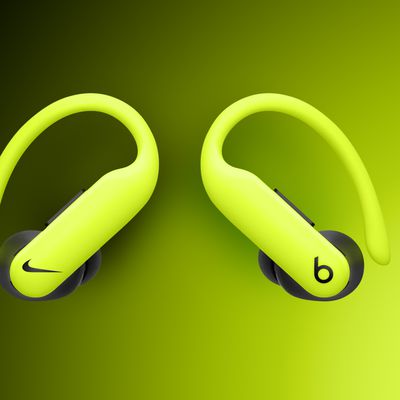
Nike Powerbeats Pro 2 are the same as the regular Powerbeats Pro 2, except they have a two-tone design consisting of black and Nike's signature Volt neon green-yellow color. The headphones were released on March 20 in the U.S., Canada, Australia, the U.K., and a ...
Popular Stories
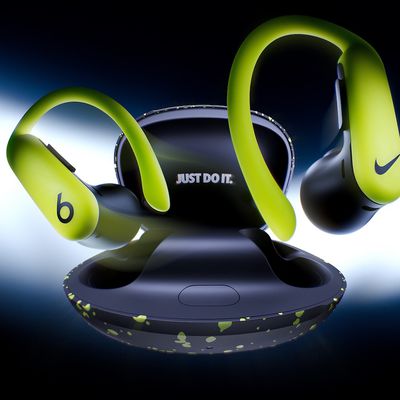
Apple's Beats brand is launching its first hardware collaboration with Nike today, debuting a new special-edition Nike-branded version of the Powerbeats Pro 2. Featuring Nike's "Volt" color palette with a matte black and Volt-speckled charging case with Nike's "Just Do It" slogan printed inside the lid, the buds themselves sport the Nike Swoosh logo on the right ear bud and the Beats "b" logo on...
The special-edition Nike Powerbeats Pro 2 are now available to order on Apple.com in the U.S., Canada, Australia, the U.K., and a handful of other countries. These headphones are the same as the regular Powerbeats Pro 2, except they have a two-tone design consisting of black and Nike's signature Volt neon green-yellow color.
Aside from the Nike-focused design, these are the same...
Last year, Apple launched CarPlay Ultra, the long-awaited next-generation version of its CarPlay software system for vehicles. Nearly a year later, CarPlay Ultra is still limited to Aston Martin's latest luxury vehicles, but that should change fairly soon.
In May 2025, Apple said many other vehicle brands planned to offer CarPlay Ultra, including Hyundai, Kia, and Genesis.
CarPlay Ultra...