Apple Explains Why You Should Buy a Mac
Apple today added a new "Why Mac" explainer page to its main Apple.com website, which, as the name suggests, pitches reasons why customers should choose to buy a Mac.
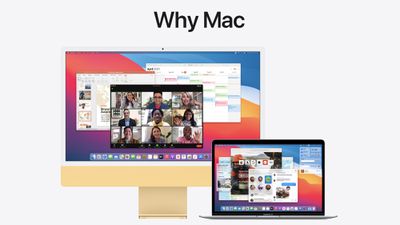
The Mac is "easy to learn," powerful, and equipped with tons of apps and free software updates.
Easy to learn. Astoundingly powerful. And designed to let you work, play, and create in ways you never imagined. It's the computer that comes packed with apps that are ready to go right out of the box. Free, regular software updates keep things up to date and running smoothly. And if you already have an iPhone, it feels familiar from the moment you turn it on.
The mini site features highlights on how easy it is to set up a Mac and migrate info and accounts, the Mac's capabilities, and details on how simple the macOS software is to learn.
Apple points out how well the Mac works with other devices like iPhone, iPad, and Apple Watch thanks to continuity features, and the privacy features introduced with the M1 chip and the macOS Big Sur update.
The new "Why Mac" site is featured on the homepage, and it includes purchase links for the MacBook Air, MacBook Pro, and iMac.
Popular Stories
Apple is releasing five new products this Friday, November 6, following pre-orders that opened last week, including its first touchscreen MacBook Pro models.
The following new products will be available from Friday:
iPad mini with OLED display and A20 Pro chip
iMac with M6 chip
14-inch MacBook Pro with M6 chip
14-inch MacBook Pro with OLED touchscreen
16-inch MacBook Pro with OLED...
Apple's busiest season isn't over yet. Far from it. With two hardware launch dates still to come in November, plus software updates and new smart home accessories running into December, there's more on the way from Apple before the end of 2026, so be sure to stick around.
Below, we've rounded up what's still coming, along with one date in particular that's worth watching if you're a holiday...
Apple is releasing five new products this Friday, November 6, following pre-orders that opened last week, including its first touchscreen MacBook Pro models.
The following new products will be available from tomorrow:
iPad mini with OLED display and A20 Pro chip
iMac with M6 chip
14-inch MacBook Pro with M6 chip
14-inch MacBook Pro with OLED touchscreen
16-inch MacBook Pro with OLED...















































