

Apple today seeded the second betas of new iOS 14.5 and iPadOS 14.5 updates to public beta testers, with the new betas coming two weeks after the release of the first public betas and just a day after Apple provided the second beta software to developers.

Public beta testers who have signed up for Apple's beta testing program can download the iOS and iPadOS 14.5 updates over the air after installing the proper certificate from the Public Beta website on an iOS device.
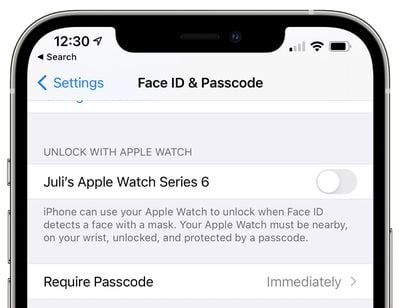
iOS 14.5 adds a new feature that lets you unlock your iPhone with your Apple Watch when you're wearing a mask, alleviating the need to use a passcode to get into an iPhone with Face ID when you have a mask on. Using this feature requires both iOS 14.5 and watchOS 7.4, and it is opt-in. It can be activated in the Settings app under Face ID & Passcode.
Dual-SIM 5G support is now available globally on iPhone 12 devices, so if you have more than one phone number associated with your iPhone, both lines can now take advantage of 5G networks. Previously, Dual-SIM functionality was limited to LTE in all countries except for China.
With iOS 14.5, iPadOS 14.5, and watchOS 7.4, AirPlay 2 support is available for Apple Fitness+, which lets a workout played on the iPhone or the iPad to be AirPlayed to an AirPlay 2-compatible smart TV or set-top box.
The latest PlayStation 5 DualSense and Xbox Series X controllers are compatible with the iPhone and the iPad after updating, and there's a new feature that lets Siri make an emergency call for you.

iOS 14.5 includes a Waze-like crowdsourcing feature for reporting accidents, hazards, and speed checks along a route in Maps when getting directions.
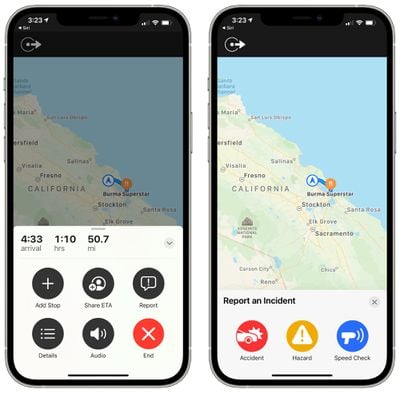
There's a new "Report" button available in the Apple Maps app that lets you tap to report an accident, hazard, or speed trap at your location in the Apple Maps app, which is a feature that mapping app Waze offers. This is available directly on the iPhone and in CarPlay.
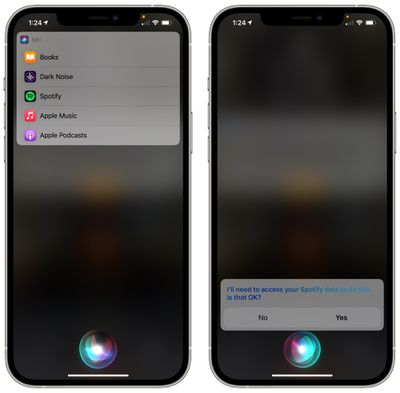
iOS and iPadOS 14.5 add a new feature for choosing a default streaming music service to use with Siri. So if you prefer Spotify over Apple Music, for example, you can now choose Spotify as the default app to use with Siri and all Siri song requests will go through Spotify without the need to add "on Spotify" to the end of Siri requests.
Though not in the update as of yet, iOS 14.5 has code that suggests Apple is adding Family Sharing functionality for the Apple Card, allowing multiple users to share a single card. iOS 14.5 is the update where Apple will officially enable App Tracking Transparency, so developers will need to ask for and receive a user's permission to track their activity across apps and websites for ad targeting purposes.
The second beta of iOS 14.5 adds new emoji characters, new Shortcuts, Apple Music tweaks, and more, with a full list of changes available in our beta 2 guide. A complete list of features in iOS 14.5 so far can be found in our iOS 14.5 guide.
Apple has said that iOS 14.5 will be released to the public in the early spring, so we can expect to see a launch at some point in March, with the spring season officially starting on March 20. Apple has also seeded a new beta of tvOS 14.5 to fourth and fifth-generation Apple TV users who are signed up for the public beta.

















































