Apple Seeds Second Beta of tvOS 13 to Public Beta Testers - MacRumors
Skip to Content

Apple Seeds Second Beta of tvOS 13 to Public Beta Testers

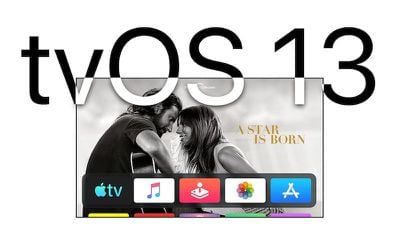
Apple today seeded the second beta of an upcoming tvOS 13 update to its public beta testing group, one week after seeding the first public beta and a day after seeding the third developer beta.

Public beta testers can download the new update by going to the Settings app on the Apple TV and navigating to the Software Updates section under "System." "Get Public Beta Updates" will need to be toggled on, and once it is, the ‌Apple TV‌ will download the beta software.

tvos13
Those who want to beta test the software can sign up to do so on Apple's beta testing website.

tvOS 13 includes a new Home screen that's aimed at making it easier to find new content, with support for autoplaying videos to show off new TV shows, movies, and apps, similar to Netflix.

Multi-user support is new in tvOS 13, letting each member of the family have their own customized ‌Apple TV‌ interface with separate recommendations, music playlists, and Watch Now lists. A new Control Center lets you swap between profiles.

tvOS 13 gets the ‌Apple TV‌ ready for Apple Arcade, Apple's new gaming service that's coming to the ‌Apple TV‌, iOS, iPadOS, and macOS later this year. ‌Apple Arcade‌ will offer unlimited access to more than 100 new and exclusive games, for one subscription fee.

‌Apple Arcade‌ preparations include support for the Xbox Wireless Bluetooth Controller and the PlayStation DualShock 4 Controller, both of which can be connected to an ‌Apple TV‌ over Bluetooth.

Apple is also adding new under-the-sea themed screensavers made in partnership with the BBC Natural History unit, also known for "Blue Planet," and the new software brings support for a picture-in-picture mode that lets you watch TV while doing other things on the ‌Apple TV‌.

For more on what's new in tvOS 13, make sure to check out our tvOS 13 roundup.

Related Roundup: Apple TV
Buyer's Guide: Apple TV (Don't Buy)

Popular Stories

Where is the New Apple TV Feature

Next Apple TV's Chip Revealed in Latest Leak

Tuesday September 8, 2026 10:19 am PDT by
The next Apple TV 4K will be equipped with an A19 or A19 Pro chip, according to evidence in Apple's code uncovered by MacRumors contributor Aaron Perris. In particular, the device's model identifier points towards the A19 generation of chips. Accordingly, the next Apple TV would have 8GB or 12GB of RAM, up from 4GB in the current 2022 model with the A15 Bionic chip. Other rumored upgrades for...


iOS 27 Feature Cool

Apple Releases New iOS 27, iPadOS 27, macOS 27, and tvOS 27 Public Betas

Monday August 31, 2026 2:13 pm PDT by
Apple today released the sixth public betas of iOS 27, iPadOS 27, tvOS 27, and macOS Golden Gate, allowing anyone with a compatible device to download and test the new software. The sixth betas come a week after Apple seeded the fifth betas and a few hours after the eighth developer betas. You can get started by signing up on Apple's beta website and then opting in to the public beta by...
Apple TV Remote Icon

iOS 27 to Upgrade Apple TV Remote App in Two Ways

Thursday September 10, 2026 2:33 am PDT by
Apple has updated the design of the virtual Apple TV Remote for the iOS 27 Release Candidate, which was released yesterday, and there are two new features that have been added to the iPhone app's interface. First up, Apple has added a new button to the top-right corner of the Remote UI with a glyph showing four squares. Pressing the button pops out an app menu similar to the Apple TV home...

Top Rated Comments

94 months ago
There seems to be a new app opening animation.
Yes. it is very distracting.
Score: 2 Votes (Like | Disagree)
unfunfionn Avatar
94 months ago
Not in love with it so far. I preferred to have my "next up" shows just by having the TV apps icon highlighted like in 12.
Yeah that’s the most irritating omission for me too. It makes an almost useless app entirely useless.
Score: 1 Votes (Like | Disagree)
Hookemfins Avatar
94 months ago
Not in love with it so far. I preferred to have my "next up" shows just by having the TV apps icon highlighted like in 12.
Score: 1 Votes (Like | Disagree)
94 months ago
TvOS 13 installed this morning automatically. I guess not waiting for iOS 13 in the fall?
Score: 1 Votes (Like | Disagree)
dugbug Avatar
94 months ago
The problem I have with these auto play videos is that there is this pregnant pause while each one loads and it feels broken. Same with Netflix’s implementation.
Score: 1 Votes (Like | Disagree)