

Apple today released macOS Mojave 10.14.2, the second update to the macOS Mojave operating system that first launched in September. macOS Mojave 10.14.2 comes three weeks after Apple launched macOS Mojave 10.14.1 with Group FaceTime support and new emoji.

macOS Mojave 10.14.2 can be downloaded by going to the "Software Update" section of System Preferences, a new installation method that was introduced with the Mojave update.
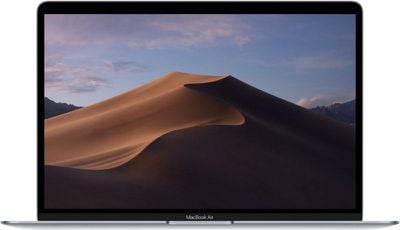
macbookairmacosmojave2
The 10.14.2 update introduces performance improvements and bug fixes for issues that weren't addressed in macOS Mojave 10.14.1. There were no major feature changes discovered during the course of the beta testing period.

macOS Mojave 10.14.2 release notes:

  • Adds RTT (real-time text) support for Wi-Fi calling.

  • Adds a menu item to News for opening a story in Safari.

  • Resolves an issue that may prevent iTunes from playing media to third-party AirPlay speakers.

Enterprise-related:

  • Allows administrators to enable FileVault via MDM for mobile accounts and users created by MDM.

  • Allows users to reset their login password at the login window when that password has expired via a password policy.

  • Resolves an issue that prevents displays from working when connected to MacBook Pro models introduced in 2018, if certain third-party USB graphics devices are also connected.

Additional details on the macOS Mojave operating system can be found in our dedicated Mojave roundup.


Related Forum: macOS Mojave

Top Rated Comments

StellarVixen Avatar
94 months ago
Why, Apple, just...why you don't make these cogwheels animated?

Please... :'-(

Attachment Image
Score: 12 Votes (Like | Disagree)
94 months ago
I'll give it a week, see what the general consensus is, and if positive start the upgrade on my Macs from High Sierra.
You won't get a general consensus because Mojave has been rock solid since day one. There's nothing to talk about. The only few reactions are complaints, obviously.
Score: 8 Votes (Like | Disagree)
xbankaiz Avatar
94 months ago
I'm wondering if this update will finally be the one to get me to update from Sierra? I'm on a mid 2012 MBPR and not sure if I should make the jump, especially hearing some issues are still lingering. Anyone want to weigh in on this?
I took the plunge from El Capitan a few weeks back and the constant freezing I was facing during FaceTime had resolved instantly. Oddly, I feel Mojave runs faster than El Cap but it may be because it was a fresh clean install instead of a upgrade.


EDIT: How come even the freaking HomePod update got a front page article on MR but this didn't whereas HomePod is just a limited availability product?
Score: 7 Votes (Like | Disagree)
tkermit Avatar
94 months ago
Finished! The update ETA algorithm reminds me of old Windows file copy ETA.

It said ~30 minutes for update, while it really took around 10.
that's in the ballpark at least ;)


https://xkcd.com/612/

Attachment Image
Score: 6 Votes (Like | Disagree)
94 months ago
The Console application has been crippled since the release of MacOS Sierra. Many bugs are still not fixed. It still feels like an alpha/beta release. The crippled nature of the new Console application suggests that Apple handed off this application to a bunch of summer interns who have never used a Mac before. Apple should take the Console application back from those interns and return development back to their senior engineers.
Score: 6 Votes (Like | Disagree)
macpeach55 Avatar
94 months ago
I'll give it a week, see what the general consensus is, and if positive start the upgrade on my Macs from High Sierra.
Score: 6 Votes (Like | Disagree)

Popular Stories

maxresdefault

Apple Shows Off a Key Reason to Upgrade to the iPhone 17

Saturday February 7, 2026 9:26 am PST by
Apple today shared an ad that shows how the upgraded Center Stage front camera on the latest iPhones improves the process of taking a group selfie. "Watch how the new front facing camera on iPhone 17 Pro takes group selfies that automatically expand and rotate as more people come into frame," says Apple. While the ad is focused on the iPhone 17 Pro and iPhone 17 Pro Max, the regular iPhone...
apple wallet drivers license feature iPhone 15 pro

Apple Says These 7 U.S. States Plan to Offer iPhone Driver's Licenses

Monday February 9, 2026 6:24 am PST by
In select U.S. states, residents can add their driver's license or state ID to the Apple Wallet app on the iPhone and Apple Watch, and then use it to display proof of identity or age at select airports and businesses, and in select apps. The feature is currently available in 13 U.S. states and Puerto Rico, and it is expected to launch in at least seven more in the future. To set up the...
m5 macbook pro deal

Why You Shouldn't Buy the Next MacBook Pro

Tuesday February 10, 2026 4:27 pm PST by
Apple is planning to launch new MacBook Pro models as soon as early March, but if you can, this is one generation you should skip because there's something much better in the works. We're waiting on 14-inch and 16-inch MacBook Pro models with M5 Pro and M5 Max chips, with few changes other than the processor upgrade. There won't be any tweaks to the design or the display, but later this...
Apple Logo Zoomed

Apple Expected to Launch These 10+ Products Over the Coming Months

Tuesday February 10, 2026 6:33 am PST by
It has been a slow start to 2026 for Apple product launches, with only a new AirTag and a special Apple Watch band released so far. We are still waiting for MacBook Pro models with M5 Pro and M5 Max chips, the iPhone 17e, a lower-cost MacBook with an iPhone chip, long-rumored updates to the Apple TV and HomePod mini, and much more. Apple is expected to release/update the following products...
iOS 26

Apple Releases iOS 26.3 and iPadOS 26.3

Wednesday February 11, 2026 10:07 am PST by
Apple today released iOS 26.3 and iPadOS 26.3, the latest updates to the iOS 26 and iPadOS 26 operating systems that came out in September. The new software comes almost two months after Apple released iOS 26.2 and iPadOS 26.2. The new software can be downloaded on eligible iPhones and iPads over-the-air by going to Settings > General > Software Update. According to Apple's release notes, ...









































