Apple Seeds Second Beta of iOS 11.4 to Developers - MacRumors
Skip to Content

Apple Seeds Second Beta of iOS 11.4 to Developers

Apple today seeded the second beta of an upcoming iOS 11.4 update to developers, two weeks after releasing the first beta and three weeks after releasing iOS 11.3, a major update that introduced several new features.

Registered developers can download the new iOS 11.4 beta from Apple's Developer Center or over-the-air once the proper configuration profile has been installed from the Developer Center.
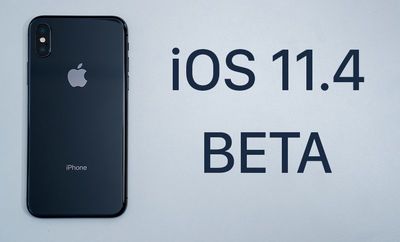
ios114beta
The iOS 11.4 update introduces a new ClassKit framework for educational institutions, which will support new features announced at Apple's March 27 event.

For standard users, the iOS 11.4 update adds features that were originally present in the iOS 11.3 beta but removed ahead of release. It includes support for Messages on iCloud, designed to store your iMessages in iCloud and sync them across devices.

There's also support for AirPlay 2 features, with the Apple TV once again available in the Home app. With AirPlay 2, the same audio content can be played in multiple rooms. On the HomePod, there are signs of support for stereo sound, but stereo sound is not currently available as it requires 11.4 HomePod software not available for developers.

iOS 11.3, the previous update, introduces a new Battery Health feature for monitoring the status of your iPhone's battery, Business Chat for iMessage, which lets you communicate with companies directly in the Messages app, ARKit 1.5 with augmented reality improvements, new Animoji on iPhone X, Health Records from participating medical providers, and more.

Update: Mentions of the non-functional HomePod stereo pairing feature have been removed in iOS 11.4 beta 2, and Apple has added a new (PRODUCT)RED wallpaper for the iPhone 8 and iPhone 8 Plus.


Related Forum: iOS 11

Popular Stories

apple wallet drivers license feature iPhone 15 pro

Apple Says iPhone Driver's Licenses Will Expand to These 6 U.S. States

Thursday July 9, 2026 7:29 am PDT by
In select U.S. states, residents can add their driver's license or state ID to the Apple Wallet app on the iPhone and Apple Watch, and then use it to display proof of identity or age at select airports and businesses, and in select apps. To set up the feature, open the Wallet app on the iPhone and tap on the plus sign in the top-right corner. Next, tap on Driver's License and ID Cards,...


apple silicon 1 feature

Apple Silicon is Taking an Unexpected Turn

Friday July 10, 2026 7:24 am PDT by
Ever since the Mac switched from Intel processors to Apple silicon starting in 2020, each generation of M-series chips has included higher-end Pro and Max variants. If a recent report proves to be accurate, though, that streak will be coming to an end. According to Bloomberg's Mark Gurman, Apple will be releasing a regular M6 chip, but it has no plans to offer higher-end M6 Pro and M6 Max...
iphone 16 teal

'Siri AI' Lawsuit Update: Apple to Pay Owners of These iPhone Models

Thursday July 9, 2026 7:08 am PDT by
In May, Apple agreed to pay $250 million to settle a U.S. class action lawsuit over Siri AI's delayed launch, and eligible iPhone users could receive up to a $95 payout. This week, the California court overseeing the case held a hearing regarding preliminary approval of the settlement, but the judge has not yet issued a ruling. It will likely be at least a few more months before eligible...

Top Rated Comments

Chuck Kostalnick Avatar
108 months ago
Béta 11.4.1 was a disaster for me.
I'm sure it was a disaster! They haven't even gotten 11.4 out the door and you're running 11.4.1. ;)
Score: 9 Votes (Like | Disagree)
108 months ago
So, it seems like I didn't misunderstand iCloud messages as I said earlier in this thread in reply to another poster.
Think about it like this, Messages in the Cloud is like IMAP compared to POP email.
Score: 5 Votes (Like | Disagree)
jclo Avatar
108 months ago
OK - well I do. It has been doing those things ever since I got my iPhone X. None of that is new. Maybe it's because of Digits, but all my messages already sync across all my devices.

And I don't understand the date structure you listed. I can't have it until November 1st to the 3rd?
Right now, your iMessages are delivered to any current device where you are signed into iCloud, but they aren't stored in iCloud. So if you get a new iPhone or iPad, your old messages aren't synced there automatically. With Messages on iCloud, your messages are synced to iCloud and will download on all of your devices including new devices. Storing iMessages in iCloud allows for a better syncing system and it'll free up some on device space.
Score: 5 Votes (Like | Disagree)
jclo Avatar
108 months ago
I'm not either. I uninstalled and re-installed the beta profile. o_O
Because I have the dev beta installed, I rely on tips to know when the iOS public beta is out. I received a screenshot of the public beta available on an iOS device and I see mentions on Twitter, but I've updated the post to remove the mention of the public beta until it's widely available since a lot of you can't see it. Let me know when it pops up and I'll update the post again.
Score: 4 Votes (Like | Disagree)
108 months ago
Yeah - those aren't really things I have value for. All I care is that notifications go away across the platform, and it already does that. Once I have seen a message I very rarely want to see it again. If I do I add it to my calendar or save the picture.
Well, that's you. I would be very happy to be able to offload to iCloud the several GB of iMessage attachments sitting on my phone, and still be able to get at my message history from any of my Apple devices.
Score: 4 Votes (Like | Disagree)
eoblaed Avatar
108 months ago
How is this different than what happens now? I get all my messages across all my devices, and if I read them on one device they are marked read and the notification goes away on my other devices. What is this new messages on iCloud adding? The ability to read them when I don't have any of my devices?

That sounds like a security nightmare for a fairly niche benefit.
Current behavior depends on at least one active device being able to update other devices when they ask for it. Things can get a bit out of whack if a device has been offline for a long time, or if you only have one device, or any number of other scenarios. The current model works ok-ish most of the time for most people, but there are quite a few cases where it can get confused, not update appropriately, etc.

Centralizing the history of your conversations in a spot that will always be accessible, even if you trash all your current devices not only provides a consistent, complete way for devices to get updates rather than the comparively messy way it does it today, it also saves your chats in perpetuity.
Score: 4 Votes (Like | Disagree)