Apple Seeds First Beta of watchOS 4.3.1 to Developers

Apple today seeded the first beta of an upcoming watchOS 4.3.1 update to developers, a little under one week after releasing watchOS 4.3, a major update that introduced portrait Nightstand mode and iPhone music controls on Apple Watch.

Once the proper configuration profile has been installed from the Apple Developer Center, the new watchOS beta can be downloaded through the dedicated Apple Watch app on the iPhone by going to General --> Software update.
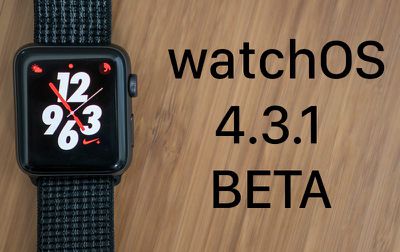
watchos431beta
To install the update, the Apple Watch needs to have at least 50 percent battery, it must be placed on the charger, and it has to be in range of the iPhone.

It's not yet clear what new features will be introduced in the watchOS 4.3.1 update, but it's likely to include bug fixes for issues that have been discovered since the release of watchOS 4.3.

Related Roundup: Apple Watch 11
Buyer's Guide: Apple Watch (Neutral)

Popular Stories

Apple Logo Zoomed

Tim Cook Teases Plans for Apple's Upcoming 50th Anniversary

Thursday February 5, 2026 12:54 pm PST by
Apple turns 50 this year, and its CEO Tim Cook has promised to celebrate the milestone. The big day falls on April 1, 2026. "I've been unusually reflective lately about Apple because we have been working on what do we do to mark this moment," Cook told employees today, according to Bloomberg's Mark Gurman. "When you really stop and pause and think about the last 50 years, it makes your heart ...
wwdc sans text feature

Apple Rumored to Announce New Product on February 19

Thursday February 5, 2026 12:22 pm PST by
Apple plans to announce the iPhone 17e on Thursday, February 19, according to Macwelt, the German equivalent of Macworld. The report, citing industry sources, is available in English on Macworld. Apple announced the iPhone 16e on Wednesday, February 19 last year, so the iPhone 17e would be unveiled exactly one year later if this rumor is accurate. It is quite uncommon for Apple to unveil...
Finder Siri Feature

Why Apple's iOS 26.4 Siri Upgrade Will Be Bigger Than Originally Promised

Friday February 6, 2026 3:06 pm PST by
In the iOS 26.4 update that's coming this spring, Apple will introduce a new version of Siri that's going to overhaul how we interact with the personal assistant and what it's able to do. The iOS 26.4 version of Siri won't work like ChatGPT or Claude, but it will rely on large language models (LLMs) and has been updated from the ground up. Upgraded Architecture The next-generation...
iOS 26

iOS 26.3 and iOS 26.4 Will Add These New Features to Your iPhone

Tuesday February 3, 2026 7:47 am PST by
While the iOS 26.3 Release Candidate is now available ahead of a public release, the first iOS 26.4 beta is likely still at least a week away. Following beta testing, iOS 26.4 will likely be released to the general public in March or April. Below, we have recapped known or rumored iOS 26.3 and iOS 26.4 features so far. iOS 26.3 iPhone to Android Transfer Tool iOS 26.3 makes it easier...
maxresdefault

Apple Shows Off a Key Reason to Upgrade to the iPhone 17

Saturday February 7, 2026 9:26 am PST by
Apple today shared an ad that shows how the upgraded Center Stage front camera on the latest iPhones improves the process of taking a group selfie. "Watch how the new front facing camera on iPhone 17 Pro takes group selfies that automatically expand and rotate as more people come into frame," says Apple. While the ad is focused on the iPhone 17 Pro and iPhone 17 Pro Max, the regular iPhone...

Top Rated Comments

newtestleper Avatar
103 months ago
I have a red (1) badge indicating an update, but I get a failed connection error when I check. I have now updated my phone to iOS 11.4 beta 1, but I saw the error before the 11.4 beta installed. (I checked Watch while the iOS beta was downloading.)

I've tried the obvious things for troubleshooting: rebooting both devices, turning radios off and on. The Watch *is* otherwise connected to the iPhone and working fine. I have a few more troubleshooting tricks to try (deleting and reinstalling profiles is next). I *really* don't want to unpair and re-pair.

Don’t worry, they’re going to nail the watch update process by watchOS 7, you’ll see.
Score: 8 Votes (Like | Disagree)
MrGimper Avatar
103 months ago
Whether people should or should not be installing betas on their devices is irrelevant and lets not forget that Apple release public beta builds of most of their operating systems these days.

There is what would appear to be a widespread issue in the latest developer build. Which is exactly what developer beta testing is for. Apple will need to address that issue before releasing iOS 11.4 or Watch OS 4.3.1 to the wild and the more people who inform of that and help them with testing any potential fixes the better
And they don't release a public beta of watchOS for a very specific reason.... a user cannot roll it back themselves. So watch betas should be treated differently.
Score: 4 Votes (Like | Disagree)
MLVC Avatar
103 months ago
I have a red (1) badge indicating an update, but I get a failed connection error when I check. I have now updated my phone to iOS 11.4 beta 1, but I saw the error before the 11.4 beta installed. (I checked Watch while the iOS beta was downloading.)

I've tried the obvious things for troubleshooting: rebooting both devices, turning radios off and on. The Watch *is* otherwise connected to the iPhone and working fine. I have a few more troubleshooting tricks to try (deleting and reinstalling profiles is next). I *really* don't want to unpair and re-pair.

Same issue. Deleting and reinstalling profile didn’t help either. Maybe patience will help? I hate red badges though.
Score: 3 Votes (Like | Disagree)
AppleFan91 Avatar
103 months ago
Genuine question, is it 4.3.1 or 4.4? The article states 4.4 and the iOS beta, which it usually stays with is 11.4. However the article title and photo states 4.3.1
Score: 3 Votes (Like | Disagree)
decypher44 Avatar
103 months ago
Would it kill them to add at least a few new watch faces? Or, at least have some in the App Store.
Score: 3 Votes (Like | Disagree)
tiguk Avatar
103 months ago
(Re)Install the WatchOS profile onto your phone. Seems to work then.
Score: 3 Votes (Like | Disagree)



















