

Google has announced that its previously Android-only Google Lens feature is now rolling out to iOS users who have the Google Photos app installed.
First unveiled last year at the Google I/O 2017 conference, Google Lens uses the company's image recognition and machine learning algorithms to identify the subjects of photos and videos and present additional helpful actions and information to the user.
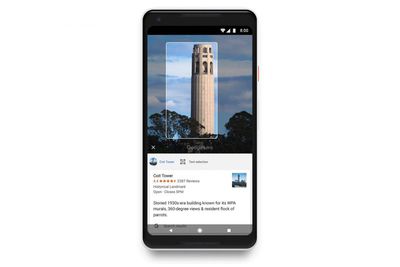
For example, if you take a picture of a business card, Google Lens will offer to save the phone number or address to one of your contacts. Similarly, taking a photo of a book, landmark, building, painting, plant or animal can throw up an option to view more details about the picture's subject.
A few things to note: Currently Google Lens only works if your device's language is set to English, and you're running the latest version (3.15) of Google Photos. You can check what version you're running in the app's settings – tap the cog icon and select "About Google Photos" in the menu. Also note that your Google Lens activity is saved to your Google Account if you have Web & App Activity turned on.
Starting today and rolling out over the next week, those of you on iOS can try the preview of Google Lens to quickly take action from a photo or discover more about the world around you. Make sure you have the latest version (3.15) of the app.https://t.co/Ni6MwEh1bu pic.twitter.com/UyIkwAP3i9 — Google Photos (@googlephotos) March 15, 2018
If you still don't see the Google Lens icon when viewing individual photos or videos, it's likely the feature hasn't reached your region yet. Google says the update is being released in batches and all devices should receive it soon.
Google Photos is a free download for iPhone and iPad available on the App Store. [Direct Link]



















Top Rated Comments
More importantly, did you not read where I stated the language was not even from Google. It's from Apple. I even included the link. My point is you're not protecting anything. You're giving Apple the exact same permissions. If you use FB, you're giving those permissions to them. Pretty much any photo service you use has that exact same language.
Edit to add that I just clicked the link provided and yes it’s right there where he said it is.
Again, when the service is free, you are the product.
Google makes this statement to clarify things:
How do the Terms of Service affect me?
“As our Terms of Service ('https://www.google.com/intl/en/policies/terms/') state, "You retain ownership of any intellectual property rights that you hold in that content. In short, what belongs to you stays yours."
“We do not claim ownership in any of your content, including any text, data, information, and files that you upload, share, or store in your Drive account. What our Terms of Service do is enable us to give you the services you want — so if you decide to share a document with someone, or want to open it on a different device, we can provide that functionality.”
Sounds pretty reasonable, right?
Now read this one from Apple about what they’re allowed to do with your iCloud Drive files:
Removal of Content
“You acknowledge that Apple is not responsible or liable in any way for any Content provided by others and has no duty to pre-screen such Content. However, Apple reserves the right at all times to determine whether Content is appropriate and in compliance with this Agreement, and may pre-screen, move, refuse, modify and/or remove Content at any time, without prior notice and in its sole discretion, if such Content is found to be in violation of this Agreement or is otherwise objectionable.”
So even though Apple loves talking about privacy, they have the right to examine your files and delete anything they don’t like without telling you.