

 Third-party systemwide keyboards have been one of the biggest hits of iOS 8 since its launch last week, with some of the big names in the business leaping straight to the top of the App Store charts. But with that success has come questions about privacy and the security of these keyboards, considering the personal information users are sometimes entering through them.
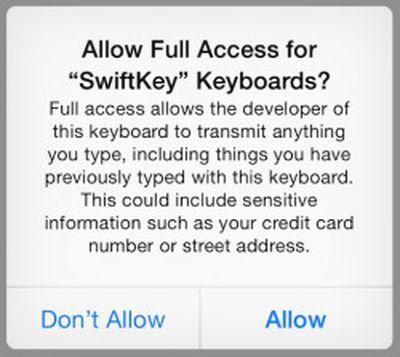
Concern over these keyboards has been sparked in part by a standard warning displayed by iOS 8 when the keyboards are granted "full access" to enable their entire sets of features. Different keyboard apps break down their feature sets between standard install and "full access" differently, so we set out to find out what is driving those differences.
Full access allows the developer of this keyboard to transmit anything you type, including things you previously typed with this keyboard. This could include sensitive information such as your credit card number or street address.
The early leader among free keyboard apps in the United States and many other countries was SwiftKey Keyboard [Direct Link] which topped one million downloads in less than 24 hours of availability. While the basic keyboard works with a standard installation, several of its key features, including word predictions and the SwiftKey Flow finger-tracing typing method, require that full access be granted to SwiftKey Keyboard. This naturally has caused some concern among users worried that their sensitive information typed on the keyboard is being sent back to SwiftKey for unknown purposes.
SwiftKey's communications chief Jennifer Kutz tells MacRumors that despite the request for full access, "none of your language insights leave your device unless you opt in to our SwiftKey Cloud service." Certain types of potentially personal information such as credit card and phone numbers (or any other long numbers) are also intentionally ignored by SwiftKey.
The optional SwiftKey Cloud includes several services that allow for backup and syncing of language data across devices for more accurate typing, while also allowing SwiftKey to tap into the user's writing on Gmail, Facebook, and Twitter to help improve its predictions.
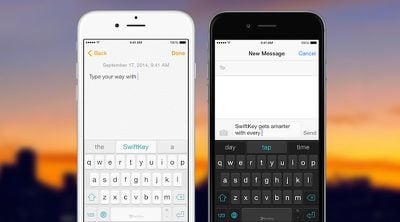
So why does SwiftKey require full access for predictions and Flow even if SwiftKey Cloud services are not being used? According to Kutz, SwiftKey has opted to host key parts of the keyboard's engine (such as quick period, autocorrect, auto-capitalize, and getting completions, corrections or predictions from any language model) within the container app that displays on the home screen rather than the extension that houses the keyboard itself. Kutz says this strategy helps "make sure the keyboard extension size stays manageable for better performance". Offloading more of the tasks to the container app and convincing users to allow full access also allows SwiftKey to more efficiently deliver upgrades such as language packs in the future without requiring App Store updates.
As for those who choose to activate SwiftKey Cloud for improved predictions, Kutz notes that all data is fully encrypted in line with privacy protection laws and stored on Amazon S3 servers. Users can also opt out of SwiftKey Cloud at any time, which immediately deletes their data from SwiftKey's servers.
SwiftKey has also published a blog post addressing its rationale for requiring full access to activate some of the app's key features.
Some have also questioned whether SwiftKey is looking to mine user data as a revenue stream, as the app is offered free of charge. Kutz assures us, however, that this is not the case, with SwiftKey funding itself through licensing partnerships with manufacturers such as Samsung, in-app purchases such as themes in the Android app (and presumably coming to iOS in the future), and investor funding. Kutz also points to SwiftKey's privacy policy and data security fact sheet for more details on how user data is handled.
For an alternative take, we also talked to Fleksy founder and chief operating officer Ioannis Verdelis. Fleksy Keyboard - Happy Typing [Direct Link] has proven to be another popular option among iOS 8 keyboard users, holding down the second spot on the U.S. paid iPhone apps chart. Unlike SwiftKey, Fleksy does not require full access be granted in order for predictions to function. Full access for Fleksy is, however, required for other personalization and customization options such as pulling in Facebook, Gmail, and Twitter typing data, adding languages, and managing other options.
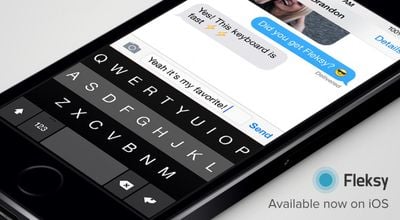
Fleksy performs all of its processing locally on the device, and does not need Full Access to perform its corrections. Users can improve its performance if they want, by allowing network access so they can sync their language data from Facebook, Gmail and Twitter. However, this is completely optional. [...]
We don't collect people's keystrokes, typing data, credit card numbers, etc, regardless of whether you enable Full access or not. The Apple warning when you enable Full Access is a standard warning for all keyboards. But we also tried really hard to ensure that besides our privacy policy, customers are also protected about the standard iOS systems in place.
Verdelis notes that Fleksy does perform all of its prediction work in the extension rather than the container app and that his team has seen no adverse effects on performance in using this method. He argues that basic auto-correction and prediction are "pretty core functionality, and it should not need network access to be done."
Finally, we talked with Rebecca Paquette of Nuance Communications, the company known for its voice recognition technology but which is also behind the popular Swype [Direct Link] keyboard app currently topping the paid iPhone app charts. Nuance has embraced a fairly minimalist strategy with Swype, and as such does not require that full access be granted for any of its functionality except under certain circumstances such as when using it in Guided Access mode. All predictions, themes, and languages are currently accessible without requiring full access.
The features we were most focused on for our launch of Swype on iOS 8 were speed and accuracy - a keyboard that is intuitive and powerful to use. Swype for iOS 8 currently stores personal language models on the device - getting smarter as people use it to predict the words and phrases they use the most, leveraging our pioneering predictive input capabilities.
Paquette also notes that users of course have the ability to delete their language data, including custom dictionary entries, at any time.

Unlike some other keyboards, Swype does not include an option for pulling in typing data from other services such as Facebook and Gmail, and does not offer a cloud backup or syncing service at this time, with this simplicity allowing it to forgo the need for full access.
Ultimately, what it comes down to is trust. Granting a keyboard full access certainly does mean that any typing data can be transmitted back the developer's servers for a variety of uses. Most high-profile firms have a vested interest in maintaining user trust and being forthcoming about how that data is used.
So while there are potential risks to granting a keyboard full access and some security researchers thus recommend not using any keyboard requiring full access, users weighing the usefulness of a given keyboard should at a minimum be informed enough to consider the level of trust they have in the developers behind those keyboards before deciding whether or not to grant full access.
















































