Resetting Network Settings May Fix iMessages Not Working in iOS 7
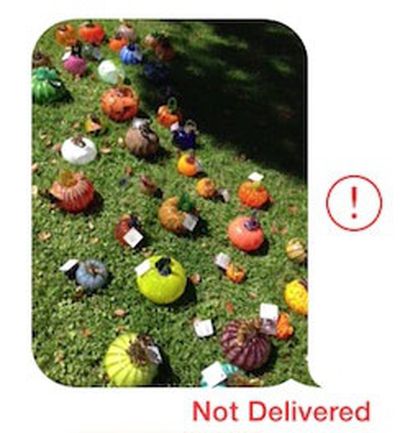 Since the release of iOS 7 earlier this month, a number of users have been complaining about issues with iMessages failing to be sent or received from their iOS devices.
While Apple's iMessage service has suffered from occasional outages, including a minor one documented on the company's System Status page earlier today, some users have been complaining of multi-day outages on their devices, suggesting that something more than a simple service problem may be occurring. Anecdotal reports have indicated that the issue may have worsened with last week's release of iOS 7.0.2, but reports of problems do date further back than that.
Some users have reported that turning their iOS devices off and back on fixes the problem, while others indicate that the solution has not worked for them. In our own testing with a device experiencing difficulties, the following steps appear to have fixed the issue (Note: this will cause your device to forget previously entered Wi-fi passwords)
1. Turn off iMessage in Settings > Messages
2. Reset networking settings in Settings > General > Reset
3. Reenable iMessage in Settings > Messages
Many users are reporting that these failed iMessages are also not falling back to traditional text messages as should occur when iMessage is unavailable. Instead, the iMessages simply hang during the sending process and eventually show as undelivered.
Popular Stories
Last year, Apple launched CarPlay Ultra, the long-awaited next-generation version of its CarPlay software system for vehicles. Nearly a year later, CarPlay Ultra is still limited to Aston Martin's latest luxury vehicles, but that should change fairly soon.
In May 2025, Apple said many other vehicle brands planned to offer CarPlay Ultra, including Hyundai, Kia, and Genesis.
CarPlay Ultra...
As we wait for WWDC to kick off next Monday, Apple today announced the winners of its annual Apple Design Awards, recognizing apps and games for their innovation, ingenuity, and technical achievement.
The 2025 Apple Design Award winners are listed below, with one app and one game selected per category:
Delight and Fun - CapWords (App) and Balatro (Game)
Innovation - Play (App) and PBJ -...
While the AirPods Max 2 received more attention, Apple also released a second pair of headphones last month: Nike Powerbeats Pro 2.
Nike Powerbeats Pro 2 are the same as the regular Powerbeats Pro 2, except they have a two-tone design consisting of black and Nike's signature Volt neon green-yellow color. The headphones were released on March 20 in the U.S., Canada, Australia, the U.K., and a ...
Popular Stories
Last year, Apple launched CarPlay Ultra, the long-awaited next-generation version of its CarPlay software system for vehicles. Nearly a year later, CarPlay Ultra is still limited to Aston Martin's latest luxury vehicles, but that should change fairly soon.
In May 2025, Apple said many other vehicle brands planned to offer CarPlay Ultra, including Hyundai, Kia, and Genesis.
CarPlay Ultra...
As we wait for WWDC to kick off next Monday, Apple today announced the winners of its annual Apple Design Awards, recognizing apps and games for their innovation, ingenuity, and technical achievement.
The 2025 Apple Design Award winners are listed below, with one app and one game selected per category:
Delight and Fun - CapWords (App) and Balatro (Game)
Innovation - Play (App) and PBJ -...
While the AirPods Max 2 received more attention, Apple also released a second pair of headphones last month: Nike Powerbeats Pro 2.
Nike Powerbeats Pro 2 are the same as the regular Powerbeats Pro 2, except they have a two-tone design consisting of black and Nike's signature Volt neon green-yellow color. The headphones were released on March 20 in the U.S., Canada, Australia, the U.K., and a ...