Mac OS X Server 10.6.8 Causing CPU Load Issues for Xserves - MacRumors
Skip to Content

Mac OS X Server 10.6.8 Causing CPU Load Issues for Xserves

by

Since the release of Mac OS X 10.6.8 last week, a number of Xserve users have reported in Apple's discussion forums (via MacNN) issues with a hardware monitoring daemon known as hwmond generating significant CPU loads of up to 95%.

Member Arminhempel reports a CPU load up to 70 percent after every reboot on several Xserves he manages; Jean-Serge Remy has an Xserve Xeon showing an 84 percent hit, while InfraredAD is experiencing a 95 percent load on a 2008 quad-core Xserve, essentially wiping out an entire core. Both the combo and delta versions of the update have generated errors and, so far, the only reliable way to fix the issue is a downgrade to Mac OS X 10.6.7.

The update also appears to be causing occasional issues with shutdowns and restarts as users attempt to address the hwmond CPU load issue.
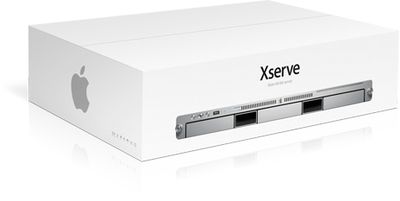
xserve box
Apple has yet to offer a specific solution for the issue, merely walking users who have contacted Apple Support through some troubleshooting steps without a specific resolution in place. But given the volume of complaints appearing in discussion forums, Apple will likely have to release a patch to address the issue.


Top Rated Comments

ouimetnick Avatar
194 months ago
How does Apple screw something like an Xserve up? I mean this is a BUSINESS class product, and if there is nothing wrong with it, don't fix it!
Score: 3 Votes (Like | Disagree)
peskaa Avatar
194 months ago
It really isn't worth rolling back over, there is a simple workaround: -

Kill until reboot: -

sudo launchctl unload /System/Library/LaunchDaemons/com.apple.hwmond.plist

Kill permanently: -
sudo launchctl unload /System/Library/LaunchDaemons/com.apple.hwmond.plist
sudo mv /System/Library/LaunchDaemons/com.apple.hwmond.plist ~/Desktop/

The only thing I have noticed since doing this is the cpu-load leds on the front of our xserves stay fixed where they were the moment hwmond was killed, not a biggie.

HTH

Is it also killing the load monitors elsewhere? We do remote monitoring as the racks are tucked out of sight in a locked room. I rolled the one test bed back to 10.6.7 this morning though, finally had time to do it. Also found one of the Xserve RAIDs had had a minor HD meltdown as well...

If it's just LEDs, then I can live with that.
Score: 1 Votes (Like | Disagree)
194 months ago
Yeah, it won't die permanently. Rolling back to .7 is the only solution until it gets fixed.

It really isn't worth rolling back over, there is a simple workaround: -

Kill until reboot: -

sudo launchctl unload /System/Library/LaunchDaemons/com.apple.hwmond.plist

Kill permanently: -
sudo launchctl unload /System/Library/LaunchDaemons/com.apple.hwmond.plist
sudo mv /System/Library/LaunchDaemons/com.apple.hwmond.plist ~/Desktop/

The only thing I have noticed since doing this is the cpu-load leds on the front of our xserves stay fixed where they were the moment hwmond was killed, not a biggie.

HTH
Score: 1 Votes (Like | Disagree)
194 months ago
How does Apple screw something like an Xserve up? I mean this is a BUSINESS class product, and if there is nothing wrong with it, don't fix it!

Probably the same way as how they screw all their other business class products (Final Cut Pro, Cinema Displays, glossy Macbook Pros).
Score: 1 Votes (Like | Disagree)
194 months ago
Parallels update ParallelsDesktop-parallels-en_US-6.0.12092.670880 may help

My 2007 MacPro(1,1) 4-core runs Mac OS X 10.6.8 client, not server, and was having problems with the Parallels VM (prl_vm) task swamping two cores which was accompanied by the Parallels Desktop v6 app becoming unresponsive. (I did not notice these problems under Mac OS X 10.6.7) Coincidently Parallels Desktop for Mac update US-6.0.12092.670880 was released, which appears to have solved the problem in my case. Perhaps this is related to the XServe issue reported in this thread and an update to Parallels there will help.


Parallels is a well known, widely used app - if they broke it in a maintenance update Apple's QA must be piss poor, bare minimum.

I have a similar problem since I upgraded. Did some searching this morning and found out it is related to Parallels. Obviously this isn't what everyone is experiencing, but if you have Parallels, there is a workaround here
http://kb.parallels.com/en/111541
Score: 1 Votes (Like | Disagree)
194 months ago
Correct, it is recently discontinued, but it is still supported.

It is a DISCONTINUED business class product. And one that Apple never used themselves in their own data centers - they always used Sun hardware and Sun Solaris. The fact that they never ate their own dog food tells you a lot about how committed Apple are to their own business class products.
Score: 1 Votes (Like | Disagree)

Popular Stories

iOS 27 on iPhone 17 1

iOS 27 Will Add These New Features to Your iPhone

Saturday May 2, 2026 8:43 am PDT by
Apple is expected to unveil iOS 27 during its WWDC 2026 keynote on June 8, and there are already many rumored features and changes for iPhones. The first developer beta of iOS 27 will likely be available immediately following the keynote, and a public beta typically follows in July. Following beta testing, the software update should be released to all users with a compatible iPhone in...
Apple Event Logo

Apple Just Released a New Accessory

Monday May 4, 2026 8:13 am PDT by
Apple today released a new Pride Edition Sport Loop for the Apple Watch. The band features a rainbow design with 11 colors of woven nylon yarns. The new Pride Edition Sport Loop is available to order now on Apple.com and in the Apple Store app in 40mm, 42mm, and 46mm sizes, and it will be available at Apple Store locations starting later this week. In the U.S., the band costs $49. There...
Apple MacBook Pro M4 hero

Why You Might Want to Wait to Buy a MacBook Pro

Friday May 1, 2026 3:43 pm PDT by
Apple refreshed the 14-inch and 16-inch MacBook Pro with M5 Pro and M5 Max models in March 2026, but depending on your needs and interests, you might want to skip this generation because there's something better in the works. The M5 Pro and M5 Max MacBook Pro models have faster chips, but the same design that Apple has used since 2021. An updated design with new display technology and faster ...