Apple Bans DUI Checkpoint Apps
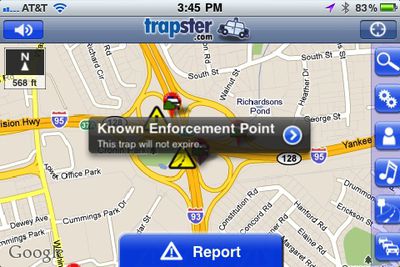
Apple has added verbiage to the App Store Review Guidelines banning DUI checkpoint apps. Presumably, the changed guidelines are in response to letters from four Democratic U.S. senators sent to Apple earlier this year. The letters requested Apple remove apps that provide "a database of DUI [driving under the influence] checkpoints updated in real-time". The Senators considered the checkpoint apps "a matter of public concern."
Section 22.8 of the updated App Store Review Guidelines reads:
Apps which contain DUI checkpoints that are not published by law enforcement agencies, or encourage and enable drunk driving, will be rejected.
Some law enforcement agencies publish where DUI checkpoints will be located ahead of time, and these notices have been exempted from the ban.
As we noted when the senators sent their letter, many of the apps in question also offer information on speed traps, red light and speed cameras, accidents, and other traffic conditions, several of which have also been considered controversial. However, the new Guidelines only mention DUI checkpoints.
Popular Stories
In a post on its developer news website today, Apple announced that it will be introducing "additional controls" for the "Full Disk Access" setting on macOS due to new risks posed by AI agents. This announcement comes amid the rise of always-on AI agents like Meta's Muse and OpenAI's Dots, which have prompted privacy concerns.
"Some developers are using Full Disk Access in ways that could...
Apple on Instagram today shared a curated gallery of six photos shot on the iPhone Duo. The photos were shot by American photographers Jake Michaels and Jason Nocito, as part of a project commissioned by Apple.
iPhone Duo is equipped with four cameras:A rear 48-megapixel Fusion Main camera
A rear 48-megapixel Ultra Wide camera
A front 12-megapixel Center Stage camera in the outer display
A...
Apple today confirmed that a "small number" of iPhone 18 Pro Max users on the AT&T network have experienced an issue that causes the device to lose cellular service, thereby preventing phone calls, text messages, and data from working. Thousands of users complained about the issue across the Apple Support Community and other platforms.
Apple said it released iOS 27.0.1 earlier this week and...