How to Download Apple's Self Service Repair Manuals for iPhone 12, iPhone 13 and iPhone SE Models - MacRumors
Skip to Content

How to Download Apple's Self Service Repair Manuals for iPhone 12, iPhone 13 and iPhone SE Models

by

For those who want to repair their iPhones on their own without having to visit an Apple retail store or service provider, Apple now has a dedicated Self Service Repair program that provides the repair manuals, parts, and tools necessary for fixing the display, battery, bottom speaker, camera, display, SIM Tray, and Taptic Engine.
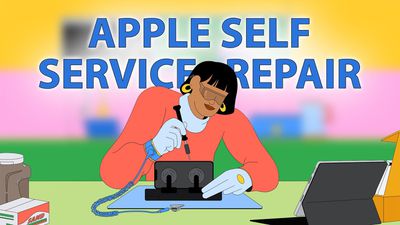
apple self service repair text
Repairs are available for the 2022 iPhone SE, the iPhone 12 models, and the iPhone 13 models at this time, and are limited to the above listed iPhone components. Apple has plans to expand to additional repairs and additional devices in the future, but for now, you can only do a limited number of fixes on the latest iPhones.

Before any repair can be completed, you need to read through the manual to see what it entails, and the manuals are also available if you want to attempt a repair on your own without Apple's components.

To get to a repair manual, you just need to visit Apple's Self Service Repair website. From there, click on the "Apple Repair Manuals" link under "Support." You can also click below to get directly to the manual that you're looking for. Note that all of the links are PDFs on Apple's site.

Each repair manual explains how the repair process works and it walks through the parts that are available for purchase. Repair manuals include details on how to set up for a repair, the steps required, and what to do if something goes wrong.

Many of Apple's repairs require a toolkit that is priced at $49 and weighs in at 70 pounds, so major fixes like swapping out a battery or replacing a display are rather involved compared to visiting an Apple retail store.

After downloading and reviewing a repair manual, those who want to proceed with Apple's tools and equipment can initiate an order on Apple's Self Service Repair website.

Top Rated Comments

IllinoisCorn Avatar
57 months ago
I hate Apple's marketing art. People look like mutants with arms and legs waaaaaay longer than in real life.

Score: 12 Votes (Like | Disagree)
BellSystem Avatar
57 months ago
This corporate art needs to go. I’ll take the 90s art again.

Score: 8 Votes (Like | Disagree)
57 months ago

I hate Apple's marketing art. People look like mutants with arms and legs waaaaaay longer than in real life.
It's not just Apple. It's deliberate art for a deliberate purpose. The reason for it is not allowed to be discussed here, or any heavily moderated forums.
Score: 6 Votes (Like | Disagree)
robfoll Avatar
57 months ago
There will be SO many ****ed up iPhones!
Score: 6 Votes (Like | Disagree)
57 months ago

It's not just Apple. It's deliberate art for a deliberate purpose. The reason for it is not allowed to be discussed here, or any heavily moderated forums.
I'm sure as you already know https://www.hov.co/blog/post/the-rise-of-the-globohomo-art-style
Score: 5 Votes (Like | Disagree)
57 months ago
So you can only self repair an iPhone if it is a 12 or 13 model?

What about the awesome iPhone 8 Plus? with it's ATT iPhone evolution 5G which is actually much faster than the iPhone 13 Max with REAL 5G.

What a joke. this repair your own iPhone. And have to RENT 90 pounds worth of tools and send back.

Are they joking?
Score: 5 Votes (Like | Disagree)

Popular Stories

8 CarPlay Features in iOS 27 Feature

Which iOS 27 CarPlay Features Actually Work in Your Car?

Thursday September 17, 2026 4:17 am PDT by
In iOS 27, available now, CarPlay gets its biggest update in years, but some features depend on what type of car you have rather than your iPhone model. Some of the biggest additions won't do anything in the vast majority of vehicles on the road today. Here's how the new features pan out. Works in Any CarPlay Vehicle Custom widgets: In iOS 27, CarPlay is no longer limited to Apple's handful ...
Apple Watch New Charging Puck

Here's Why a New Apple Watch Charging Puck Was Just Released

Wednesday September 16, 2026 8:53 am PDT by
The new Apple Watch Series 12 and Apple Watch Ultra 4 have hardware changes that allow for faster charging, but you will need to use the new version of the Apple Watch Magnetic Fast Charger included in the box in order to achieve this boost. If you need extra ones for your own charging stands or travel or so forth, Apple released the new version of the charger on its online store last week, with...
ios272anniversary

iOS 27.2 Could Save Your Marriage

Wednesday September 16, 2026 1:32 pm PDT by
The iOS 27.2 beta that Apple released today adds a feature that reminds you it's your anniversary when you call someone, as long as you've added the date in the Contacts app. On the date of your anniversary, when you go to call the person, you'll see a reminder that it's an important day so you don't forget to say something. The anniversary alert uses Call Context, a feature Apple added in...