First Impressions of Photos for OS X: 'Vast Improvement' Over iPhoto

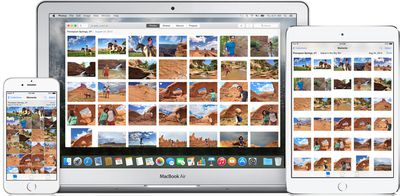
Following the release of the first OS X Yosemite 10.10.3 beta to developers this afternoon, the embargo has lifted for media outlets to publish their first impressions and hands-on reviews of the all-new Photos for OS X app. Below is a roundup of some of the more interesting comments and opinions about Photos for OS X, which combines iPhoto and Aperture into one for OS X Yosemite.
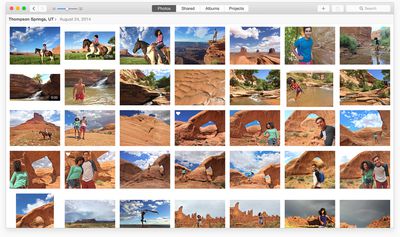
Photos for OS X
The Wall Street Journal describes Photo for OS X as a significant improvement for users in the Apple ecosystem, adding that the app is less confusing to use than iPhoto thanks to an improved iCloud-based approach. It also found Photos for OS X to have snappier performance than iPhoto based on the Apple-provided demo notebook.

"If you choose to turn it on, all of your Apple devices feed all their full-resolution photos into iCloud, making them all available over the Internet to the Photos apps on all your Apple devices. [...] You can see the advantage to all this when you edit photos. With iCloud, any change you make on one device will show up moments later everywhere else."

Wired was also impressed with Photos for OS X, describing the software as a "vast improvement" over iPhoto and praising its new built-in photo editing tools. It believes that, while some professionals might opt for Adobe Lightroom and other tools, Photos for OS X is an ideal photo management and editing solution for most Mac users.

"Advanced users, particularly those operating on 5K iMacs or Mac Pros, may be happier eventually switching to Adobe Lightroom—though most of them probably have done so already. But for most of us, particularly recent Mac converts and people who may not fancy themselves serious photographers, Photos is a welcomely humble way to approach image editing."
icloud_photo_library_large
Even further praise of Photos for OS X was provided by Re/code, which described the software as a "huge improvement" over iPhoto with easy-to-use editing tools and seamless iCloud syncing. Its hands-on impressions found Photos for OS X to be lacking some advanced editing tools found in Aperture, however, noting that some users might opt for professional software.

"While Photos offers some advanced settings like white balance and level, it lacks some of the professional-level tools found in Aperture. For example, it doesn’t have brushable or curve adjustments and doesn’t support splitting and merging libraries. And you can’t add custom metadata fields in the app."

The Verge went hands on with Photos for OS X and walked away impressed, noting that it handles large photo libraries much better alongside more powerful photo editing, sharing and syncing options. As with other publications, it found Photos for OS X to be more suitable for beginners than professionals.

"iPhoto was never one of Apple’s most beloved products. Every year, it seemed slower and less connected to the phone — the place where most photos are taken. Photos for OS X does a lot of things right, but mostly it’s just fast and tightly integrated with your other devices. It feels like a big step forward, even if feels overdue."


Yahoo Tech claims that much of Photos for OS X will be a familiar experience for most Mac users, noting that power users will be impressed with the several photo parameters that can be adjusted. The review finds that Photos for OS X gives up some iPhoto features, however, including flags, star ratings, events, round-trip editing in other apps and sorting albums by keyword, title and rating. Many professional options from Aperture are also missing.

"If you’re happy with iPhoto and Aperture now, you should feel no hurry to switch over when Photos comes out this spring (as part of the free Yosemite 10.10.3 update), unless you want that iCloud Photo Library feature. Which would be understandable. [...] Someday, yes, there will be some OS X version that can’t run today’s iPhoto and Aperture at all. But that’s years away. In those years, Apple has plenty of time to bring Photos’ feature list up to code, and you can freely keep using iPhoto and/or Aperture and Photos, side-by-side on the same Mac."

Overall, Photos for OS X appears to be a significant improvement for users migrating from iPhoto, but a step down in functionality for those coming from Aperture. A number of other publications have shared first impressions and hands-on reviews, including CNET, Engadget, Macworld, Mashable and SlashGear. Photos for OS X will be available as a public beta soon ahead of a Spring launch as a free update on OS X Yosemite.

Related Forum: OS X Yosemite

Popular Stories

iphone 16 apple intelligence

Apple Aiming to Release 'Breakthrough' New iPhone Accessory

Wednesday February 18, 2026 12:43 pm PST by
Apple is looking for a "breakthrough" with its push into wearable AI devices, including an "AirTag-sized pendant," according to Bloomberg's Mark Gurman. In a report this week, he said the pendant is reminiscent of the failed Humane AI Pin, but it would be an iPhone accessory rather than a standalone product. The pendant would feature an "always-on" camera and a microphone for Siri voice...
Multicolored Low Cost A18 Pro MacBook Feature

Low-Cost MacBook Expected on March 4 in These Colors

Wednesday February 18, 2026 5:42 am PST by
Apple will announce its rumored low-cost MacBook at its event on March 4, with the device coming in a selection of bold color options, according to a known leaker. Earlier this week, Apple announced a "special Apple Experience" for the media in New York, London, and Shanghai, taking place on March 4, 2026 at 9:00am ET. Posting on Weibo, the leaker known as "Instant Digital" said that the...
iphone 17 pro green

iPhone 17 Pro Max Curiously Becomes Most Traded-In Smartphone

Wednesday February 18, 2026 9:13 am PST by
New trade-in data indicates that Apple's iPhone 17 Pro Max has rapidly become the single most traded-in smartphone. According to a new report from SellCell, Apple's latest flagship iPhone has quickly risen to the top of the independent trade-in market, accounting for 11.5% of all devices appearing in the top-20 trade-in rankings just months after release. The analysis is based on SellCell...
CarPlay Liquid Glass Dark

iOS 26.4's New CarPlay Video Feature Shown in Action

Wednesday February 18, 2026 9:29 am PST by
Back at WWDC 2025, Apple revealed that it was planning to allow CarPlay users to watch video via AirPlay in their vehicles while they are not driving, and the first beta of iOS 26.4 suggests the feature may be nearing availability. There are several new references to CarPlay video streaming functionality within the iOS 26.4 beta's source code. The feature is not yet visible to users, but...
Dynamic Island iPhone 18 Pro Feature

10 Reasons to Wait for Apple's iPhone 18 Pro

Wednesday February 18, 2026 5:12 am PST by
Apple's iPhone development roadmap runs several years into the future and the company is continually working with suppliers on several successive iPhone models at the same time, which is why we often get rumored features months ahead of launch. The iPhone 18 series is no different, and we already have a good idea of what to expect for the iPhone 18 Pro and iPhone 18 Pro Max. One thing worth...

Top Rated Comments

ipedro Avatar
144 months ago
Some early incorrect information that were deal breakers for Photos.app as a pro editing tool are now being cleared up.

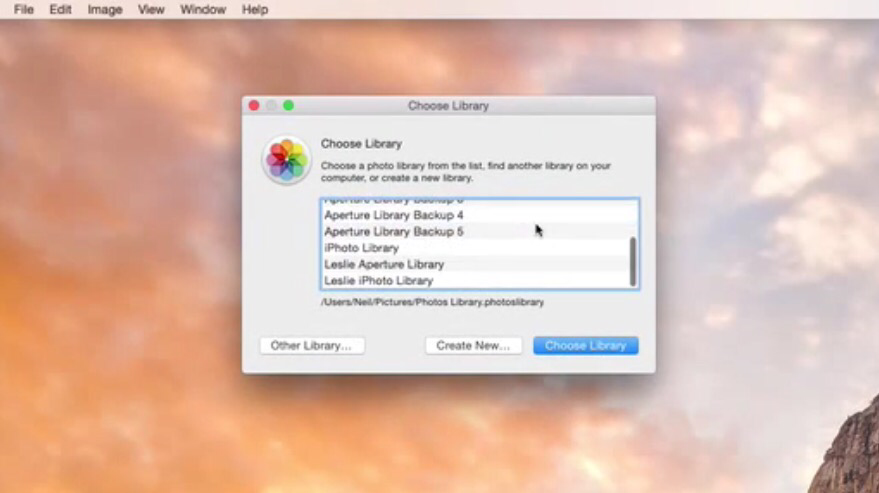
- Photos.app supports multiple libraries so you can separate your personal photos from your work photos. You can choose to have one library sync with iCloud while others remain local. This is very important. You may not want your hundreds of GB of work photos uploading to iCloud while you might want to enjoy that feature for your personal photos taken on your iPhone.


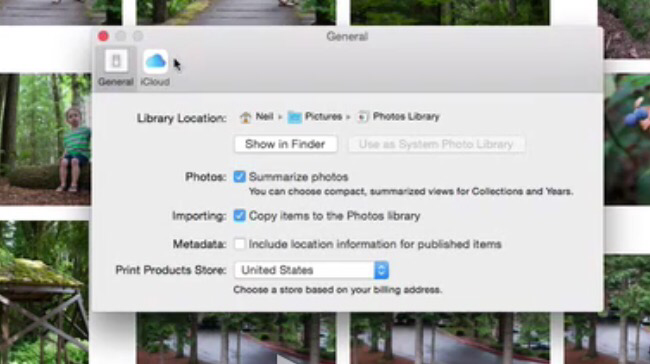
- You can store your library anywhere you want, including an external drive. You can set one of your libraries to become the master system library.


- Referenced photos are supported so you can keep a lean library on your scratch disk while keeping the master images on an external drive. This also allows you to organize your photos in a folder hierarchy in the Finder.

- There are Smart Folders. This in tandem with keywords can be a powerful organizing tool. For example, rather than create projects, you can simply keyword a project's client, type (ie wedding or studio), venue, etc. Then you can group all your photos from one client or all your wedding shots into one easily browsable album that you can then search in just like in Aperture.

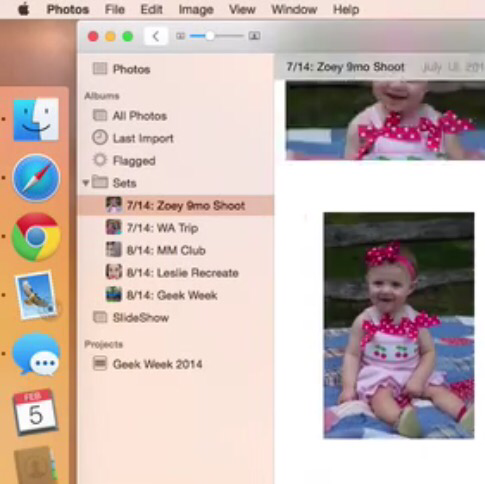
- There's a side bar and you can create folders of albums, essentially replicating Aperture Projects.

Score: 31 Votes (Like | Disagree)
ThunderSkunk Avatar
144 months ago
Lightroom & CaptureOne kick Apertures butt, so Apple abandons the Pro market completely, ignores even the Prosumer market, and creates an app for teenagers posting selfies on Facebook.

And then charges a subscription fee to use it...

okidoki then.
Score: 26 Votes (Like | Disagree)
144 months ago
Absolutely loving the new Photos situation with Apple devices! The best way to explain it is it's like IMAP for photos.
Score: 23 Votes (Like | Disagree)
zorinlynx Avatar
144 months ago
Maybe this is the case. However, from the outset this software seems highly dependent on iCloud for full functionality.

The basic truth is that I do not trust iCloud with my photos. Music? Sure. Phone contacts, syncing app preferences? Why not. But my photos?

This is the most precious data I have. Nothing else even comes close. My music collection is replaceable. Photos are not.

Without this trust, this software becomes nearly useless. I can use it for "messing around" but not to seriously store my photos. The approach seems to be putting the "master copy" on iCloud. NO WAY! The master copy needs to be on the computer. Every other copy should be a backup of it.

That's the fundamental problem for me, and I'm sure many others. We're not willing to risk our photos; they are too precious. If I had to lose ALL my personal data except ONE kind, I'd pick photos to be that exception.

One thing to keep in mind is that this is a first version of Photos for OS X (as well as iOS and iCloud.com). Like the recent version of iWorks, Apple can now focus on bringing more feature updates over time to iCloud Photo Library, iCloud.com, Photos for Mac, and for iOS at the same time.

It may be barebone for now but there is hope that it'll get more useful as Apple doesn't have to focus on the old codebase of Aperture and iPhotos.

Hopefully, with extensions for Photos, it could get more powerful as well. Although, I might have mis-read this and Apple may have scrapped this support. There were rumors that Photos will support extensions from other apps to make it more useful. I don't see much news about it here.
Score: 17 Votes (Like | Disagree)
tarasis Avatar
144 months ago
I'm hoping this will finally have some native duplicate detection rather than needing third party apps.
Score: 16 Votes (Like | Disagree)
144 months ago
What about Faces? I know some folks, including myself, who have put a decent amount of time in getting face tagging to be accurate, and would hate for that feature to go away - especially thinking about facebook integration.

Faces is still an option in Photos.
Score: 15 Votes (Like | Disagree)