Apple Aims to Prevent Blurry or Underexposed iPhone Photos with Automatic Image Buffering and Comparison
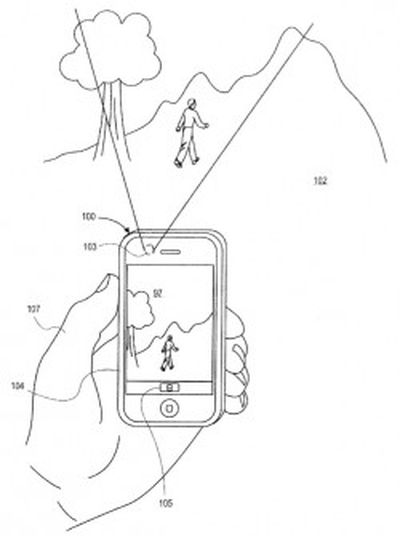
A newly-published patent application from Apple discovered by AppleInsider describes methods that would allow an iPhone to buffer a series of photos before the user presses the shutter button for the device's camera and then automatically select the best one.
It is not uncommon for camera-shake or a less than optimal angle to result in blurry or dark photos in low-light conditions, even on the relatively capable camera on the iPhone. What the patent allows for is for the camera to start taking a series of photos before the user presses the shutter release, then automatically compare them with the one taken at the moment the button was pressed. If the system judges that one of the buffered photos is better, it stores that one in place of the one taken at shutter release.
In particular, the system seeks to minimize the camera shake that can accompany press the iPhone's volume button or tapping the screen to trigger the shutter by capturing images before the button or screen is even touched.
The algorithm described in the patent application uses a scoring system which measures contrast (the usual method used to judge focus), image resolution, dynamic range (the balance of light and dark tones in the image) and color rendering properties to determine which is the best version of the photo. The others are then discarded.
While the selection of the image is an automatic process, the system could allow the user to confirm the device's choice of the best available photo.
The patent application was filed in October of last year but references an earlier application filed in 2009, so it is possible that elements of this approach are used in current iPhones and iPads, although it is clear that the current Camera app for iOS does not include all aspects of the system.

Top Rated Comments
(View all)Time for Apple to start innovating and stop rehashing other people's ideas...
Don't other smartphone cameras already do this?
Yes, many other physical cameras and apps already do this. They take quick series of pictures either side of the shutter button press then attempt to work out which one is the best by analysing them for motion blur. The one with the least motion blur is then saved out. It's often mis-marketed as an "image stabiliser" function but effectively achieves the same thing most of the time.
Some cameras with face detection go further and attempt to discard photos where people are blinking. Chances are, it's taken 10 photos either side of the shutter press, that at least one will be crisp with nobody blinking. I'm not sure why Apple are now trying to patent this common technique - it's hardly new.
But I agree, my galaxy s3 already pretty much does this.
I was just about to ask how this patent compares to the BlackBerry feature highlighted not long ago at their conference. It seems Apple's is more of a background process, while BB allows the user to decide.
(Also, it seems that the video reviewer doesn't know that you don't need to exit the camera app on the iPhone to 'QuickLook' photos. When a user is in the active camera app, just slide your finger in the middle of screen...as you would while flipping through photos...and you can instantly hop between the camera and the photos without having to press the thumbnail icon in the lower corner, it's a pretty neat shortcut)
Seriously never knew that! Cheers.
When I had my GS3, it did this too. Nothing new.
In other news....
The patent application was filed in October of last year but references an earlier application filed in 2009
Galaxy S3 existed in 2009?
I was just about to ask how this patent compares to the BlackBerry feature highlighted not long ago at their conference. It seems Apple's is more of a background process, while BB allows the user to decide.
(Also, it seems that the video reviewer doesn't know that you don't need to exit the camera app on the iPhone to 'QuickLook' photos. When a user is in the active camera app, just slide your finger in the middle of screen...as you would while flipping through photos...and you can instantly hop between the camera and the photos without having to press the thumbnail icon in the lower corner, it's a pretty neat shortcut)
Woah! Awesome! Never knew about that!
[ Read All Comments ]