Midway Arcade Adds iCade Support - MacRumors
Skip to Content

Midway Arcade Adds iCade Support

by

midwayarcadeMidway Arcade, a collection of classic Midway video games ported to the iOS, has received an update adding support for the iCade iPad gaming add-on. The iCade started life as a ThinkGeek April Fool's joke, but has since become a well-supported iOS game controller. Ion Audio, the company behind the iCade, announced new versions of the product at CES this year.

TouchArcade, writing about the update:

Morphing drug pushers into plumes of viscera and leg parts has never been easier, thanks to the latest update to Midway Arcade. The arcade collection app, which features tons of classic arcade titles including NARC and Rampage, now features iCade support. We spent a moment or two in the app this morning and can confirm that the added support is sharp. We can also confirm that NARC is still the greatest game that has ever been made.

The iCade is available from ThinkGeek for $99.99.

Midway Arcade is available for $0.99 on the App Store. [Direct Link]

Top Rated Comments

190 months ago
I assure you, your finger is aware of whether it's going left or right without a joystick.

Regarding virtual buttons, they should be done away with. Use gestures aware of relative motion (direction, speed, duration... number of fingers... you can get well into the hundreds for number of distinct gestures a single hand can make... you need only come up with a dozen or two to emulate even the most complicated of controllers.)

All of your comments are spoken like an educated person that understands software/hardware interaction.

And not like a person that has ever played a video game.
Score: 5 Votes (Like | Disagree)
Moonjumper Avatar
190 months ago
It's to give you a joystick and buttons so you can play these emulations the way the way the originals were played.

I, as a developer, wonder whether it makes sense to make all new games that use the iCade instead of a multitouch surface. (Clearly offscreen joystick is better than onscreen multitouch in some cases, but wouldn't an offscreen multitouch be better than an offscreen joystick in those cases?)

A joystick provides physical feedback, something a multitouch screen does not. That is the main point of iCade.
Score: 5 Votes (Like | Disagree)
190 months ago
Why is it I can't help but feel the real winner here is ThinkGeek?

The iCade is $99.99... How much of that is Midway collecting? Apple? How much covers the bills at ThinkGeek and how much is pure profit?

Every company has a right to price their products or services as they see fit. If you don't like the price, then don't buy it.
Score: 5 Votes (Like | Disagree)
190 months ago

A joystick? That's not new. And TBH, I think the iCade should just be multitouch surface that doesn't obscure the iOS screen.
You apparently have no idea what the purpose of the iCade is.
Score: 4 Votes (Like | Disagree)
Moonjumper Avatar
190 months ago
Is it necessary to have physical feedback, though?

What if you could just see what was happening?

I think the issue with onscreen touch isn't so much the lack of being able to feel it so much as the lack of being able to perceive it in any way.

Your thumb is on the screen, thus obscuring a portion of the screen... potentially the only portion where the visual cue is. Separate the touch surface from the screen, though, and you can always see everything. You don't need to feel the joystick, because you already felt how far / fast your finger moved, and you can see the results on the screen.

Physical feedback is important for many games. You just don't have the precision without it. On arcade games you want to know precisely how close you are to changing the input from left to right for example. And fingers can miss virtual buttons with ease.

Some games don't need it, some can be made to work without, but would benefit from tactile controls, while others are greatly compromised.
Score: 3 Votes (Like | Disagree)
satcomer Avatar
190 months ago
I'm looking at it from a developer standpoint, not a consumer standpoint.

I'm wondering whether I should make my apps compatible with the iCade. Ultimately, I decide not to.

Then again, I'm planning on making my future Mac OS x games require multitouch (not just support - require.) Why? I feel multitouch has some real potential that hasn't been realized yet in desktop video games. Simply using the gestures in Mac OS is fun - I think replacing keyboard / mouse with a multitouch surface can lead to some intuitive and fun (and new) gameplay mechanics.

A joystick? That's not new. And TBH, I think the iCade should just be multitouch surface that doesn't obscure the iOS screen.

Well classic games (such as Pac-Man, Astroids, etc.) that were developed for smash buttons and joystick would be a great app for the iCade!
Score: 3 Votes (Like | Disagree)

Popular Stories

iPhone Duo Display Cracking

Apple Alerts Stores to iPhone Duo's Display Cracking Issue

Friday October 30, 2026 3:20 pm PDT by
In a memo shared with Apple Stores and Apple Authorized Service Providers this week, and later obtained by MacRumors, Apple provided technicians with guidance on how to diagnose and address the iPhone Duo's inner display cracking issue. If a customer reports the issue, Apple advised technicians to inspect the iPhone Duo and repair or replace it in accordance with their standard procedures....
Everything New Your iPhone Can Do on iOS 27

14 New Things Your iPhone Can Do in iOS 27.2

Friday October 30, 2026 12:42 pm PDT by
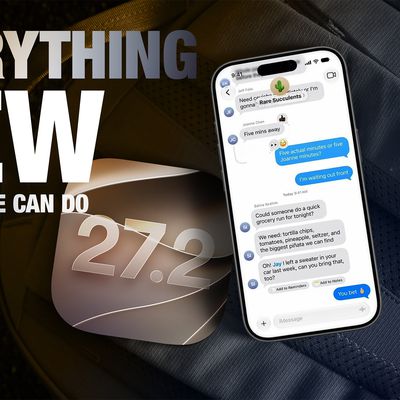
Apple released iOS 27.2 on October 26, bringing enhancements to Siri AI, adding Suggestions in Messages, and sneaking in a string of smaller additions across Photos, Podcasts, Games, Apple TV, and FaceTime. iOS 27.2 is available to download to your device now via Settings ➝ General ➝ Software Update. Note that some features may not be available in all regions or on all iPhone models....
iPhone Duo Week Later Thumb 2

iPhone Duo Review: One Week Later

Friday October 30, 2026 11:46 am PDT by
It's been a week since the iPhone Duo was released, and MacRumors videographer Dan Barbera wanted to revisit his review since he's been able to use the Duo for a longer stretch of time. Subscribe to the MacRumors YouTube channel for more videos. You've probably seen images of iPhone Duos with a bright white line running across one side of the inner display. There is a defect affecting some...
Latest Stories
Apple HomeView Could Double as a Security Camera
55 minutes ago
Apple Launching Five New Products This Friday
2 hours ago
Nearly Every M5 MacBook Air Now $200 Off on Amazon
17 hours ago
Apple's HomeView Ships With Six-Month-Old Software
19 hours ago
Three New iPads Rumored to Launch in First Half of 2027
19 hours ago
Apple Offers Steps to Fix Daylight Saving Time Bug on Apple Watch
23 hours ago
Apple Watch Ultra 4 Hits All-Time Low Price With Amazon's $99 Discount
2 days ago
Reminder: Apple's Big Discount on Beats 360 Ear Cushions Ends Today
2 days ago
Here's a New Tour of Apple's HomeView Software
2 days ago
Apple Reveals New iPad Mini's Battery Capacity
2 days ago
Top Stories: Apple's Big MacBook Pro, iPad mini and iMac Updates
2 days ago
'Pluribus' Season 2 Reportedly Starts Production Today
2 days ago
iPhone 18 Pro Sales Surge in China, Offsetting Decline in U.S. and Japan
2 days ago
HomeView Software 27.2: Wallpapers, Control Center, and More
2 days ago
Apple Alerts Stores to iPhone Duo's Display Cracking Issue
3 days ago
iOS 27.3 Will Enable These Apple Intelligence Features in China
3 days ago
Apple Says iOS 27.3 Beta Coming Next Week
3 days ago
Apple's Flash Storage Suppliers Are Finally 'Getting Their Revenge'
3 days ago
14 New Things Your iPhone Can Do in iOS 27.2
3 days ago
iPhone Duo Review: One Week Later
3 days ago
Samsung Mocks iPhone Duo Display Cracks in New Ad Campaign
3 days ago
The MacRumors Show: OLED MacBook Pro, iPad Mini 8, and More
3 days ago
MacBook Pro With Touch Display: 15 More Details Revealed
3 days ago
Russia Places Apple on State Surveillance Registry
3 days ago
Halloween Weekend Brings Discounts on Apple Accessories and Pre-Orders
3 days ago
Apple Has Released More Than 25 New Products in the Past Two Months
3 days ago
Local Code Launches as Free, Private AI Assistant Tool for Mac
3 days ago
Apple Acquires Ascend.io
3 days ago
HomePod Mini 2 Launches Today: All the New Features
3 days ago
AirTag 2 4-Pack Drops to New Low Price of $69.99
3 days ago