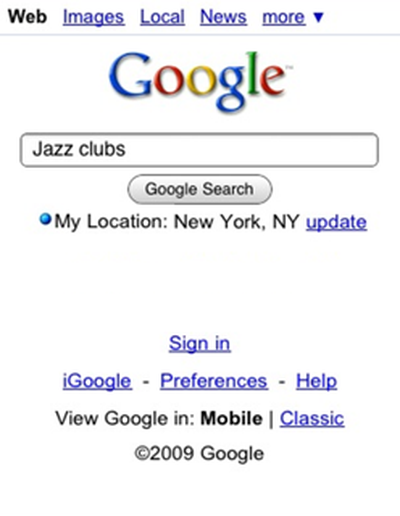
Google yesterday announced that it has added the ability for iPhone users to utilize the device's built-in GPS to set their location as part of the customization of the Google homepage. Setting their location allows users to receive search results specifically tailored for their location.
As of today, when you visit www.google.com from Safari on your iPhone 3.0, you can choose to turn on My Location by tapping on the link on the homepage. When you tap on the "update" link, your location will be updated and displayed right there on the homepage. Whenever you want to refresh your location, just tap the "update" link. Testing this in New York, my search for "jazz clubs" returned a handful of places within walking distance. I picked one, tapped the phone number, made a reservation, and we were set for the night.
Search with My Location is available in English for the US and UK at the moment, with additional countries and languages planned for deployment in the near future.