

On iPhone and iPad Lock Screens, you can change the font and style of the clock, add widgets, and apply dynamic weather and astronomy wallpapers. What some users might not know is that you can also set a completely different Home Screen wallpaper to the one that appears on the Lock Screen. Keep reading to learn how it's done.
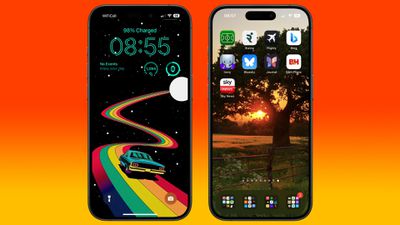
When you customize the Lock Screen for the first time, you'll notice that your device suggests you use the same wallpaper for the Home Screen. This is because Apple applies dynamic transitions to some wallpapers when switching from the Lock Screen to the Home Screen if the backgrounds are the same.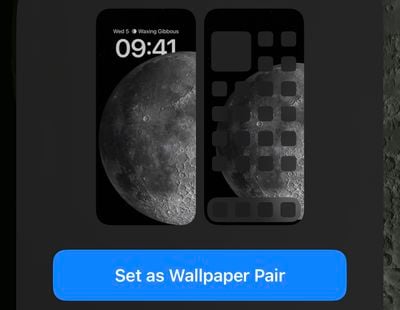
If you originally went with the suggestion to "Set as Wallpaper Pair" when creating your Lock Screen, you may have since decided you want to have a different Home Screen background. The following steps show you how.
- Unlock your iPhone or iPad with Face ID or Touch ID, then press and hold on the screen until the wallpaper gallery appears.
- Swipe to a previously customized wallpaper, then tap Customize.
- Choose the Home Screen option.

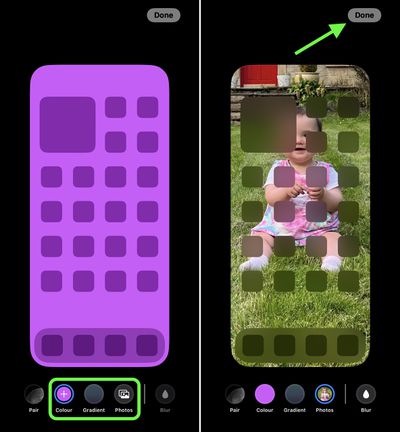
- Double tap the Color and Gradient buttons to access color swatches for the background, or tap the Photos button to select another image.
- If you selected a new image, you can swipe to preview filters, Pinch to Crop the image, and tap the ellipsis button to apply the Depth effect option as desired.
- Tap Done in the top-right corner. Note that you can also Blur the image if you want.
- Tap Done again on the editing screen to finish and save your selection.
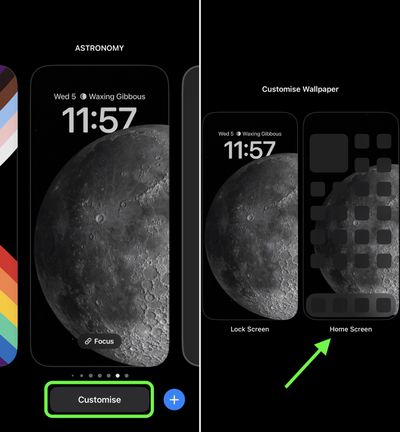
Note that you can customize the current Lock Screen and Home Screen selection at any time: Simply invoke the gallery view from the Lock Screen with a long press, tap Customize, then select Lock Screen or Home Screen. Alternatively, you can edit wallpaper pairs by going into Settings -> Wallpaper and swiping between wallpapers in your gallery and customizing them.















































