How to Find an Apple Fitness+ Workout - MacRumors
Skip to Content

How to Find an Apple Fitness+ Workout

by

There are multiple different workout types in the Fitness+ app, including yoga, high impact interval training, core, strength, treadmill, cycling, rowing, dance, and mindful cooldown.

Apple has a limited amount of content available at this time, but plans to grow the number of Fitness+ videos on a weekly basis. Luckily, it's easy to find the specific content that you're looking for.

  1. Open up the Fitness app on iPhone, iPad, or Apple TV. On iPhone, select the Fitness+ tab.
  2. Choose a workout type from the top by scrolling left or right on the workout list. ios14 iphone 11 fitness fitness plus
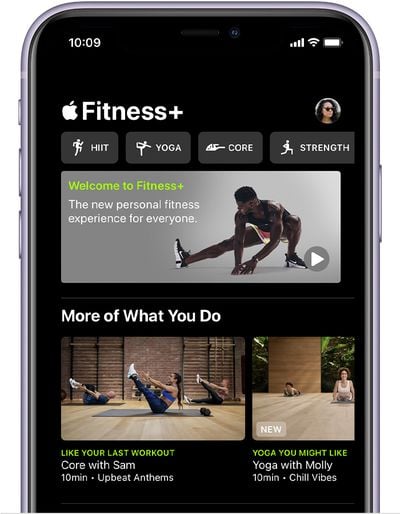
  3. With your workout type selected, tap on the "Filter" button. ios14 iphone 11 fitness fitness plus workout types
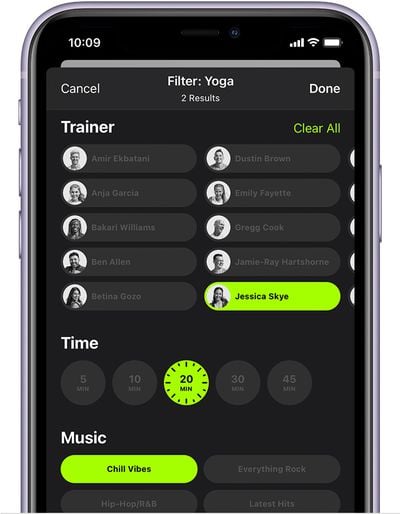
  4. Select different filter types to find the workout that you want. ios14 iphone 11 fitness fitness plus workout filter
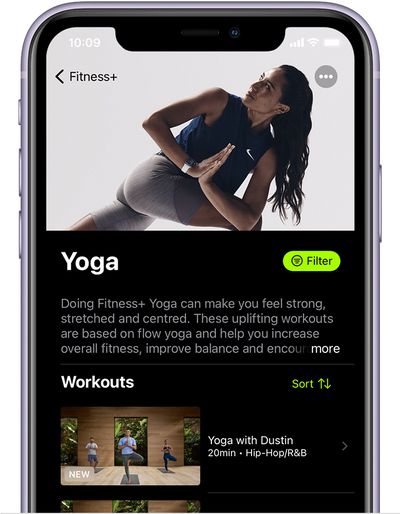
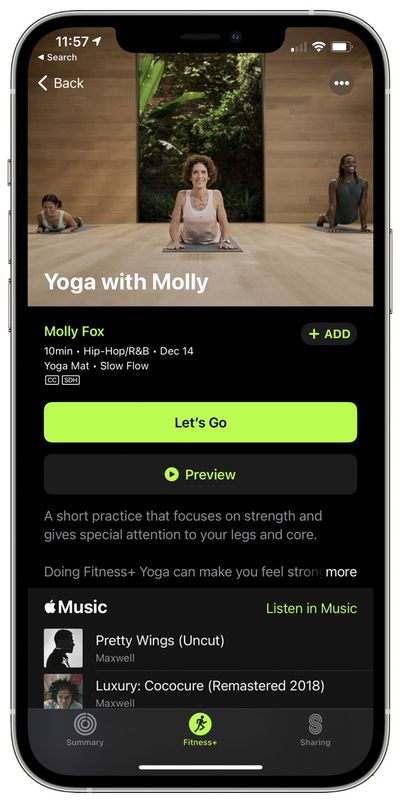
You can find workouts by trainer, by length, or by the music that's used in the video. When you find what you're looking for, tap on a video to start it and then use the "Preview" button to get an in-depth overlook at what's included in the workout.
apple fitness plus workout
After you've completed three workouts, Apple Fitness+ will also begin recommending different workouts to you based on your habits. It will recommend your favorite workout types along with supplemental workouts in other categories that you might enjoy.

You can also browse through the Fitness app to see non-specific recommendations, including content that's new this week and popular content.


Popular Stories

iPhone 18 Pro Deep Red Feature

iPhone 18 Pro Launching Later This Year With These 12 New Features

Wednesday March 18, 2026 7:39 am PDT by
While the iPhone 18 Pro and iPhone 18 Pro Max are not expected to launch for another six months or so, there are already plenty of rumors about the devices. It was initially reported that the iPhone 18 Pro models would have fully under-screen Face ID, with only a front camera visible in the top-left corner of the screen. However, the latest rumors indicate that only one Face ID component...
ios 26 4 yellow

Here Are Apple's Release Notes for iOS 26.4

Wednesday March 18, 2026 11:56 am PDT by
Apple provided developers and public beta testers with the release candidate versions of iOS 26.4 and iPadOS 26.4, which means we're going to see a public launch as soon as next week. The RC versions of the software include Apple's official release notes, giving us final details on what's included in the update. Apple Music - Playlist Playground (beta) generates a playlist from your...
Apple Logo Sketch Feature

Apple Has Now Unveiled Eight New Products This Month

Tuesday March 17, 2026 9:25 am PDT by
Apple has unveiled a whopping eight new products so far this March, including an iPhone 17e, iPad Air models with the M4 chip, MacBook Air models with the M5 chip, MacBook Pro models with M5 Pro and M5 Max chips, an updated Studio Display, a higher-end Studio Display XDR, and now the AirPods Max 2 this week. iPhone 17e features the same overall design as the iPhone 16e, but it gains Apple's...