


How to Turn Any Webpage Into a PDF on iOS
On iOS devices, there's a feature that lets you save any webpage as a PDF, so you can add edits, annotate it, read it offline, share it with friends, and more. Saving a webpage as a PDF is simple enough to do, but if you haven't done it before, you might not know the feature exists.
Subscribe to the MacRumors YouTube channel for more videos.
Here's how to do it:
Open up Safari.
Navigat...
Read Full Article • 25 comments

How to Add a Quick Drawing or Sketch to an Email in the Mail App in iOS 11
In iOS 11, Apple introduced a new feature that lets you add a quick drawing or sketch to an email message right within the Mail app. It's a simple, easy-to-access feature, but it's a little bit hidden, so you might not know that it exists.
Here's how you can get to the built-in drawing tools in the Mail app on an iPhone or iPad:
Open up the Mail app.
Compose a new email or reply to...

How to Open a Recently Closed Tab in Safari on Your iOS Device
Accidentally close a browser tab in Safari on iOS and want to open it back up? There's a simple gesture for that, which you may not know about.
Subscribe to the MacRumors YouTube channel for more videos.
All you have to do is open up the tab view in Safari and long press on the "+" icon to get a look at all of the tabs that you've recently closed.
Even if you're aware of the gesture, it's...

How to Close All of Your Safari Tabs at Once on iPhone or iPad
There are some iOS gestures and tricks that have been around forever, but remain relatively hidden because they're hard to find unless you know about them.
Closing all of the tabs in your Safari browser on an iOS device is one such trick -- it's simple if you know how to do it, but it's a gesture you might not know exists.
Subscribe to the MacRumors YouTube channel for more videos.
Here's...

How to Erase Your Old iPhone or iPad Before Selling It or Trading It In
If you got a new iPhone or iPad for Christmas, you may have an old one that you're ready to sell or trade in to get a bit of extra cash. You'll want to make sure to adequately erase everything on it to get it ready for its next owner.
There are only a few steps to follow so it take you just a few minutes to clean up an old iOS device. Here's what to do:
Unpair Your Apple Watch
If you're...

How to Set Up Your New AirPods
AirPods, introduced last December, are Apple's completely wire-free earphones that have a W1 chip inside for simple pairing between devices.
AirPods work like magic, and while they're easy to set up, the process may not be intuitive to all users who received AirPods this Christmas, so we thought we'd share some quick, easy to digest instructions.
Remove the AirPods from the packaging.
...
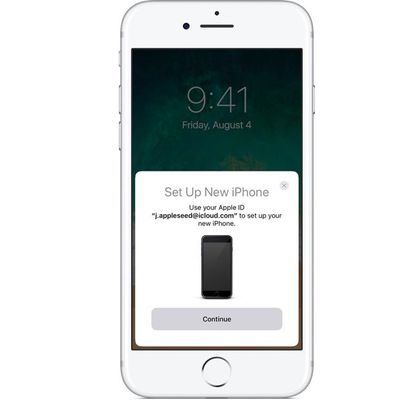
How to Set Up Your New iPhone or iPad Using Automatic Setup
If you got a new iPhone or iPad for Christmas and you already have at least one iOS device that's running iOS 11, setting up the new device is simple and quick with Automatic Setup.
Introduced in iOS 11, Automatic Setup streamlines the setup process for new iPhones and iPads, transferring over Apple ID info, your WiFi network credentials, your preferred settings, and your iCloud Keychain.
...

How to Scan a QR Code Using the Camera on the iPhone or the iPad
In iOS 11, the native camera app includes functionality that allows you to scan QR codes and access QR code content like URLs without having to download a third-party app.
Here's how to scan a QR code when you run into one:
Open the Camera app on the iPhone or iPad.
Make sure you have adequate lighting so the camera can pick up the QR code.
Align the camera with the QR code.
That'...

Here's How to Temporarily Fix the macOS High Sierra Bug That Gives Full Admin Access to Your Mac Sans Password [Updated]
A newly discovered bug in macOS High Sierra enables the root superuser on a Mac with a blank password and no security check, essentially giving anyone full access to your Mac.
Apple is likely already working on a fix, but in the meantime, there's a temporary workaround -- enabling the root user with a password. Here's how:
Open Spotlight and search for Directory Utility.
Double click...
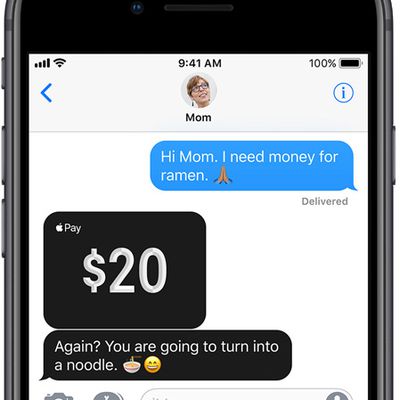
How to Use Apple Cash on iPhone and iPad
Apple Cash (formerly Apple Pay Cash) is Apple's peer-to-peer payments service. Once you've set up an Apple Cash card on your iPhone or iPad, it can be used to make and receive payments in Messages, or you can get Siri to send money to a friend or family member. This article shows you how.
When someone sends you money via Apple Cash, it goes on your virtual Apple Cash card, which is stored...

How to Pre-Order the iPhone X as Quickly as Possible With Apple Store App
iPhone X pre-orders begin this Friday, October 27 at 12:01 a.m. Pacific Time on a first come, first served basis, and customers that want any chance of receiving the smartphone on launch day will need a combination of speed and luck.
The quickest way to pre-order the iPhone X is to use the Apple Store app on iPhone. Prospective buyers that want any chance of receiving the iPhone X when it...

How to Use Third-Party Integrations in macOS High Sierra to Make Photo Projects
macOS High Sierra adds integrations with several third-party apps that let you do all kinds of fun things with your photos, from making photo books to putting them on t-shirts and coffee mugs.
Third-party apps supplement the existing built-in tools that allow you to make prints or create books, slideshows, cards, and calendars
You can use these tools directly in the Photos app without...

How to Use New Pinning and Tables Features in Notes in iOS 11 and macOS High Sierra
iOS 11 and macOS High Sierra bring new features to several apps, and some of the biggest changes have been made to the Notes app. Along with a new Document Scanning feature outlined in a prior how to (iOS only), the Notes app also includes support for pinning and tables.
How to Pin a Note in iOS 11
Open the Notes app.
Open an existing note or created a new one.
In the list of note...

How to Use the New Safari Web Browser Settings in macOS High Sierra
With the public release of macOS High Sierra, Apple introduced some additional features to its native Safari web browser. Here we'll cover just what they are and how you can customize them to make your web browsing experience a more enjoyable one.
Individual Website Settings
One of the most welcome new changes in Safari 11 is the ability to customize a range of settings for individual...

How to Capture a Live Photo in FaceTime on iOS 11 and macOS High Sierra
iOS 11 and macOS High Sierra bring Live Photos to FaceTime, allowing you to preserve a special memory while video chatting with friends and family. Whenever you use the new Camera button that's at the bottom of the screen on a FaceTime call, it captures a photo, but don't worry - this can't be done in secret and the other party is always notified when an image is captured.
How to Take a Live ...
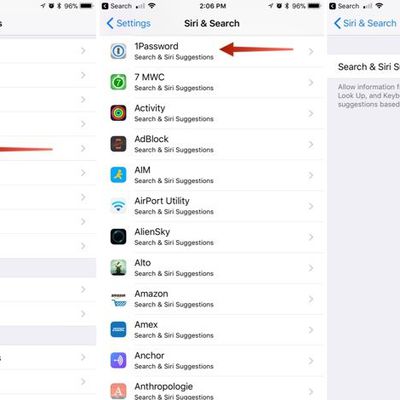
How to Prevent Apps From Showing Up in Search and Siri Suggestions in iOS
In iOS 12 and earlier versions of iOS, Siri analyzes your app use, browsing history, emails, messages, contacts, and information from third-party apps to provide customized suggestions for searches, Look Up, News, Photos, and more.
Siri syncs this information across all of your devices to provide a more personalized experience, and this information is also anonymously sent back to Apple to...

How to Use Instant Notes on iPad With Apple Pencil
If you have an iPad Pro, there's a new feature in iOS 11 that's designed to let you open up a new document in Notes just by tapping the Apple Pencil on the iPad's display.
The feature, Instant Notes, works even when the iPad is locked, so you can pick up the iPad and get right to writing without having to go through the hassle of unlocking the device, opening the Notes app, and creating a...
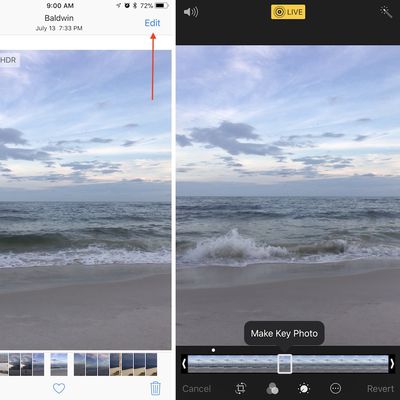
How to Edit Live Photos in iOS 11
Apple originally debuted Live Photos in 2015, alongside the iPhone 6s and iPhone 6s Plus, marking it as a feature that enhances the smartphone's photography with pictures that move when a user performs a 3D Touch on them. With the launch of iOS 11, Live Photos can now be edited in a few useful ways, and this guide will help you make a new key photo (which shows up first in your Photo Album), as...
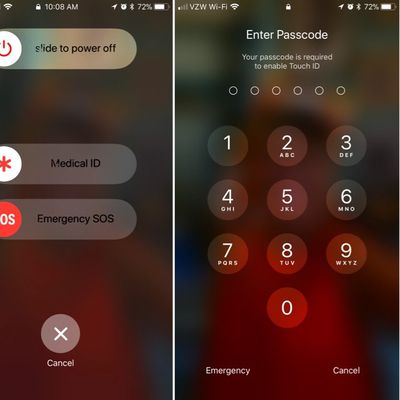
How to Discreetly Disable Touch ID and Face ID on an iPhone
There's an Emergency SOS feature built into iOS 11 that has hidden functionality -- it automatically disables Touch ID and makes it so your passcode has to be entered to unlock your iPhone.
Because it essentially shuts down the biometrics on your device, you can't be compelled by a police officer or malicious person to unlock your iPhone with a fingerprint, nor can your fingerprint be used to...

How to Use the iPad's Nifty Flick Keyboard Feature
The QuickType keyboard on the iPad has been updated in iOS 11 to introduce a super handy new Flick feature designed to let you enter numbers and symbols without the shift key.
When you upgrade to iOS 11 and take a look at the keyboard on the iPad, you'll notice that all of the keys now display letters and number/symbols. A tap lets you enter the main letter on the keyboard, while a flick lets...
















