Studio Display 2022 vs. Studio Display 2026 Buyer's Guide - MacRumors
Skip to Content

Studio Display 2022 vs. Studio Display 2026 Buyer's Guide

Apple updated the Studio Display earlier this month, four years after the original launched. Here's how it compares to the original model.

studio display new purple
The new model keeps the same $1,599 starting price, 27-inch 5K panel, and overall design, but brings a handful of small internal improvements: a newer chip, upgraded Thunderbolt connectivity, Desk View camera support, and improved bass. The display itself, a 60Hz LCD panel with 600 nits of brightness, is unchanged.

Our guide helps you to understand the differences between the two models, and answer the question of which of these two Studio Displays is best for you and whether it's worth upgrading. Here is everything that differs between the 2022 and 2026 Studio Display:

‌Studio Display‌ (2022) ‌Studio Display‌ (2026)
A13 Bionic chip A19 chip
4GB RAM 8GB RAM
64GB internal storage 128GB internal storage
One Thunderbolt 3 port (upstream, 96W host charging) Two Thunderbolt 5 ports (one upstream with 96W host charging, one downstream for accessories or daisy-chaining)
Three USB-C ports Two USB-C ports
12MP Center Stage camera 12MP Center Stage camera with Desk View support
Six-speaker sound system Six-speaker sound system with 30% deeper bass
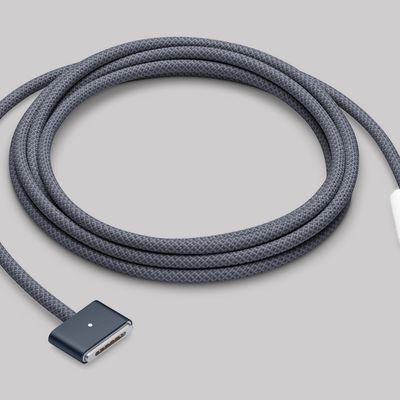
Standard Thunderbolt cable included Thunderbolt 5 Pro cable (1m) included
Compatible with Intel and Apple silicon Macs Requires Apple silicon Mac (2020 or later)

For existing 2022 ‌Studio Display‌ owners, there is no general-purpose reason to upgrade. The panel is identical, the pass-through charging is the same 96W, and the practical day-to-day experience in front of both screens is the same. The Thunderbolt 5 ports are the only change that meaningfully affect how the display is used, and only if you need high-bandwidth peripherals or daisy-chaining. For everyone else, the update is not worth the cost of replacement.

For new buyers, the picture is a little more nuanced. At the same $1,599 starting price, the 2026 model is the obvious choice; it is simply the better-specified display for the same money and may last longer.

However, the 2022 ‌Studio Display‌ has been discontinued and stock is available at a discount from third-party retailers. Given how little changed between the two generations, the older model at a sufficiently lower price is a good purchase for most buyers, particularly if you have no need for Thunderbolt 5 or Desk View. The display panel itself is identical.

The compatibility constraint is also worth bearing in mind: The 2026 model requires an Apple silicon Mac, while the 2022 model works with Intel machines too. Apple stopped selling Intel Macs in 2023, so this will only affect a narrowing group, but it is a hard limitation if it applies to you.


Related Roundup: Studio Display
Buyer's Guide: Displays (Buy Now)
Related Forum: Mac Accessories

Popular Stories

Apple Lists 250 Changes Across iOS 27 and More Feature

Apple Shares List of 250 Changes Across iOS 27, macOS Golden Gate, and More

Wednesday June 10, 2026 1:34 pm PDT by
During its WWDC 2026 keynote on Monday, Apple briefly showed a slide with hundreds of new features and enhancements coming across iOS 27, macOS 27 Golden Gate, watchOS 27, tvOS 27, and visionOS 27. All of the software updates are currently available as developer betas, and they are expected to be released to all users in September. We already highlighted some of the key new features from the ...

Apple Event Logo

Apple to Release These 15 New Products Later This Year

Friday June 12, 2026 7:45 am PDT by
Apple's annual WWDC developers conference is drawing to a close, but there is still a lot to look forward to in the second half of the year. Apple is expected to release at least 15 more products later this year. Now that the more intelligent and personal version of Siri has finally arrived in beta, a full two years after Apple first previewed it at WWDC 2024, we should begin to see some new ...
iCloud iPhone 17 Pro

iPhone Users Who Pay for iCloud Storage Get Two New Perks on iOS 27

Tuesday June 9, 2026 11:29 am PDT by
If you pay for extra iCloud storage on your iPhone, beyond the 5GB included for free, you might receive two more perks on iOS 27 at no additional cost. First, Apple said there will be daily usage limits for some of the new and enhanced Apple Intelligence features on iOS 27, including image generation. However, the company noted that "increased access" is available with "most" iCloud+ storage ...

Top Rated Comments

11 weeks ago
2026 model is actually a downgrade because it forces you to use Tahoe.
Score: 15 Votes (Like | Disagree)
maclancer Avatar
11 weeks ago
Crazy.... paying that amount for a monitor that still has 60hz.
Score: 7 Votes (Like | Disagree)
freedomlinux Avatar
11 weeks ago
Wow, 27" 5K, A19 CPU, 8GB RAM, 128GB storage, USB-C, webcam, and speakers.

They're 95% of the way to building a 27" iMac. It's baffling how over-engineered this is for a monitor - we used to get an entire computer "for free" included in the display for this price.
Score: 6 Votes (Like | Disagree)
conmee Avatar
11 weeks ago

You get improved bass on the speakers, better camera processing, and desk view. The extra thunderbolt 5 port is nice, but not really worth the upgrade. The screen is unchanged.
They changed just about everything except the most important part of a monitor… the actual screen. :)
Score: 5 Votes (Like | Disagree)
11 weeks ago
I wouldn't call it the “obvious choice” at all. The price is, and that's what’s obvious, still way too high. Combine this with the hopelessly outdated display technology absolutely no one should buy this display. I personally would call it trash.
Score: 5 Votes (Like | Disagree)
Gabebear Avatar
11 weeks ago
I already have a 5K 60hz monitor… I bought in 2019. I got it when Apple was discounting LG’s 5K to $1000… which was ONE HELL OF A DEAL in retrospect.
Score: 5 Votes (Like | Disagree)