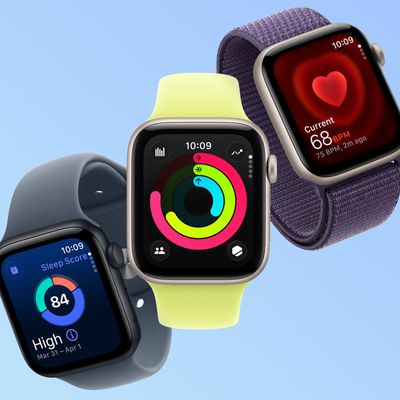
At its "Far out" event last year, alongside the Apple Watch Series 8, Apple announced the second-generation Apple Watch SE. The second-generation Apple Watch SE offers a refresh of the original model that launched in 2020, providing a full Apple Watch experience at a low price point.
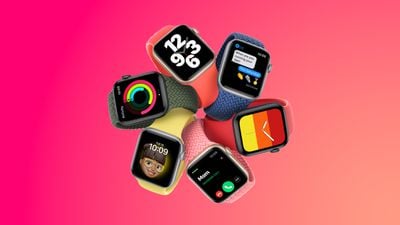
The second-generation Apple Watch SE is a minor update, with the main upgrade being a performance boost thanks to the S8 chip. While the second-generation Apple Watch SE shares the same S8 chip as the Apple Watch Series 8 and the Apple Watch Ultra, the S8 contains the same CPU as the S7 and S6 chips, meaning that it is functionally only one generation newer than the S5 chip in the previous Apple Watch SE.
The new Apple Watch SE also introduces a lightweight, color-matched nylon composite back casing in place of the previous model's ceramic back, Bluetooth 5.3, and Crash Detection. Apple also decreased the price of the device from $279 to $249.
The first-generation Apple Watch SE has now been discontinued by Apple, but it may still be found for lower prices with third-party retailers. As such, some customers may be considering whether they should purchase the second-generation Apple Watch SE, or a discounted first-generation model. Likewise, existing Apple Watch SE users may be considering upgrading to the new model. This breakdown also serves as a way to see all the differences that the new Apple Watch SE offers.
Differences
Apple Watch SE (first-generation, 2020)
- S5 chip
- Bluetooth 5.0
- Black ceramic back case
- Available in Space Gray, Gold, and Silver
- Started at $279
Apple Watch SE (second-generation, 2022)
- S8 chip (20 percent faster than S5)
- Bluetooth 5.3
- Crash Detection
- Color-matched nylon composite back case
- Available in Midnight, Starlight, and Silver
- Starts at $249
The second-generation Apple Watch SE is intended to modernize the first-generation model, rather than offer a clear upgrade path for those who purchased the original. It will likely not be worth upgrading if you already have the first-generation Apple Watch SE, unless you particularly want improved performance or Crash Detection. A discounted Apple Watch Series 7 may be a better option for existing Apple Watch SE users.
In some respects, the second-generation Apple Watch SE's nylon rear casing is a step back in terms of material quality and durability, but it does make the device lighter overall. Likewise, Bluetooth 5.3 connectivity does not unlock any additional functionality that most users will be able to take advantage of at this time.
Instead, the second-generation Apple Watch SE is best suited for those who are new to the Apple Watch entirely or are upgrading from the Series 3 or older. Unless you can obtain the first-generation Apple Watch SE at a very low price, it will likely be worth buying the new model due to its updated specifications that make it more future-proof.