ASUS ProArt 6K Review: $1,399 Gets You a 32-Inch 6K Display

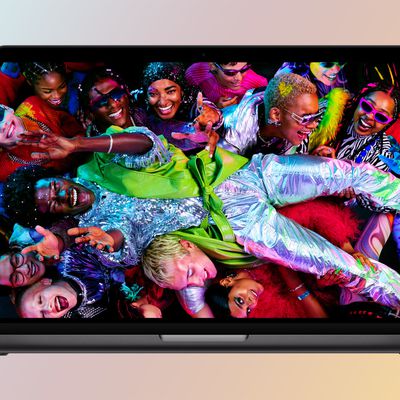
ASUS recently came out with a new 32-inch 6K ProArt Display that's priced at $1,399, so we thought we'd check it out to see how it compares with the Studio Display and the Pro Display XDR from Apple.


At 32 inches, the ProArt 6K is larger than the 27-inch Studio Display, but it is on par in size with the Pro Display XDR. ASUS doesn't have the same design aesthetic as Apple, so the ProArt 6K's design isn't impressive. There's a square-shaped base, an arm that attaches to the display, and thin bezels at the top and the sides. There's a thicker bottom bezel that houses some quick access control buttons.

ASUS' display has the same 218 pixels per inch as the Pro Display XDR, and text looks crisp. Colors are accurate out of the box and can be further tweaked in the Settings menu with different profiles. HDR10 support is included, but peak brightness maxes out at 600 nits, which limits HDR performance. It also does not have individual local dimming zones, which means it is lacking several of the pro features that set Apple's XDR display apart.

The ProArt 6K has a matte display coating that's meant to cut down on reflections, but it does impact some of the color vibrancy and contrast.

There are a variety of ports, like dual Thunderbolt 4 ports with 96W power delivery, an HDMI 2.1 port, a DisplayPort 1.4 port, a headphone jack, and multiple USB-C and USB-A ports. Apple's displays are more limited in terms of port options.

At $1,399, the ProArt 6K is more affordable than the Studio Display and it's a fraction of the cost of the Pro Display XDR. It doesn't offer the same performance as the Pro Display XDR and it lags behind in design, but it is otherwise a good display that's worth considering if you're looking for something larger than the Studio Display.

Make sure to watch our full review up above for more information.

Popular Stories

m1 chip slide

Five Years of Apple Silicon: M1 to M5 Performance Comparison

Monday November 10, 2025 1:08 pm PST by
Today marks the fifth anniversary of the Apple silicon chip that replaced Intel chips in Apple's Mac lineup. The first Apple silicon chip, the M1, was unveiled on November 10, 2020. The M1 debuted in the MacBook Air, Mac mini, and 13-inch MacBook Pro. The M1 chip was impressive when it launched, featuring the "world's fastest CPU core" and industry-leading performance per watt, and it's only ...
All Screen iPhone 2027 Feature 1

Apple to Hide Selfie Camera Under Display of 20th Anniversary iPhone

Monday November 10, 2025 1:55 am PST by
Apple will conceal the front-facing camera under the screen of its 2027 iPhone, a Chinese leaker said today, corroborating reports that Apple's 20th anniversary iPhone will have no visible cutouts in the display. Weibo-based account Digital Chat Station said Apple's development of under-screen camera technology was progressing as planned for adoption in 2027, one year after it will...
Early Black Friday Deals 1

The Best Early Black Friday Apple Deals on AirPods, Apple Watch, iPad, and More

Saturday November 8, 2025 6:16 am PST by
We're officially in the month of Black Friday, which will take place on Friday, November 28 in 2025. As always, this will be the best time of the year to shop for great deals, including popular Apple products like AirPods, iPad, Apple Watch, and more. In this article, the majority of the discounts will be found on Amazon. Note: MacRumors is an affiliate partner with some of these vendors. When ...
iphone air thinness

iPhone Air Sales Are So Bad That Apple's Delaying the Next-Generation Version

Monday November 10, 2025 11:41 am PST by
The thin, light iPhone Air sold so poorly that Apple has decided to delay the launch of the next-generation iPhone Air that was scheduled to come out alongside the iPhone 18 Pro, reports The Information. Apple initially planned to release a new iPhone Air in fall 2026, but now that's not going to happen. Since the iPhone Air launched in September, there have been reports of poor sales...
2024 iPhone Boxes Feature

Apple Adjusts Trade-In Values for iPhones, iPads, Macs, and More

Thursday November 6, 2025 11:12 am PST by
Apple today updated its trade-in values for select iPhone, iPad, Mac, and Apple Watch models. Trade-ins can be completed on Apple's website, or at an Apple Store. The charts below provide an overview of Apple's current and previous trade-in values in the U.S., according to its website. Maximum values for most devices either decreased or saw no change, but the iPad Air received a slight bump. ...
iphone pocket%402x

Apple Debuts iPhone Pocket, a Limited Edition iPod Sock-Style Accessory

Tuesday November 11, 2025 1:23 am PST by
Apple has teamed up with Japanese fashion house ISSEY MIYAKE to launch iPhone Pocket, a 3D-knitted limited edition accessory designed to carry an iPhone, AirPods, and other everyday items. The accessory is like a stretchy pocket, not unlike an iPod Sock, but elongated to form a strap made of a ribbed, elastic textile that fully encloses an iPhone yet allows you to glimpse the display...
Apple fitness plus feature

Future of Apple Fitness+ 'Under Review'

Sunday November 9, 2025 5:30 am PST by
The future of Apple Fitness+ is "under review" amid a reorganization of the service, according to Bloomberg's Mark Gurman. In the latest edition of his "Power On" newsletter, Gurman said that Apple Fitness+ remains one of the company's "weakest digital offerings." The service apparently suffers from high churn and little revenue. Nevertheless, Fitness+ has a small, loyal fanbase that...
homepod mini colors

New HomePod Mini Coming Soon With These Features

Tuesday November 11, 2025 7:30 am PST by
Apple is expected to announce a new HomePod mini imminently, headlining with new chips. Here are all of the new features we're expecting. The second-generation HomePod mini is highly likely to contain a more up-to-date chip for more advanced computational audio and improved responsiveness. The current HomePod mini is equipped with the Apple Watch Series 5's S5 chip from 2019. Apple is likely ...
iOS 26

iOS 26.2 Available Next Month With These 8 New Features

Tuesday November 11, 2025 9:48 am PST by
Apple released the first iOS 26.2 beta last week. The upcoming update includes a handful of new features and changes on the iPhone, including a new Liquid Glass slider for the Lock Screen's clock, offline lyrics in Apple Music, and more. In a recent press release, Apple confirmed that iOS 26.2 will be released to all users in December, but it did not provide a specific release date....
iphone black friday gold

The Best Early Black Friday iPhone Deals

Monday November 10, 2025 10:18 am PST by
Cellular carriers have always offered big savings on the newest iPhone models during the holidays, and Black Friday 2025 sales have kicked off at AT&T, Verizon, T-Mobile, and more. Right now we're tracking notable offers on the iPhone 17, iPhone 17 Pro, iPhone 17 Pro Max, and iPhone Air. For even more savings, keep an eye on older models during the holiday shopping season. Note: MacRumors is...

Top Rated Comments

turbineseaplane Avatar
10 weeks ago
This "review" doesn't even get the price right.

(article above got edited after I posted this)

It's $1399, not $1299


Also, how about just putting "more information" right here in the article as text instead of locking it inside a video not everyone wants to watch.

Attachment Image
Score: 23 Votes (Like | Disagree)
Surrylic Avatar
10 weeks ago

I prefer matte. Why do you like/want reflections?
No one *wants* reflections but a glossy monitors looks way better in most all measurements… except reflections. Everything else about it is better.
Score: 22 Votes (Like | Disagree)
dannys1 Avatar
10 weeks ago
Damn, if only it was glossy.
Score: 14 Votes (Like | Disagree)
Pezimak Avatar
10 weeks ago

Refresh rate?
60HZ. It is 6K and it seems so far that is the max frequency for these 6K 32” screens. They are not aimed at gamers etc though.
Score: 12 Votes (Like | Disagree)
excalibur313 Avatar
7 weeks ago
I also received my ProArt 6K this weekend. Some initial thoughts:

Pros:
- As a developer, the anti matte display is awesome. I have a LG 5K glossy display which I've heard is similar in glossiness to iMacs and I could always see my reflection in it but with the ProArt there are no reflections at all. The text to my eye looks super crisp.
- This is the brightest display I have and the colors really pop and look great.
- There are 3 USB ports that work with the KVM switching, a USB A and C on the front, and 1 USB A on the back. Works with keyboards, mice, webcams and I'm sure more.
- There is a daisy chain thunderbolt port that can support a 5K display (apparently up to 6K) but it will only send that signal to the computer connected via thunderbolt, not the one that's connected via HDMI/DP+USB.


Cons:
- The Smart KVM switch is a nice idea but it was a bit maddening for me to set up. First thing is that you have to use a thunderbolt connection for 1 and then a HDMI/DP+USB connection for the second. I didn't realize this at first but the USB you use is the one labeled USB 3.2 upstream. Luckily you can feed the HDMI/DP + USB connections into a dock- I already had an OWC thunderbolt pro dock and this allows you to maintain a single thunderbolt connection into your second computer which matches your first computers connection type.
- ASUS DisplayWidget claims it can be used to configure your Smart KVM but it cannot, at least in OS X. I'm pretty sure this software is causing weirdness when switching between the two computers because both the OS X system display configuration and the DisplayWidget seem to fight about the monitor's configuration and I'll often have my monitors oriented 90 or 180 degrees from what I expect, so you have to use the mouse in a weird way to switch the orientation back to get it to look right.
- Switching between two macbooks is a bit finicky. There's an input button on the front of the monitor to switch but if the other mac's asleep it doesn't seem to let you switch. You have to instead open the full menu and switch it in the input section.
- The OSD menu is weird- when you go to the settings part of it, it only gives you a few seconds to make the changes before the whole menu disappears. On other pages it stays up for the 20-30 seconds that its programmed to do, so I think this is a bug.
- There's apparently no keyboard command for switching the KVM switch like other Asus Smart KVM monitors. I've tried alt+s, alt+1, alt+2 and ctrl+alt+s and none of those do anything. There's no mention in the manual for an alternative keyboard shortcut that will switch it.

The silver lining is there are third party apps like BetterDisplay which can send OSD commands to your monitor so I think it might be possible to switch the KVM that way rather than using the OSD commands. In order to do that though you have to know the right values to send for switching input sources, so maybe if we could crowdsource what all the configuration settings are with this monitor, we could configure a third party app ourselves to do what the DisplayWidget should be doing. I wonder if that spec sheet is available anywhere.

Despite the software weirdness with the KVM, this is a very nice monitor!
Score: 11 Votes (Like | Disagree)
ThomasJL Avatar
10 weeks ago

At $1,399, the ProArt 6K is more affordable than the Studio Display and it's a fraction of the cost of the Pro Display XDR.
That means the matte-only ProArt 6K ($1,399) is $100 cheaper than standard glossy Studio Display ($1,499), and $400 cheaper than the optional matte Studio Display ($1,799). So for $100 or $400 less than what Tim Crook charges for a 27-inch 5K display, customers can instead get a 32-inch 6K display from Asus.
Score: 11 Votes (Like | Disagree)