There's a New Ringtone in iOS 26
The second beta of iOS 26 includes a new ringtone that's an alternative to the classic "Reflection" ringtone that Apple uses as a default on iPhones.
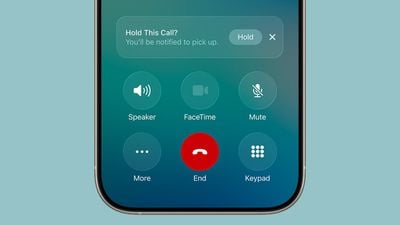
Apple didn't give the new ringtone a special name, and it's just listed as "Alt 1" as an option if you tap into Reflection. You can get to the ringtone in iOS 26 by opening up Sounds and Haptics in the Settings app, tapping on Ringtone, and then tapping on Reflection.
The classic Reflection ringtone is still the default, so if you prefer the new sound, you'll need to set it manually. You can listen to the ringtone below.
We
first found the ringtone in the iOS 26 beta 1 code, but it wasn't enabled until now.
Popular Stories
Alongside iOS 27, Apple today released iOS 26.7, an update to the existing iOS 26 software. Users who check for new software will see iOS 26.7 as the default update, with iOS 27 listed as an option at the bottom of the Software Update interface.
According to Apple's release notes, iOS 26.7 includes security fixes, but it does not have any other features.
Apple will eventually show iOS 27 ...
Today's iOS 27 update addresses over 100 security vulnerabilities, which is a good reason to install the new software.
If you don't want to update to iOS 27 yet, Apple also released iOS 26.7 with over 80 security fixes. 75 of the fixes are shared across both updates, so iOS 26.7 addresses many of the same issues.
There are multiple kernel fixes, including one that could allow a malicious...
Starting today, iPhone users still running iOS 26 will see iOS 27.0.1 as the prominent software update in the Settings app under General → Software Update, with iOS 26.7.1 now relegated to a smaller "Also Available" section at the bottom.
iOS 27 was released on September 14, but until now that update and later iOS 27.0.1 were shown under the "Also Available" section, with iOS 26.7 and...