'Apple ID' Renamed to 'Apple Account' Across iOS 18 and Other Updates
Earlier this year, we reported that "Apple ID" would be renamed to "Apple Account," and this change has now been officially announced.
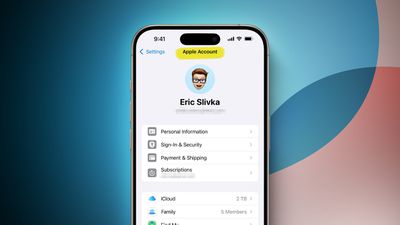
Apple confirmed the change in a press release today, with "Apple Account" branding now used across iOS 18, iPadOS 18, macOS Sequoia, and watchOS 11:
With the releases of iOS 18, iPadOS 18, macOS Sequoia, and watchOS 11, Apple ID is renamed to Apple Account for a consistent sign-in experience across Apple services and devices, and relies on a user's existing credentials.
There are still some places where Apple ID branding remains for now, such as the Apple ID sign-in page on the web. The transition to "Apple Account" will likely be completed by time iOS 18 and the other software updates are publicly released later this year.
"Apple Account" is certainly a more straightforward name, but "Apple ID" had been used for over two decades and had a lot of sentimental value.
Popular Stories
iOS 26.4 was released today, and it includes a couple of new features for CarPlay: an Ambient Music widget and support for voice-based chatbot apps.
To update your iPhone 11 or newer to iOS 26.4, open the Settings app and tap on General → Software Update. CarPlay will automatically offer the new features so long as the iPhone connected to your vehicle is running iOS 26.4 or later....
Apple today released new firmware for the AirPods Pro 2, AirPods Pro 3, and the AirPods 4. The firmware has a version number of 8B39, up from 8B34 on the AirPods Pro 3, 8B28 on the AirPods Pro 2, and 8B21 on the AirPods 4.
There is no word on what's included in the firmware, but Apple has a support document with limited notes. Most updates are limited to bug fixes and performance...
Apple this week released tvOS 26.4, and the software update includes a handful of new features and changes for the Apple TV.
tvOS 26.4 is compatible with all Apple TV 4K and Apple TV HD models released since 2015. To update your Apple TV, open the Settings app on the device, navigate to System → Software Updates, and select Update Software.
Below, we have recapped what is new in tvOS...