The latest version of the Google Chrome browser designed for Macs includes optimizations that are designed to preserve battery life. In a blog post shared today, Google says that with a single full charge, a 13-inch M2MacBook Pro running Chrome can be used to browse the internet for 17 hours or watch YouTube for 18 hours.
With improvements to Energy Saver mode, browsing time is extended for another 30 minutes by reducing unnecessary background tasks, and while Google uses the M2 MacBook Pro as an example, the company says that those using older Macs will also see performance gains.
To boost battery life, Google made changes that include tuning iframes to consume less energy, tweaking JavaScript timers to wake the CPU less often, streamlining data structures to optimize access, and eliminating unnecessary redraws.
Google plans to continue to optimize Energy Saver mode in the future. The Chrome browser for Macs can be downloaded from Google's website, with the 110 version released last week.
Tuesday October 13, 2026 5:29 am PDT by Joe Rossignol
Apple has launched a new "Switch to Safari" marketing campaign that encourages Chrome users to switch to Safari as their web browser of choice on the Mac.
"Safari is a more powerful and private browser than Chrome," says Apple.
Apple has a new "Switch to Safari" page on its website that outlines more than 10 reasons that Chrome users should switch to Safari, including faster performance...
Thursday September 24, 2026 1:33 pm PDT by Juli Clover
Google today said its digital wardrobe option is available in the Google Photos iOS app in the U.S., India, and Brazil.
Google first announced the feature back in April, but it was limited to Android users until now. The wardrobe option uses AI to pull images of clothing from the Google Photos library, organizing them into a digital closet.
Users can put items together to create outfits ...
Wednesday October 7, 2026 4:42 pm PDT by Juli Clover
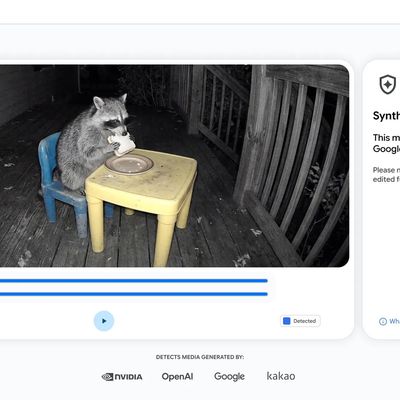
Google today said it is making its SynthID Detector available to everyone for identifying content created using AI.
SynthID Detector first rolled out to members of the media last year, and it is now available worldwide in English. SynthID Detector is a website that lets users upload a photo, video, or audio file to determine whether it has a SynthID watermark that identifies it as...
Apple's first foldable iPhone, with a book-style design featuring a 5.4-inch outer display and a 7.6-inch inner display with a minimal crease down the middle.






/https://forums.macrumors.com/attachments/2166028/)

/https://forums.macrumors.com/proxy.php%3Fimage=https://i.ytimg.com/vi/t6mBnFDZr1s/maxresdefault.jpg&hash=48eeaf063dfe9739e7ee12d3b3984e04)














































