iPhone 14 Reportedly Spotted in Indian Regulatory Filings
A device believed to be the iPhone 14 has been spotted in the Bureau of Indian Standards (BIS), MySmartPrice reports.
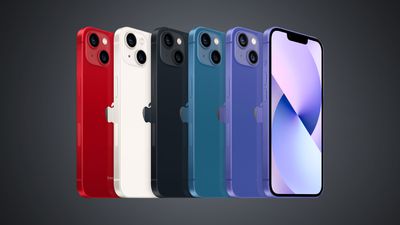
The device is filed under the model number "A2882," which is believed to correspond to one of the standard iPhone 14 models. The iPhone 13 has the model numbers A2482, A2631, A2634, A2635, and A2633, making this seemingly the first time that the iPhone has been officially seen, providing the model number correlates with the correct device.
New Apple devices being spotted in regulatory databases often indicate that launch is imminent. According to Bloomberg's Mark Gurman, Apple is planning to unveil the iPhone 14 lineup at an event on Wednesday, September 7.
Earlier today, Bloomberg reported that Apple will begin iPhone 14 production in India around two months after the first wave of devices are shipped out of China as manufacturing partners attempt to replicate the complex iPhone supply chain operation in another country for the first time.
Popular Stories
Apple gained ground in India, Latin America, and Europe even as all three markets contracted, according to a new series of Counterpoint Research reports.
Between late March and the beginning of August, Indian smartphone sales ran 14% behind the equivalent stretch of 2025, and the market slipped for three straight weeks once major promotions in July had finished. Apple outperformed every...
Update 10:04 a.m.: iOS 27 is rolling out now, though it may take a bit for all users to see it, so keep checking!
Apple is about to release iOS 27, which will finally deliver more advanced Siri AI capabilities as well as a variety of other refinements, improvements, and new features to iPhones. It's Apple's biggest software update of the year, and Apple announced at Wednesday's iPhone event...
Update — 10 a.m. Pacific Time: Apple has released iOS 27.
During its iPhone 18 Pro and iPhone Duo event last week, Apple announced that iOS 27 will be released widely on Monday, September 14.
iOS 27 should be available around 10 a.m. Pacific Time / 1 p.m. Eastern Time today via the Settings app, under General → Software Update.
Below, we have highlighted eight new features and...


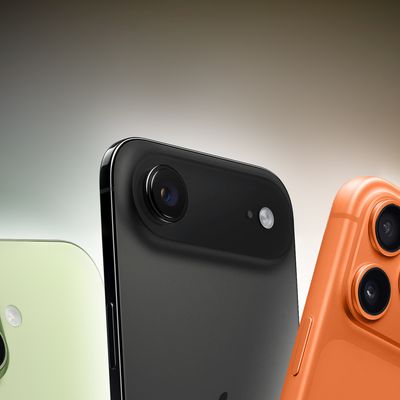




/https://forums.macrumors.com/proxy.php%3Fimage=https://assets.mspimages.in/wp-content/uploads/2022/08/Apple-A2882-BIS-India.jpg&hash=0b3c0f58d320f66d28654be204446f6f)

/https://forums.macrumors.com/proxy.php%3Fimage=https://images.macrumors.com/article-new/2022/05/iPhone-14-Lineup-Feature-Black.jpg&hash=e68fa6f6f7c47cb94823828ab195cc35)
















