WhatsApp Starts Rolling Out Profile Pictures in iOS Message Notifications
WhatsApp is testing a helpful new feature on iOS that displays profile pictures in system notifications when users receive new messages from chats and groups.
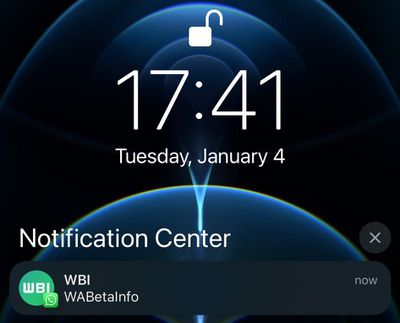
First spotted by app specialist
WABetaInfo, the first new feature for the platform in 2022 uses APIs in iOS 15 to add the WhatsApp profile images to notifications in top-screen banners and in the Notification Center when users receive a message.
WhatsApp on Android has been able to display the profile pictures in system notifications for some time, so this change brings parity to the app across both platforms.
If you don't see the profile pictures in your notifications yet, that's because WhatsApp is first making the change for beta testers so they can report bugs, before the feature is rolled out to millions of users on iOS devices worldwide.
The last update to WhatsApp came in December, and was a privacy change to prevent people on the messaging platform from viewing the "Last Seen" status of users whom they have never chatted with.
Popular Stories
iOS 26.4 was released today, and it includes a couple of new features for CarPlay: an Ambient Music widget and support for voice-based chatbot apps.
To update your iPhone 11 or newer to iOS 26.4, open the Settings app and tap on General → Software Update. CarPlay will automatically offer the new features so long as the iPhone connected to your vehicle is running iOS 26.4 or later....
Apple today released new firmware for the AirPods Pro 2, AirPods Pro 3, and the AirPods 4. The firmware has a version number of 8B39, up from 8B34 on the AirPods Pro 3, 8B28 on the AirPods Pro 2, and 8B21 on the AirPods 4.
There is no word on what's included in the firmware, but Apple has a support document with limited notes. Most updates are limited to bug fixes and performance...
Apple this week released tvOS 26.4, and the software update includes a handful of new features and changes for the Apple TV.
tvOS 26.4 is compatible with all Apple TV 4K and Apple TV HD models released since 2015. To update your Apple TV, open the Settings app on the device, navigate to System → Software Updates, and select Update Software.
Below, we have recapped what is new in tvOS...























