Apple Offers Instructions on What to Do if macOS Big Sur Causes Installation Errors on 2013 and 2014 MacBook Pro - MacRumors
Skip to Content

Apple Offers Instructions on What to Do if macOS Big Sur Causes Installation Errors on 2013 and 2014 MacBook Pro

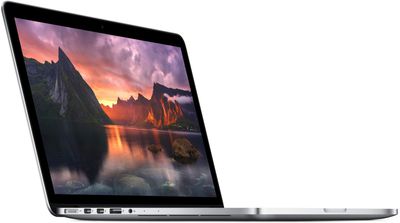
Following the release of macOS Big Sur last week, a number of 2013 and 2014 MacBook Pro owners found that the update bricked their machines. Affected users saw their Macs get stuck displaying a black screen after attempting to install the new software.
macbookpro13large
Apple has now addressed this issue in a new support document that provides instructions on what to do if macOS Big Sur can't be installed on a 2013 or 2014 MacBook Pro machine. Apple suggests Mac owners experiencing these issues unplug external devices, attempt restarting, reset the SMC, and reset NVRAM or PRAM. From the support document:

  1. Press and hold the power button on your Mac for at least 10 seconds, then release. If your Mac is on, it turns off.
  2. Unplug all external devices from your Mac, including any displays and USB accessories, and remove any card inserted in the SDXC card slot. Then turn your Mac on.
  3. If the issue persists, reset the SMC as described for notebook computers with a nonremovable battery.
  4. If the issue persists, reset NVRAM or PRAM.

Apple says if these solutions do not work, affected customers should contact Apple Support for further help with the problem. The document also says that Apple plans to update the article as more information becomes available.

To be safe, those with older ‌MacBook Pro‌ models from 2013 or 2014 should avoid installing the macOS Big Sur update at this time until a more definitive fix becomes available. Apple today released a new version of macOS Big Sur 11.0.1, but it is not clear if this addresses the problems that are being seen with older ‌MacBook Pro‌ models.

Related Forum: macOS Big Sur

Popular Stories

iphone duo screen crack

Apple Responds to iPhone Duo Display Cracking Reports

Monday October 26, 2026 10:20 am PDT by
Shortly after the iPhone Duo launched, a few users reported hinge issues that were causing cracks in the inner display. Apple has now responded to the reports in a statement to MacRumors, saying a small number of units are affected. The response to iPhone Duo from early users has been incredibly positive, and we are seeing exciting things from developers who are rapidly updating their apps...
iphone duo screen crack in store

Crackgate? iPhone Duo Owners Report Screens Breaking Along the Hinge

Friday October 23, 2026 11:05 am PDT by
Some iPhone Duos are already experiencing hinge issues that cause display cracks, based on photos shared on Reddit and the MacRumors forums. Almost all of the display faults are right along the hinge, and most result in a line of bright pixels across one side of the screen. An iPhone Duo owner in Australia said his device cracked after being opened fewer than 20 times, and there was no...


jerryrigeverything iphone duo dust

iPhone Duo Fails JerryRigEverything's Dusty Durability Test

Saturday October 24, 2026 11:27 am PDT by
Apple's iPhone Duo has failed JerryRigEverything's latest durability test. Despite its IP68 dust-resistance rating, dust entered the hinge through several ingress points, overwhelming the magnets that hold the phone shut. The bend test then left a permanent green line across the inner display, before the screen became unresponsive. The outer screen with Ceramic Shield 2 scratched at level 7...

Top Rated Comments

78 months ago
As more information becomes available? They are the information. Not the channel 5 news.

This sounds like general advice from tier 1 tech support for every issue ever. They couldn't have asked one of their software engineers what's going on?
Score: 30 Votes (Like | Disagree)
78 months ago

Apple should just rename Big Sur to Big Sour Apple OS. Pro tip: Years ago my tech friend (he's VERY tech savvy) told me to ALWAYS stay at least 3 (or at the very least 2) major software versions behind, regardless if it's operating systems, or simpler applications like Adobe Photoshop. And after 3 years, if the software is still not fixed, wait for the next major version. Still running macOS High Sierra 10.13 on my 2014 MacBook Pro. It's running fast and flawless, thanks to my tech friend's pro advice, which I will always keep following. This has in many ways saved me so much money and time.
So I assume you just upgraded to iOS 11 then. How are you finding it so far? Aww you’re disappointed with its performance? That sucks man... don’t worry, next year‘s iOS 12 will improve performance drastically. Too bad you can’t upgrade now because you’re following your VERY tech savvy friend’s advice.

Wait till you hear about iOS 14, it lets you add widgets to your home screen 🤯
Score: 12 Votes (Like | Disagree)
MrMaxwell Avatar
78 months ago

Nice. After several days Apple addressed the issue by... pointing users towards the boilerplate advice you get any time you call Apple for support. Because surely nobody thought to try THAT before 🙄
You realise that 95% of users have no idea about SMC reset, NVRAM and PRAM?

It's basic advise because it needs to be!
Score: 9 Votes (Like | Disagree)
ouimetnick Avatar
78 months ago

As more information becomes available? They are the information. Not the channel 5 news.

This sounds like general advice from tier 1 tech support for every issue ever. They couldn't have asked one of their software engineers what's going on?
Perhaps their software engineering team doesn’t know what’s going on quite yet. They might need to receive some of the “bricked” machines to diagnose and determine what exactly went wrong.
Score: 8 Votes (Like | Disagree)
sully54 Avatar
78 months ago
I have 2 papers due and three weeks left in the semester. Not upgrading until I'm done the semester. a bricked mac is the last thing I need in 2020
Score: 7 Votes (Like | Disagree)
78 months ago
I’ve noticed that Apple more and more pretends they aren’t directly involved in the creation and support of their own products. Often, when I talk to tech. support, they’ll refer to a nebulous “they” or talk about “Apple” doing things, as if they aren’t Apple. This must be some new PR/HR strategy to deflect accountability.
Score: 7 Votes (Like | Disagree)
Latest Stories
New iMac and 14-Inch MacBook Pro With M6 Chip Expected Tomorrow
2 hours ago
JAŸ-Z to Headline 2027 Apple Music Super Bowl LXI Halftime Show
3 hours ago
Older Siri Remotes Now Show Up in Find My With iOS 27.2
5 hours ago
iOS 27.2 Features: Everything New in iOS 27.2
6 hours ago
Why Can't iPhone Duo Users Make Eye Contact on FaceTime?
6 hours ago
iOS 27.2 Fixes Over 160 Security Vulnerabilities
7 hours ago
iPhone AI Images and Edits Now Have a Hidden Watermark
8 hours ago
iOS 27.2 Lets You Watch Four Live Sports Streams on iPhone
9 hours ago
iOS 27.2 Expands Dual Capture to Group FaceTime
9 hours ago
Here's Why Apple's Next Pre-Orders Begin on Wednesday at 10:10 AM
9 hours ago
Apple Says Siri AI Will Support Even More Languages Later This Year
9 hours ago
Apple Releases iOS 27.2 With New Siri AI Languages
10 hours ago
Apple Releases macOS Golden Gate 27.2
11 hours ago
Apple Releases watchOS 27.2 With Siri AI Enhancements
11 hours ago
Apple Releases HomePod 27.2 Software With Sound Glow for Existing HomePods
11 hours ago
Apple Releases tvOS 27.2 With HomePod Surround Sound Support
11 hours ago
Apple Releases visionOS 27.2
11 hours ago
iPad Mini 2024 vs. 2026 Buyer's Guide: Should You Upgrade?
11 hours ago
Apple Responds to iPhone Duo Display Cracking Reports
12 hours ago
iPhone Duo: Watch Video Above an App in Portrait Mode
12 hours ago
AirPods Pro Hearing Aid Feature Launching in These Canadian Provinces
13 hours ago
New iPad Mini Announced Today Has More Than 12 New Features
13 hours ago
Apple Raises iPad and Mac Trade-In Values
14 hours ago
New iPad Mini Gains Adaptive True Tone Flash
14 hours ago
Quickly Silence iPhone Duo Without a Ring/Mute Switch
14 hours ago
Anker Launches Halloween Sale With Sitewide Discounts and Labubu Bundles
14 hours ago
OLED iPad Mini Fast Charge Needs a 35W Adapter, Sold Separately
15 hours ago
Apple Brings TechWoven to iPad With All-New $79 iPad Mini Smart Folio
15 hours ago
All Current iPads Now Feature a Landscape Front Camera
15 hours ago
OLED iPad Mini Starts at $699 After Second Price Hike This Year
15 hours ago