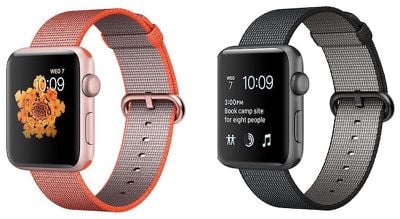
Though watchOS 6 is now available, the update has not been released for Series 1 and Series 2 models, so Apple today made a watchOS 5.3.2 update available for these devices.
watchOS 5.3.2 can be downloaded through the dedicated Apple Watch app on the iPhone by going to General -> Software Update. To install the new software, the Apple Watch needs to have over 50 percent battery, it needs to be placed on a charger, and it needs to be in range of the iPhone.
According to Apple's release notes, the watchOS 5.3.2 update provides important security updates and is recommended for all users. A security support document says the watchOS 5.3.2 update includes a fix for a vulnerability that could allow a remote hacker to cause unexpected application termination or arbitrary code execution.
Apple has not released watchOS 6 for the Series 1 and Series 2 Apple Watch models, despite the fact that these devices will be getting the update.
Series 1 and Series 2 Apple Watch owners may need to wait for the release of watchOS 6.1 to get watchOS 6, as that beta is available for older devices as well as newer ones.
While waiting for the watchOS 6 update, Series 1 and Series 2 Apple Watch owners should download the software released today.
March has been an incredibly busy month for Apple, with the company unveiling more than 10 new products and accessories. We said hello to the MacBook Neo at the start of the month, and we bid farewell to the Mac Pro at the end of it.
Nevertheless, there is still a lot more to come this year.
Beyond the usual annual updates to iPhones and Apple Watches, Apple's all-new smart home hub is...
iOS 26.4 was released today, and it includes a couple of new features for CarPlay: an Ambient Music widget and support for voice-based chatbot apps.
To update your iPhone 11 or newer to iOS 26.4, open the Settings app and tap on General → Software Update. CarPlay will automatically offer the new features so long as the iPhone connected to your vehicle is running iOS 26.4 or later....
Thursday March 26, 2026 2:04 pm PDT by Juli Clover
Apple has discontinued the Mac Pro and has removed the machine from its website, reports 9to5Mac. Apple said it does not plan to design a new version of the Mac Pro, and no new model will be coming in the future.
The Mac Pro was last updated in 2023, which was when Apple added an M2 Ultra Apple silicon chip, but the chassis has not been refreshed since 2019. Apple redesigned the Mac Pro to...
I was getting excited as well, but alas... My S0 does me just fine - I only use it once in a while, and as long as I can get time, pay using the wallet, read emails and messages, check my calendar, and get directions, I'll stick with my original Apple Watch... Just wish they would at least update the OS to ver. 5.
It would be nice for Apple to do a little software polish every now and again for the first generation, even if only to close security vulnerabilities like they do on the Mac with older versions of macOS.
I can’t get the update for some reason. Just says up-to-date.
My model number says NJ3U2LL/A and not a normal one like A1554 (S1 SS 42). I’m wondering if that’s what’s keeping me from updating.
Thinking of unpairing and repairing but not sure if that will fix it. I really don’t want that hassle.
Strangely, the About screen on my watch actually lists the model number conventionally. so j doubt this is the glitch.
Lil’ help?
That’s because your watch is up to date, with 4.3.2 being the latest version for the original Apple Watch. Note that A1554 is the original Apple Watch (aka Series 0) not the series 1 (Apple naming 2nd gen hardware Series 1 has caused a lot of confusion).