Apple Reveals 'Voice Control' Accessibility Feature Coming to Mac and iOS - MacRumors
Skip to Content

Apple Reveals 'Voice Control' Accessibility Feature Coming to Mac and iOS

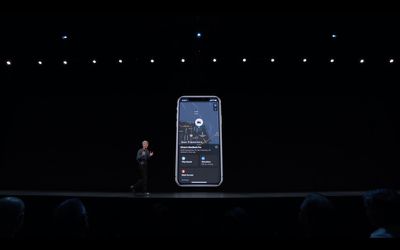
As part of its macOS Catalina and iOS 13 unveiling today at WWDC, Apple announced a new accessibility feature called Voice Control, allowing users to control their Mac and iOS devices entirely using vocal commands.
f1559587984 1
Voice Control supports dictation and editing in both operating systems, along with comprehensive menu navigation.

On iOS, the feature utilizes attention awareness to know when a user with physical motor limitations is interacting with their device.

To allay privacy concerns, Apple says that none of the audio processed by Voice Control can be accessed by anyone else, including Apple, thanks to built-in anonymity and encryption.

Related Forum: iOS 13

Popular Stories

imac video apple feature

Apple Released Yet Another New Product Today

Friday March 20, 2026 2:39 pm PDT by
Apple has unveiled a whopping nine new products so far this March, including an iPhone 17e, iPad Air models with the M4 chip, MacBook Air models with the M5 chip, MacBook Pro models with M5 Pro and M5 Max chips, the all-new MacBook Neo, an updated Studio Display, a higher-end Studio Display XDR, AirPods Max 2, and now the Nike Powerbeats Pro 2. iPhone 17e features the same overall design as...

HomePod mini and Apple TV Sage

New Apple TV and HomePod Mini Remain 'Ready' to Launch

Sunday March 22, 2026 6:33 am PDT by
Apple has unveiled nine new products this month, but the wait continues for the next-generation Apple TV 4K and HomePod mini models. In his Power On newsletter today, Bloomberg's Mark Gurman said new versions of the Apple TV and HomePod mini have been "ready" since last year, but he reiterated that Apple has held off on releasing them until the more personalized version of Siri and other...

iOS 26

iOS 26.4 Adds Two New Features to CarPlay

Tuesday March 24, 2026 1:55 pm PDT by
iOS 26.4 was released today, and it includes a couple of new features for CarPlay: an Ambient Music widget and support for voice-based chatbot apps. To update your iPhone 11 or newer to iOS 26.4, open the Settings app and tap on General → Software Update. CarPlay will automatically offer the new features so long as the iPhone connected to your vehicle is running iOS 26.4 or later....

Top Rated Comments

89 months ago
Me: hey siri, delete browser history

Siri: tweeting browser history

Me: Noooooo!!!
Score: 7 Votes (Like | Disagree)
Skeptical.me Avatar
89 months ago
If this is as reliable as was displayed in the Keynote I'll be very happy.
Score: 3 Votes (Like | Disagree)
AdeFowler Avatar
89 months ago
If this is as reliable as was displayed in the Keynote I'll be very happy.
Same here. I have cerebral palsy, and whilst I manage just fine most days, this could be a godsend on my bad days.
Score: 2 Votes (Like | Disagree)
StyxMaker Avatar
89 months ago
Seriously, an accident in a blink of an eye can put anyone in a position where he/she needs this feature or any other accessibility feature. Glad that Apple is doing great for the unfortunate.
Being severely red/green color blind I often use the invert colors or black and white options with some apps and web sites.

Developers really need to stop using red letting on black backgrounds red/green color blind (the most common type) literally cannot read the words. Additionally they have the habit of putting really serious warnings in this color combination.
Score: 2 Votes (Like | Disagree)
iDento Avatar
89 months ago
Seriously, an accident in a blink of an eye can put anyone in a position where he/she needs this feature or any other accessibility feature. Glad that Apple is doing great for the unfortunate.
Score: 2 Votes (Like | Disagree)
CombatCaptured Avatar
89 months ago
At the very least the [Accessibility Options Menu] needs to be 100 voice control, I’ve got a blind friend who “once and awhile” accidentally changes an Accessibility option and can’t change it back because it no long is working properly.

Recently changed the voice speed to max and couldn’t understand anything because it was speaking too fast, so couldn’t use voiceover to find the menu option to change it back... ‘hey Siri slow down voice over’ should be bare minimum!
Score: 2 Votes (Like | Disagree)










































