Apple Seeds Fourth Beta of watchOS 4.3 to Developers With Portrait Nightstand Mode, iPhone Music Controls - MacRumors
Skip to Content

Apple Seeds Fourth Beta of watchOS 4.3 to Developers With Portrait Nightstand Mode, iPhone Music Controls

Apple today seeded the fourth beta of an upcoming watchOS 4.3 update to developers, two weeks after seeding the third beta and a little over two weeks after releasing watchOS 4.2.3, a minor update focusing on bug fixes.

Once the proper configuration profile has been installed from the Apple Developer Center, the new watchOS beta can be downloaded through the dedicated Apple Watch app on the iPhone by going to General --> Software update.
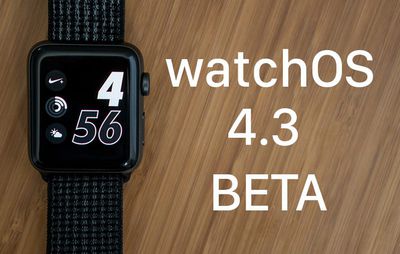
watchos43beta
To install the update, the Apple Watch needs to have at least 50 percent battery, it has to be placed on the charger, and it needs to be in range of the iPhone it's paired to.

watchOS 4.3 introduces support for Nightstand mode in portrait orientation, a feature that was previously only available when the watch was placed in landscape orientation. There's also a new charging animation when the Apple Watch is placed on the charger, a new app loading animation, your Activity data is now displayed on the Siri watch face, and the battery complication more accurately reports battery life.


The watchOS 4.3 update also brings the return of a much-desired feature that allows music playing on the iPhone to be controlled using the Music app on the Apple Watch.

In prior versions of watchOS, starting with watchOS 4, the Music app could only be used to control music playing on the watch itself. With the tvOS 11.3 beta installed, there's also an option to control music playing on the Apple TV with the watch.

Apple plans to release watchOS 4.3 to the public in the spring, and until then, it will be limited to developers. Apple offers public betas of tvOS, iOS, and macOS, but watchOS betas are not available for public beta testers because there's no way to revert to an earlier version of watchOS once an update is installed.


Related Roundup: Apple Watch 11
Buyer's Guide: Apple Watch (Neutral)

Popular Stories

watchos 26 gradient light

watchOS 26.4 Now Available With Workout Update and New Emoji

Tuesday March 24, 2026 10:02 am PDT by
Apple today released watchOS 26.4, the fourth major update to the watchOS 26 operating system that came out in September. watchOS 26.4 comes a month and a half after Apple released watchOS 26.3. watchOS 26.4 can be downloaded for free on an iPhone running iOS 26.4 by opening up the Apple Watch app and going to General > Software Update, or initiating an update in the Settings app on the...
Apple Watch Series 10 Jet Black

No Major Apple Watch Redesign Expected This Year

Thursday March 26, 2026 11:12 am PDT by
In addition to indicating that a new full-sized HomePod is in the works, and that the foldable iPhone will likely ship later than the iPhone 18 Pro models this year, Bloomberg's Mark Gurman today said he does not expect any major design changes for the next-generation Apple Watch models coming later this year. Gurman revealed all of this information in a live Q&A call today on the Bloomberg...
earth day 2025 apple watch

Apple Watch Earth Day and International Dance Day Activity Challenges Launching Later This Month

Tuesday April 14, 2026 12:00 pm PDT by
Apple has two new Apple Watch activity challenges coming up, celebrating Earth Day and International Dance Day. The Earth Day activity challenge will launch on Wednesday, April 22, while the Dance Day challenge will take place a week later on Wednesday, April 29. To complete the Earth Day challenge, Apple Watch owners will need to complete a workout that lasts for 30 minutes or longer. This ...

Top Rated Comments

KarimLeVallois Avatar
106 months ago
I just want my iMessages synced so I don't have to manually delete them from the watch!!
Score: 2 Votes (Like | Disagree)
Apple_Robert Avatar
106 months ago
great thanks!
I'm having issues starting my activities... like it takes a few seconds every time to start my gym or archery training. Hopefully the beta will fix this.
I would not install a beta on your watch. If the beta bricks your watch, you will have to ship it off to Apple
[doublepost=1520377354][/doublepost]
The WatchOS updater just says it will resume downloading when I am connected to WIFI, which I am. I've tried going into and out of airplane mode, and restarting my phone. It's just stuck. Any ideas would be appreciated. Thanks.
Are you plugged in? If not, try that while connected to WiFi.
Score: 2 Votes (Like | Disagree)
Rickjames74 Avatar
106 months ago
Any changes?
Music selection is still broken. It will allow you to navigate music on the phone up until you select an album then it just plays that album without the ability to navigate through tracks. SIGH.
Score: 2 Votes (Like | Disagree)
Type4O Avatar
106 months ago
I would not install a beta on your watch. If the beta bricks your watch, you will have to ship it off to Apple
[doublepost=1520377354][/doublepost]
Are you plugged in? If not, try that while connected to WiFi.
I was connected WIFI, and the watch was on its charger. The updater finally admitted failure and cancelled the download. I was then able to try again and it worked.


Score: 1 Votes (Like | Disagree)
pnoyblazed Avatar
106 months ago
build 15T5199f
Score: 1 Votes (Like | Disagree)