Evernote Offering Automatic Document Scanning With New 'Scannable' iOS App - MacRumors
Skip to Content

Evernote Offering Automatic Document Scanning With New 'Scannable' iOS App

by

Evernote today released a new iPhone and iPad app that adds scanning to its repertoire of available services. The new Evernote Scannable app debuted last year as a beta service and is now publicly available in the iOS App Store.

Similar to competing scanning apps, Evernote Scannable includes an automatic scanning feature that allows users to scan a document simply by launching the app. Upon launch, the app will locate the document in the camera's field of view, initiate the scan and sharpen the contents to improve image quality.
evernote-scannable
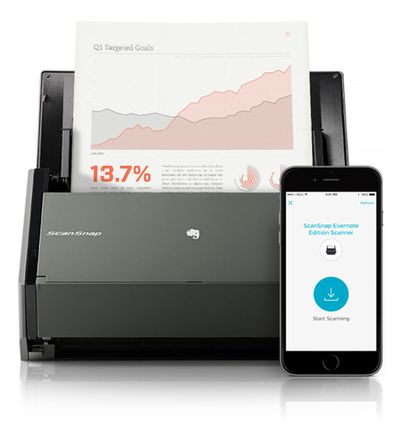
Once scanned, the document can be uploaded to Evernote in a format that makes it searchable. Alternatively, scans can be uploaded to iCloud or shared via AirDrop, text messaging or email. If the scanned document is a business card, the Evernote service will automatically associate the scanned information with the contact's LinkedIn account. The new Scannable app also will serve as a controller for the ScanSnap Evernote Edition Scanner.

Scannable moves paper forward. Scan contracts, receipts, business cards, and any paper that comes your way. Save or share documents instantly and move on.

Automatically capture high-quality scans anywhere
- Scan fast: Point your camera at documents, Post-it® Notes, or whiteboards. Scannable immediately captures them.
- Save time: Scannable automatically rotates, crops, and adjusts images so your scans are clear and easy to read.
- Share or save: Send documents to colleagues via email or text, or save them to Evernote and other apps.

The Evernote Scannable app is available for free from the iOS App Store. [Direct Link]

Top Rated Comments

Readdlemate Avatar
149 months ago
Another plus for Scanner Pro. Scanned my boss's notepad yesterday as asked and he was impressed at the clarity.
I've got a scansnap ix500 for the post now, and in fact I'm finally putting my trusty 3 year old Doxie on eBay this weekend as ScannerPro has taken over as my ad-hoc scanning solution.

My biggest use of the evernote app itself is taking photos rather than the doc photo - usually when we're in a shop and my kids say "I;d like that for a present" so it goes into the "wants" notebook. Makes Christmas & birthdays so much easier when asked by family what they would like!

Great use-cases! We are happy you enjoy Scanner Pro)

Our team is working on new update to Scanner Pro now. Stay tuned;)

Best regards,
Readdle team
Score: 3 Votes (Like | Disagree)
S.B.G Avatar
149 months ago
Why would someone need this if they already have Evernote which has document scanning built in already?

I dunno. But it was much faster to open, acquire, scan and upload to my Evernote account than it was to use the Evernote app to do the same.
Score: 2 Votes (Like | Disagree)
S.B.G Avatar
149 months ago
I just downloaded it and tried it. It worked really well, simple and fast.
Score: 2 Votes (Like | Disagree)
S.B.G Avatar
149 months ago
When you take the shot, it appears at the bottom as a gallery. If you click on it, it'll bring up a page and at the bottom it'll have the title you can click on and edit.

Excellent, thank you!
Score: 1 Votes (Like | Disagree)
predation Avatar
149 months ago
Genius scan + is all you need
Score: 1 Votes (Like | Disagree)

Popular Stories

Aston Martin CarPlay Ultra Screen

Apple Says CarPlay Ultra is Coming to These Vehicle Brands

Thursday May 21, 2026 11:53 am PDT by
Last year, Apple launched CarPlay Ultra, the long-awaited next-generation version of its CarPlay software system for vehicles. Nearly a year later, CarPlay Ultra is still limited to Aston Martin's latest luxury vehicles, but that should change fairly soon. In May 2025, Apple said many other vehicle brands planned to offer CarPlay Ultra, including Hyundai, Kia, and Genesis. CarPlay Ultra...
ios 26 iphone 16 pro lock screen notifications feature 1

iOS 27 Notifications Will Slide in From Left Side of Your iPhone's Screen

Friday June 5, 2026 7:24 am PDT by
Bloomberg's Mark Gurman today revealed another iOS 27 change: notifications will slide in from the left side of the screen instead of from the top. In addition, accessing Notification Center on iOS 27 will require swiping down on the top-left corner of the screen. If you swipe down on the Dynamic Island area, a new "Search or Ask" interface tied to the revamped Siri will appear, instead of...
iOS 27 on iPhone 17 1

iOS 27 Beta Available Tomorrow With These 12 New Features

Sunday June 7, 2026 8:39 am PDT by
Apple is set to unveil iOS 27 during its WWDC 2026 keynote this Monday, and there are many rumored features and changes for iPhones. The first developer beta of iOS 27 will likely be available immediately following the keynote, and a public beta typically follows in July. Following beta testing, the software update should be released to all users with a compatible iPhone in September....